Xero Accounting Software UK Your Complete Business Guide
If you’re running a small business or freelancing in the UK, you know that keeping on top of your finances can feel like a job in itself. Cloud accounting software like Xero is often touted as the answer, but is it actually the right fit for you? Let's cut through the noise and look at what Xero really does, who it’s best for, and how it handles the quirks of the UK tax system.
Why Xero is a Go-To for UK Businesses
Let’s be honest, UK business finance isn't just about balancing the books. You've got Making Tax Digital (MTD) for VAT and Companies House filings to worry about. A lot of generic software just doesn't get these local nuances, which can leave you with a load of extra admin. Xero, on the other hand, was built with the UK market in mind from early on.
Think of it as the financial command centre for your business. Instead of wrestling with clunky spreadsheets, shoeboxes of receipts, and separate invoicing apps, Xero pulls everything together under one roof. This gives you a live, crystal-clear view of your financial health, so you can stop guessing and start making informed decisions. Here’s where it really shines for UK users:
- HMRC Compliance: Xero is fully MTD-compliant, so you can file your VAT returns directly with HMRC without the headache.
- UK Bank Feeds: It hooks up securely with all the major UK banks (HSBC, Barclays, NatWest, you name it) and automatically pulls in your transactions.
- Localised Payroll: If you have staff, the payroll add-on handles all the UK-specific stuff like PAYE, National Insurance, and pension auto-enrolment.
The moment you log in, the dashboard gives you a snapshot of your cash flow, who owes you money, and your bank balances. It puts the most important numbers right where you need them.
Xero's Growth in the UK Market
Xero’s relentless focus on making accounting less painful for actual business owners is why it’s blown up in the UK. When it first launched here back in 2008, it was a small fish in a big pond. Fast forward to 2020, and it had grabbed 25% of the UK’s accounting software market. Today, that figure is over 30%. That’s not just luck; it’s a testament to how well it resonates with the people who use it every day.
For so many businesses, moving away from spreadsheets or old-school desktop software is a massive leap. It's not just about changing tools; it's about finding a smarter, less stressful way to run your business.
If you're stuck on an older system, figuring out how to make the switch is half the battle. For anyone on a legacy platform, understanding the steps to move from Sage to Xero can make the whole process feel much less daunting.
So, What Does Xero Actually Do?
Okay, let's get down to the brass tacks. We know Xero is popular, but what will you actually be doing with it day-to-day? To see if it’s the right fit, you need to lift the bonnet and have a look at the engine. The core features of Xero accounting software are designed to mesh together perfectly, giving you a clear, live view of your finances without needing a degree in accountancy.
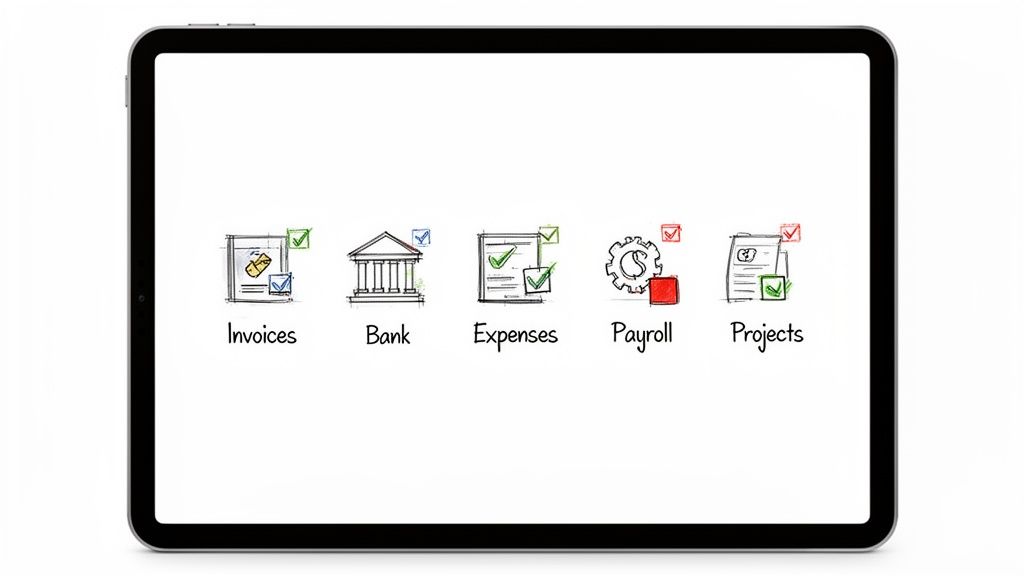
Think of it less as a collection of separate tools and more as one interconnected system built to make your daily grind a whole lot simpler. Let’s dive into the essential bits that UK freelancers and small businesses really lean on.
Sending Invoices and Actually Getting Paid
Let's face it, cash flow is everything. Xero's invoicing is built to get your money in the bank as painlessly as possible. You can knock up professional, branded invoices in a few clicks and ping them straight to your clients’ inboxes.
But we all know sending the invoice is the easy part. It’s the chasing that’s a real drag. Xero takes this off your plate with automated, customisable payment reminders that nudge clients when an invoice is overdue. It sounds simple, but this feature alone can be a game-changer for your cash flow, saving you from those awkward follow-up calls.
Picture this: you finish a job, and before you’ve even left the client's site, you’ve sent the invoice from your phone. If they forget to pay, Xero automatically sends a polite little reminder for you a week later. No fuss.
Bank Reconciliation That Doesn’t Feel Like a Chore
Bank reconciliation is just a fancy term for making sure the money in your bank account matches the records in your books. In the old days, this was a mind-numbing task involving piles of paper statements. Xero completely flips this on its head by linking directly to all the major UK banks.
This "bank feed" automatically pulls your transactions into Xero every day. When you log in, you’re greeted with a simple screen where Xero suggests matches between your bank activity and your invoices or bills. All you have to do is click 'OK'.
The whole point is to make your accounts reflect reality with as little effort as possible. Forget spending hours poring over spreadsheets; you can get your books sorted in minutes while your kettle boils.
This daily clarity is huge. It shows you exactly where your money is going in near real-time, meaning your financial reports are always spot-on. That’s the kind of solid info you need to make smart decisions.
Nailing Your Expenses and Receipts
Managing expenses is one of those jobs that feels small but makes a massive difference, especially when the taxman comes knocking. Xero lets you snap photos of receipts with its mobile app, and its clever tech automatically pulls out the important details like the date, amount, and supplier.
Say goodbye to that dreaded shoebox stuffed with faded receipts! It means you can easily claim for every single thing you're entitled to. For those who want to take it a step further, Xero plays nicely with tools like Dext, which can scan and process receipts with 99.9% accuracy before posting them directly into your accounts. That’s a serious time-saver.
Below is a quick summary of how these core tools come together to help you run your business.
Xero Core Feature Breakdown for UK Users
| Feature | Primary Benefit for UK Business | Example Use Case |
|---|---|---|
| Professional Invoicing | Get paid faster and improve cash flow with automated payment reminders. | Sending a branded invoice from your phone immediately after finishing a job for a client. |
| Bank Reconciliation | Get a real-time, accurate view of your finances in minutes, not hours. | Matching a customer's payment from your bank feed to the corresponding invoice with a single click. |
| Expense Tracking | Never miss a claimable expense and be ready for your tax return. | Snapping a photo of a lunch receipt with the Xero app to instantly record it as a business expense. |
| UK Payroll (Add-on) | Stay compliant with HMRC regulations for PAYE, NI, and pensions. | Automatically calculating deductions and emailing payslips to your staff each month. |
| Project Tracking | Understand which jobs and clients are actually making you money. | A marketing agency assigns staff time and ad spend to a specific client campaign to check its profitability. |
These features aren't just about saving time; they give you the clarity and control you need to confidently steer your business in the right direction.
Keeping Payroll and Projects in Check
If you've got staff, Xero’s integrated payroll add-on is a lifesaver. It’s fully recognised by HMRC and deals with all the fiddly bits of UK payroll for you.
- PAYE Calculations: It automatically figures out the correct tax and National Insurance contributions.
- Payslips: You can generate and email payslips straight to your employees.
- Auto-Enrolment: It helps you manage pension contributions to keep you compliant with the law.
And for businesses that run on projects, like creative agencies, consultants, or tradespeople, the Projects feature is brilliant. It lets you track time and costs against individual jobs. This gives you a crystal-clear picture of which clients are actually profitable, helping you quote more accurately for future work and focus your energy where it counts.
Choosing the Right Xero Price Plan
Picking the right Xero subscription for your business can feel like a big commitment, but it really doesn't have to be a headache. Xero’s pricing is tiered (usually called Starter, Standard, and Premium) and the whole idea is to match the plan to what your business is actually doing right now. You don't want to pay for features you'll never use.
Think of it like a mobile phone contract. You wouldn't sign up for unlimited international calls if all your mates are in the same city, would you? It's the same principle here. A freelance copywriter just starting out has completely different needs from a growing e-commerce shop shipping goods across Europe.
Let's break down who each plan is really for.
The Starter Plan: Best for New Sole Traders
The Starter plan is basically Xero’s entry-level package, built for freelancers, contractors, and brand-new sole traders. It gives you the essentials to get your finances in order and, crucially, stay on HMRC’s good side.
But, and it’s a big but, it’s designed to get you started, which means it comes with some serious limitations. You’re typically capped at sending 20 invoices and quotes a month and entering just five bills.
This plan is a perfect fit if you:
- Are just kicking off your freelance career with a small number of transactions.
- Work with a handful of regular clients each month.
- Mainly need to track what’s coming in and going out for your Self Assessment tax return.
The moment you start bumping up against those invoice or bill limits, take it as a good sign! It means your business is growing, and it’s time to level up.
The Standard Plan: The Go-To for Growing Businesses
For most established small businesses in the UK, the Standard plan is the sweet spot. This is where Xero removes the training wheels. The restrictive caps on invoices and bills are gone, leaving you free to manage your business without constantly checking your limits.
This tier gives you everything in the Starter plan but unlocks unlimited invoicing and bills. It's the natural choice for any business that’s actively trading and needs a solid tool to handle a steady flow of money in and out.
Moving to the Standard plan is often the point where a business goes from simply tracking its finances to actively managing them for growth. It gives you the tools to get a real grip on your cash flow.
The Premium Plan: Essential for Global Ambitions
The Premium plan is aimed at businesses operating on a bigger stage, especially those dealing with international customers or suppliers. Its killer feature? Multi-currency support.
If you invoice a client in Euros or pay a supplier in US dollars, this plan is non-negotiable. It automatically handles all the currency conversions and shows you your real-time gains or losses from exchange rate fluctuations. For an online store selling to customers in both the US and Europe, this isn't a nice-to-have; it's an absolute necessity for keeping your books straight.
What About the Add-Ons?
Beyond the core plans, Xero offers a few powerful extras you can bolt on as your business evolves. These aren't included in the main subscriptions and come with an additional monthly fee.
- Xero Payroll: An absolute must if you hire staff. It handles PAYE, National Insurance, pensions, and payslips, making sure you’re fully compliant with HMRC.
- Xero Projects: A brilliant tool for agencies, consultants, or tradespeople. It lets you track the time and costs for specific jobs, so you can see at a glance which projects are actually making you money.
- Xero Expenses: This simplifies the whole ordeal of employees submitting expense claims. It makes approvals and reimbursements a much faster, less painful process for everyone.
By keeping these as optional extras, Xero lets you build a package that grows with you. You can start lean on the Starter plan and only add things like Payroll when you actually need them, keeping your overheads low in the early days.
How Xero Simplifies Making Tax Digital
Let's talk about Making Tax Digital, or MTD. For most VAT-registered businesses in the UK, this isn't a choice; it's a legal requirement from HMRC. The very idea of digital tax submissions can sound a bit daunting, but this is exactly where software like Xero comes in and turns a potential headache into a surprisingly simple task.
Essentially, MTD means you have to keep your records digitally and file your VAT returns using compatible software. The days of logging into the HMRC portal and manually punching in numbers are over. Xero is fully recognised by HMRC, acting as a secure digital bridge between your business accounts and the tax office. It’s designed to make staying compliant feel less like a chore and more like a natural part of your routine.
The MTD Submission Process in Xero
The whole process in Xero is built to be as foolproof as possible. It walks you through everything, from linking your account to hitting ‘submit’ with confidence. There are no complicated spreadsheets or frantic last-minute calculations needed; the software does all the heavy lifting using the financial data you’ve already been logging day-to-day.
It all boils down to three main stages: connect, prepare, and submit. This flow shows just how straightforward getting your VAT sorted in Xero can be.
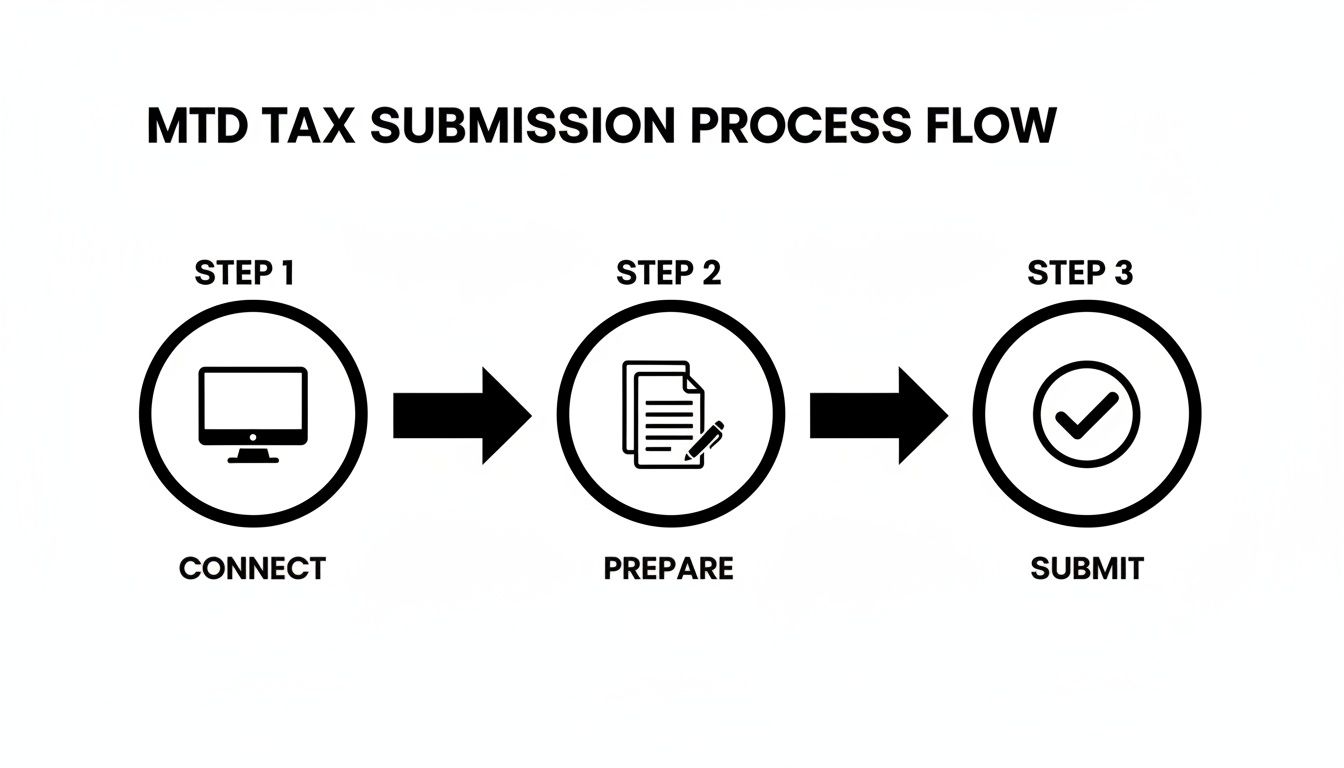
This simple workflow virtually eliminates the risk of manual typos and ensures your submissions are handled securely from start to finish.
Connecting Xero to HMRC
The first step is a one-time setup that gives Xero the green light to talk to HMRC for you. You just head to the VAT section in Xero, select the MTD option, and you’ll be popped over to the Government Gateway login page.
Once you enter your credentials, you're simply granting Xero permission to handle your VAT obligations. This secure connection is the foundation of the whole MTD process, allowing Xero to pull your filing deadlines and send your returns directly.
Preparing and Submitting Your VAT Return
This is where the magic happens. Because you’ve been sending invoices and logging expenses in Xero all along, the software already has everything it needs. It automatically calculates the figures for your VAT return by working out how much VAT you've collected on sales and how much you've paid on your business purchases.
You can check all the transactions included in the return and make any final adjustments if needed. When you’re happy it all looks right, you just click a button to file the return straight to HMRC. What used to take hours can now be done in minutes.
The biggest win here is the peace of mind. You know your VAT return is based on accurate, real-time data from your accounts, which seriously cuts down the risk of mistakes and any potential penalties from HMRC.
But it’s not just about staying compliant. Using Xero gives you a much clearer picture of your finances throughout the year. This clarity makes it easier to spot trends, plan ahead, and make smarter decisions. Pairing this with some solid freelance tax tips can really sharpen your financial management skills. At the end of the day, using Xero for MTD isn't just about ticking a box for HMRC; it’s about giving you the financial insight you need to run your business better.
Comparing Xero to UK Alternatives
Choosing your accounting software is a big deal for any UK business. While Xero is a fantastic piece of kit, it’s not the only game in town. It’s worth taking a moment to see how it stacks up against its main rivals, QuickBooks and FreeAgent, to make sure you’re picking the tool that genuinely fits how you work.
The UK accounting software scene is buzzing, with a few strong players all vying for your attention. While old-school desktop systems used to rule the roost, cloud-based platforms have completely changed the landscape. Xero has become a massive force, grabbing 25% of the UK market by 2020, just behind QuickBooks Desktop's 27%. A huge part of its appeal is the incredible ecosystem of over 1,000 integrations with tools like Stripe and Shopify, making it a go-to for modern e-commerce and service-based businesses. If you're interested in the numbers, Codat's research on accounting software trends is a great read.
This healthy competition is great news for you, as it means you’ve got excellent options, each with its own philosophy.
Xero vs QuickBooks: The Battle of the Giants
QuickBooks is probably Xero’s biggest competitor here in the UK. Both platforms are packed with features, but they come at accounting from slightly different angles. QuickBooks often clicks with businesses that need really deep, granular financial reports and powerful inventory management straight out of the box.
Here’s a simple way to think about it:
- Xero gets a lot of praise for its beautiful, intuitive design. It’s built to feel welcoming for business owners who aren't accountants.
- QuickBooks can feel a bit more 'heavy-duty' with its sheer number of features. Its complex reporting and customisation options tend to appeal more to experienced bookkeepers or larger small businesses.
If your main goal is a clean, simple daily routine for sending invoices and reconciling the bank, Xero often wins on pure user experience. But if you need to run complicated project profitability reports or manage complex stock, QuickBooks might just have the edge.
Xero vs FreeAgent: The Freelancer Favourite
FreeAgent is a brilliant alternative, particularly for UK freelancers, contractors, and micro-businesses. Its whole identity is built around simplicity and an all-in-one approach. While you might need to bolt on extras like payroll with Xero or QuickBooks, FreeAgent tends to include these key functions in its single, straightforward plan.
Where it really shines is tax. It gives you live estimates for your Corporation Tax, Self Assessment, and VAT returns, which is a lifesaver for sole traders wanting to avoid any nasty surprises from HMRC.
For many freelancers, the goal is to spend as little time as possible on admin. FreeAgent is built on this very idea, prioritising speed and simplicity for the self-employed.
The flip side of this laser focus on simplicity is that it might not scale as well as Xero. As your business grows and you find yourself needing more integrations with other apps or support for multiple currencies, Xero’s massive ecosystem makes it a more flexible choice for the long haul. To get a better sense of how these platforms fit different businesses, take a look at our detailed guide on choosing the right accounting package.
Xero vs Competitors: A UK Business Comparison
To lay it all out, here's a quick side-by-side look at how the big three compare on the things that really matter to UK small businesses.
| Feature | Xero | QuickBooks | FreeAgent |
|---|---|---|---|
| Best For | Growing businesses and those needing a large app ecosystem. | Businesses wanting deep reporting and advanced features. | UK freelancers and sole traders seeking ultimate simplicity. |
| Ease of Use | Excellent. Known for its clean, intuitive interface. | Good, but can have a steeper learning curve due to its depth. | Excellent. Designed for non-accountants with a simple layout. |
| Pricing Model | Tiered plans with optional add-ons (e.g., Payroll). | Tiered plans with features scaling up at each level. | Often a single, all-inclusive plan for freelancers. |
| Tax Features | Strong MTD and VAT handling. Self Assessment reports available. | Robust tax features, including VAT and Self Assessment tools. | Standout feature with live tax estimations for sole traders. |
| Integrations | Massive. Over 1,000 third-party app integrations. | Very large app marketplace, comparable to Xero. | More limited, focusing on key integrations rather than quantity. |
At the end of the day, the best alternative to Xero accounting software UK-wide depends entirely on you and your business. If you value a beautiful user experience and the power of endless integrations, Xero is tough to beat. If you need deep, accountant-level control, QuickBooks is a serious contender. And if you're a sole trader who just wants tax and invoicing sorted with zero fuss, FreeAgent is a fantastic choice.
Putting Your Business on Autopilot with Xero Integrations
Think of your Xero account as the engine of your business. It's powerful on its own, but the real magic happens when you start connecting it to other specialist tools you use every day. This is where Xero’s huge app marketplace comes in, letting you turn your accounting software into a central hub for your entire operation.
When you connect the apps you already rely on, you create a seamless flow of information that keeps your books accurate and up-to-date without you having to do a thing. It’s like building a custom productivity machine where every part talks to the others. The result? No more mind-numbing data entry, freeing you up to focus on what actually grows your business.
Building a Smart Digital Workflow
The whole point of integrations is to solve common business headaches with a bit of smart automation. Instead of bouncing between different systems, you create one connected ecosystem where your data just flows.
Here are a few popular examples that make a huge difference:
- Getting Paid Faster: Connect a payment gateway like Stripe or GoCardless, and when a client pays an invoice online, the payment is automatically recorded and reconciled in Xero. You don’t have to lift a finger.
- E-commerce Sales: If you run a Shopify store, connecting it to Xero means your daily sales, fees, and payouts are synced automatically. This gives you a crystal-clear picture of your revenue without any manual work.
- Sorting Expenses: Apps like Dext or our own Receipt Router kill the hassle of managing receipts. Just snap a photo or forward an email, and the data is pulled out and sent straight to Xero, ready for you to approve.
This kind of automation isn’t a nice-to-have anymore; it's quickly becoming the standard way of doing things. In fact, Xero's own research found that 46% of UK accountants have seen major productivity boosts thanks to AI. This has added a whopping £338 million to industry profits and contributed an extra £1 billion to the UK's GDP. You can read more about how AI is boosting the UK economy on xero.com.
Never Miss a Tax-Deductible Expense Again
One of the biggest wins from all this automation is finally getting your expense tracking sorted. We’ve all done it, forgotten to log a small cash purchase or lost an email receipt. Every time that happens, you’re literally paying more tax than you need to.
By automating how you capture receipts, you ensure every single pound spent on the business is accounted for. This doesn't just save you a packet at tax time; it gives you a perfectly accurate view of your profitability, day in and day out.
Many savvy businesses are also discovering other ways to put Xero to work, like automating invoice follow-ups with Xero to improve cash flow. These small, automated steps really do add up, saving you huge amounts of time and keeping your bank balance much healthier. We cover more on the power of automation in accounting in our other guides.
Still Got Questions About Xero in the UK?
Right, we've covered the features, the pricing, and how it stacks up against the competition. But you probably still have a few niggling questions about how Xero would actually work for your specific UK business. It's a big decision, and you need to be sure.
Let's dig into some of the most common things that freelancers and small business owners ask right before they take the leap. Getting these practical details ironed out can be the final piece of the puzzle.
Is Xero a Good Fit for a UK Sole Trader?
In a word: yes. There's a reason Xero is so popular with UK sole traders and freelancers. The Starter and Standard plans feel like they were made for self-employed professionals, giving you everything you need to send invoices, keep tabs on expenses, and link up your bank account for easy reconciliation.
The big one, of course, is that it’s fully MTD-compliant, an absolute must if you're VAT registered. When your Self Assessment deadline looms, Xero has all the reports you or your accountant need to figure out your income and expenses. It takes a huge amount of the stress out of tax time.
How Much Hassle Is It to Switch to Xero?
Honestly, they've worked hard to make this as painless as possible. Xero provides really clear guides for anyone moving from other big names like Sage or QuickBooks, so you can bring over your contacts, invoices, and any outstanding bills.
You just pick a 'conversion date' and can even import old bank statements to get your books completely up to date. Look, any change in software involves a bit of setting up, but most business owners I've spoken to find the process surprisingly straightforward.
Pro Tip: If you want a completely seamless switch, get a Xero-certified accountant or bookkeeper involved. They've done this hundreds of times and will get you set up perfectly from day one.
Can I Use Xero for My UK Payroll?
You certainly can. Xero offers a dedicated Payroll feature that bolts right onto your main subscription. It's fully recognised by HMRC and is built from the ground up to handle UK payroll quirks like PAYE calculations, pension auto-enrolment, payslips, and Real Time Information (RTI) submissions.
The cost for the payroll add-on depends on how many employees you're paying each month. It’s a brilliant, integrated solution if you have a small team, as it keeps all your financial and payroll info in one tidy place.
Does Xero Actually Connect to UK Banks?
Yes, and this is arguably one of its best features. Xero has secure, direct bank feeds with all the major UK high street banks you can name, Barclays, HSBC, Lloyds, NatWest, Santander, the lot. It also plays nicely with the newer challenger banks like Starling and Monzo.
This means your bank transactions are pulled into Xero automatically every single day. This is the magic that powers Xero's reconciliation process, saving you an incredible amount of time compared to manually typing everything in. It keeps your numbers accurate and up-to-date with almost no effort on your part.
Stop chasing receipts and let your accounting run itself. With Receipt Router, you can automatically forward receipts from your inbox directly into your accounting software or Google Drive, perfectly organised and ready for reconciliation. Start saving hours every month with Receipt Router.