Accounting Packages Comparison: UK Software for Freelancers & Small Businesses
When it comes to UK accounting software, the big names you'll hear thrown around are FreeAgent, Xero, and QuickBooks. At their core, they're all aiming at slightly different people. FreeAgent was genuinely built from the ground up for freelancers and contractors. Xero is the king of integrations, making it a powerhouse for growing businesses that use lots of different apps. QuickBooks, on the other hand, is all about deep, robust reporting for more established small businesses.
Figuring out which one is right for you really boils down to your business setup and how complex your finances are.
How To Choose Your First Accounting Package
Diving into your business finances for the first time can feel like a pretty big leap, especially if you're a freelancer or small business owner in the UK. The first major decision is picking the right accounting software, but with so many options out there, it’s easy to get analysis paralysis. Trust me, getting this right from the start is a game-changer for managing your cash flow, staying on the right side of HMRC, and frankly, keeping your stress levels down.
The right software is so much more than just a digital spreadsheet; it's the command centre for your money. It helps you get paid faster, makes tracking expenses almost effortless, and takes the panic out of tax season. For anyone in the UK, being compliant with Making Tax Digital (MTD) for VAT is a must, and any decent, modern accounting package will have this baked right in.
Key Contenders In The UK Market
Here in the UK, a handful of key players really own the small business accounting space, and each one has its own personality. In this guide, we're going to put them head-to-head, focusing on what matters most to freelancers and small businesses. We’ll be looking at:
- FreeAgent: Known for being incredibly user-friendly. It’s a huge favourite among UK sole traders and contractors for a reason.
- Xero: Famous for its massive library of app integrations. If you want your software to scale with you, Xero is a serious contender.
- QuickBooks: A global heavyweight that offers powerful reporting and a massive toolset for handling more complicated finances.
- Sage: One of the most established names in UK accounting, offering solid, reliable solutions for businesses of all stripes.
- KashFlow: A straightforward, UK-centric option built for business owners who aren't accountants and just want something that works.
To do a proper comparison, we need a plan. It's not enough to just list off features; we need to dig into how those features actually work for you in the real world.
The goal isn't to find the "best" software overall, but the best software for you. A freelancer’s needs are worlds apart from a small e-commerce shop juggling stock and payment gateways.
Establishing Your Evaluation Criteria
Before you even start looking at demos, you need to know what you’re looking for. Most platforms offer the same core features, but the way they implement them can be wildly different. Just think about the financial tasks you do every day, every month, and every year. The table below breaks down the key things we'll use to judge each package.
| Evaluation Criteria | Why It Matters for UK Businesses |
|---|---|
| Invoicing & Payments | This is all about getting paid on time and keeping cash flowing through your business. Essential stuff. |
| Bank Feeds & Sync | Automates pulling in your bank transactions, saving you countless hours of soul-destroying data entry. |
| MTD for VAT | A legal requirement. Your software must be able to file VAT returns directly to HMRC. |
| Expense Management | Makes it simple to track what you're spending and ensures you claim every penny you're entitled to. |
| Reporting & Insights | Gives you a clear picture of your financial health so you can make smarter decisions. |
| Integrations | Lets you connect other tools (like receipt scanners or payment systems) to build a smooth workflow. |
By using this framework, we can cut through all the marketing fluff and focus on what’s actually going to make your life easier from day one.
What Core Features Actually Matter?
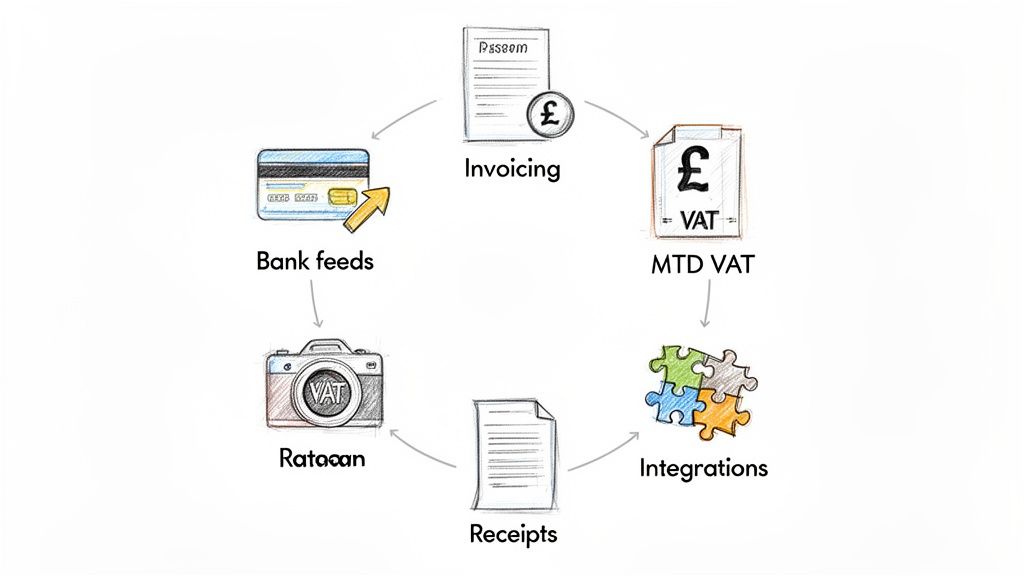
When you're comparing accounting packages, it’s all too easy to get sidetracked by flashy dashboards and endless feature lists. But for a UK freelancer or small business owner, only a handful of functions truly move the needle on your day-to-day workload and financial clarity. Nail these, and you're golden.
Think of these features as the engine of your financial admin. They're the bits that automate the drudgery, keep you compliant, and give you a live view of your business's health. Let's dig into what you absolutely must have.
Automated Bank Feeds: The Ultimate Time-Saver
If there's one feature that will change your life, it's the automated bank feed. This securely links to your business bank and credit card accounts, pulling in every transaction as it happens. The days of manually typing everything in from a paper statement are officially over.
Instead of facing a mountain of data entry at the end of the month, you get a manageable, daily trickle of transactions ready to be categorised. This constant flow is the bedrock of accurate, up-to-date bookkeeping, turning hours of tedious work into a few minutes of review each day.
A reliable bank feed isn't just a nice-to-have; it's the central nervous system of your books. It guarantees nothing gets missed and gives you the real-time data you need for proper cash flow forecasting.
This is all part of a bigger shift in how UK businesses handle their finances, with cloud-based software becoming the standard. It offers access from anywhere and avoids the hefty upfront costs of old-school, on-premise systems.
Invoicing and Staying on The Right Side of VAT
Getting paid is, well, pretty important. Your accounting software should make invoicing as smooth as possible. You need a platform that lets you whip up professional, customised invoices and, crucially, send automated reminders for the late ones. Many packages now let clients pay you directly from the invoice by linking up with Stripe or PayPal, which is a game-changer.
For any UK business, the other non-negotiable is Making Tax Digital (MTD) compliance. Your software must be able to work out your VAT liability and file your return directly with HMRC. It's a legal requirement, and having it baked into your accounting system removes a massive amount of stress and room for error.
So, a good invoicing and VAT setup should let you:
- Create Professional Templates: Make branded invoices that look the business.
- Set Up Recurring Invoices: Put billing for regular clients on autopilot.
- Track Payments: See instantly who has paid, who is due, and who is late.
- Submit MTD for VAT: A simple, one-click process to file with HMRC.
The Power of The Software Ecosystem
Here's the thing: no single piece of software does everything perfectly. That’s why the best accounting packages have a strong 'ecosystem' of integrations, letting them talk to other specialist tools you use. This is how you build a powerful, automated workflow that’s unique to your business.
Expense management is a perfect example. Your accounting software logs the bank transaction, but dealing with the pile of paper receipts is another headache entirely. This is where integrations are brilliant. You can plug in a dedicated tool to solve that specific problem. For instance, a quality receipt scanning app can automatically lift the data from a photo of a receipt.
By connecting specialist apps for things like payment processing, project management, or receipt automation, you seriously upgrade your central accounting hub. This connected approach is what separates a good setup from a great one, saving you countless hours and ensuring your financial records are always complete and correct.
A Detailed Look at the Top UK Accounting Packages
Picking the right accounting software can feel like a minefield. To cut through the noise, let's look beyond the marketing fluff and compare how the top five contenders, FreeAgent, Xero, QuickBooks, Sage, and KashFlow, really stack up for UK freelancers and small businesses.
This isn't about finding one "best" tool. It's about finding the right fit for your business, your comfort level with numbers, and where you plan on taking your company.
User Experience and Interface
Let's be honest, the most powerful software in the world is useless if you need a degree in accounting to use it. A clean, intuitive interface is non-negotiable; it saves you time and headaches every single day.
- FreeAgent is hands down the crowd favourite for simplicity. It’s built for people who aren't accountants. The dashboard gives you a crystal-clear, at-a-glance view of your finances, making it a godsend for freelancers and sole traders who just want things to work.
- Xero is famous for its slick, modern design. It packs more of a punch than FreeAgent but manages to keep everything feeling logical and uncluttered.
- QuickBooks is an absolute powerhouse, but with that power comes complexity. It can feel a bit 'corporate' and busy if you're new to this, as it's jam-packed with features.
- Sage Accounting has come a long way. They've shed their old-school desktop skin for a much cleaner and more straightforward online experience.
- KashFlow also aims for simplicity, but its interface can look a little dated next to the polished look of Xero or FreeAgent.
For a freelancer or contractor just starting out, the simplicity of FreeAgent is often the winning factor. It's designed to get you up and running with minimal fuss, so you can focus on your work, not on learning complex software.
It’s this focus on user-friendly, cloud-based tools that's driving a boom in the UK accounting software market. In fact, projections show the market is set to grow at a compound annual rate of 8.2% between 2025 and 2031. More and more UK businesses are ditching spreadsheets for these accessible and scalable financial tools. You can explore more data on UK accounting software market growth on 6wresearch.com.
Suitability for Different Business Structures
Your accounting needs change depending on how you're set up. A sole trader has a completely different set of worries from a limited company director juggling payroll and dividends.
A limited company director, for instance, needs software that can handle Corporation Tax estimates, dividend vouchers, and director’s loan accounts. FreeAgent absolutely shines here, with features built specifically for this. A sole trader, on the other hand, just needs to track income and expenses for their Self Assessment tax return, a job all five platforms can do well.
Bank Feed Reliability and Expense Management
Automated bank feeds are the heart of modern accounting, but not all are created equal. While all these platforms connect to major UK banks via Open Banking, the stability of that connection can vary. Xero and QuickBooks generally get top marks for having the most robust and reliable bank feeds.
When it comes to expenses, you have two jobs: capture the receipt and match it to the bank transaction.
- QuickBooks has a fantastic receipt scanning feature built right into its mobile app.
- Xero offers something similar with its Xero Expenses add-on, which comes with its higher-priced plans.
- FreeAgent lets you snap photos of receipts, but the process is more manual than its competitors.
This is exactly where third-party tools can make a massive difference. You can supercharge FreeAgent by connecting it to a dedicated automation tool. Find out more about how you can connect FreeAgent with receipt automation tools in our guide. This creates a brilliant workflow where emailed receipts are automatically processed and matched, saving you from a mountain of admin.
Feature Matrix UK Accounting Software
To give you a clear, at-a-glance view, this table provides a side-by-side comparison of core features across the top five accounting packages for UK freelancers and small businesses.
| Feature | FreeAgent | Xero | QuickBooks | Sage Accounting | KashFlow |
|---|---|---|---|---|---|
| Best For | UK Freelancers & Contractors | Growing Businesses & Integrations | Data-driven Small Businesses | Established & Simple Businesses | UK-focused Small Businesses |
| Invoicing | Excellent, with automated reminders | Highly customisable, with online payments | Very powerful, with progress invoicing | Solid and straightforward | Simple and effective |
| MTD for VAT | Yes, fully compliant | Yes, fully compliant | Yes, fully compliant | Yes, fully compliant | Yes, fully compliant |
| Payroll | Included in all plans | Add-on feature (extra cost) | Included in higher-tier plans | Add-on feature (extra cost) | Add-on feature (extra cost) |
| Reporting | Good for sole traders/directors | Excellent, highly customisable | Best-in-class, very detailed | Good core reports | Basic but functional |
| Integrations | Good, but smaller ecosystem | Excellent, massive app marketplace | Very strong, wide range of apps | Growing ecosystem | Limited compared to others |
| Receipt Capture | Basic (photo upload) | Good (via Xero Expenses) | Excellent (built-in app) | Basic (photo upload) | Basic (photo upload) |
This accounting packages comparison shows there are clear differentiators. If payroll is a priority and you want it included in the price, FreeAgent is a standout choice. However, if you need deep, customisable reports to analyse business performance, QuickBooks has the edge. Your decision will ultimately come down to which of these columns best reflects your immediate needs and future plans.
Which Software Is Best For Your Business Scenario?
A list of features is one thing, but how accounting software actually behaves in the real world is what really matters. Let’s move past the spec sheet and do a practical, side-by-side comparison based on a few common UK business scenarios. This is the best way to see how the small differences can make a big impact day-to-day.
By placing each platform into a context you can relate to, it becomes much easier to see which one truly fits your specific needs, challenges, and long-term goals.
This decision tree gives you a quick visual guide to get you started, pointing you in the right direction based on your business type.
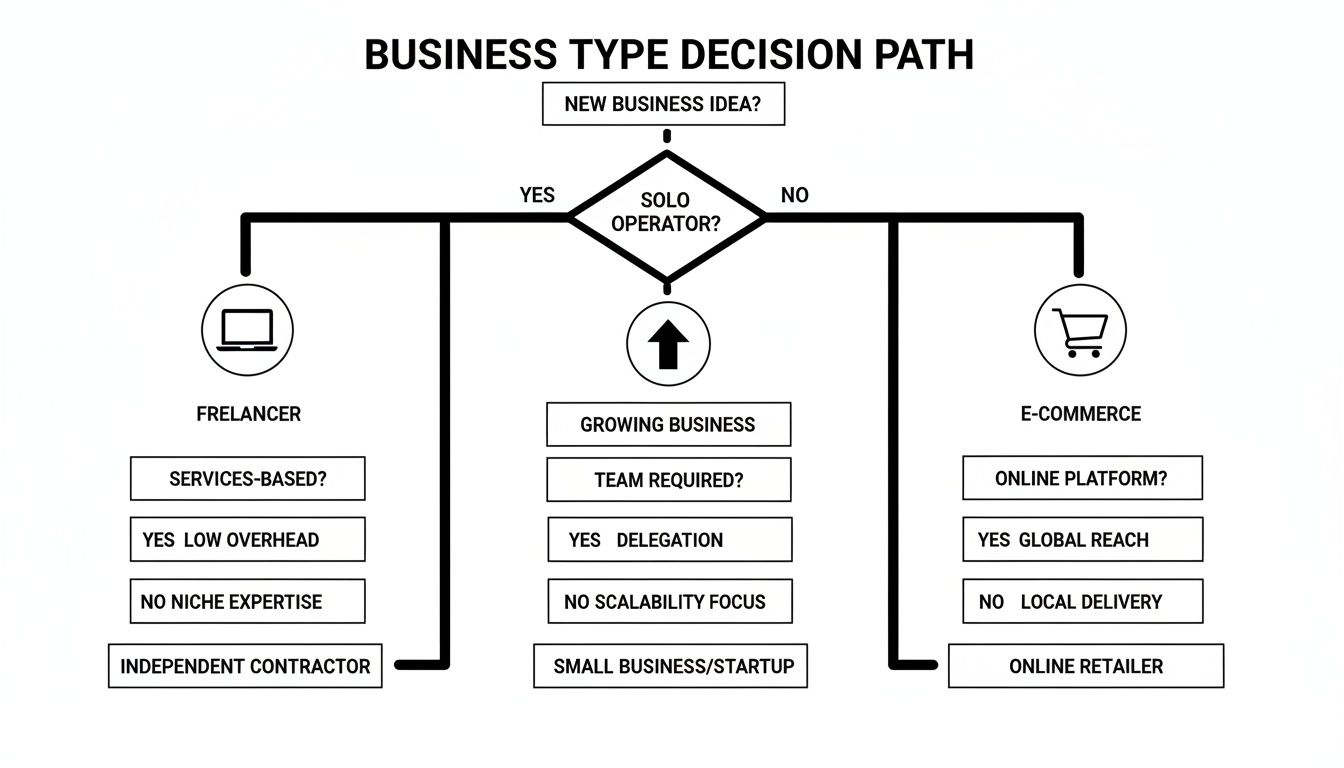
As you can see, your business structure, whether you're a freelancer, a growing startup, or an e-commerce store, is the perfect starting point for narrowing down the options.
The IT Contractor with International Clients
Let’s imagine Alex, an IT contractor working through a limited company. Most of Alex's invoices go to a client in the USA, which means billing in US dollars and often dealing with expenses in different currencies. For Alex, seamless multi-currency support and no-fuss limited company accounting are the absolute top priorities.
For this job, FreeAgent is the clear winner. Here’s exactly why it’s such a great fit:
- Effortless Multi-Currency: FreeAgent just gets foreign currency right. It handles invoices and payments in other currencies brilliantly, automatically calculating exchange rate gains or losses and posting them correctly in your books. This alone saves a massive headache.
- Built for Limited Companies: It was designed from the ground up with UK limited company directors in mind. You get real-time Corporation Tax estimates, it handles dividend vouchers, and it makes filling out your Self Assessment tax return so much simpler.
- Simplicity is Key: Contractors like Alex are busy people. FreeAgent’s interface is famously clean and intuitive, which means less time spent on admin and more time on billable work. The all-in-one pricing, which includes payroll, is another huge plus.
While QuickBooks also has strong multi-currency features, FreeAgent’s laser focus on the specific pain points of a UK contractor gives it the decisive edge here.
The Freelance Designer Just Starting Out
Now, picture Sarah, a freelance graphic designer who has just taken the leap to go full-time. She’s set up as a sole trader, all her clients are in the UK, and she isn’t VAT registered yet. What she needs most is simple invoicing, an easy way to track expenses, and a clear picture of her cash flow without being bogged down by complex features.
For Sarah, it’s a close call, but Xero's entry-level plan just about noses ahead of the competition.
For new freelancers, the ability to start simple and scale up is crucial. You don't want to outgrow your software in the first year and face the hassle of migrating all your data.
Xero gives you a platform that feels professional from day one but has a clear runway for growth. Its starter plan does have limits on the number of invoices and bills you can send, but it provides a really solid foundation. As Sarah's business grows and she needs more features or integrations, Xero’s massive app marketplace is right there waiting for her. QuickBooks is also a strong contender, particularly with its excellent built-in receipt scanning; a massive help for sole traders trying to capture every little expense.
The Small E-commerce Shop Managing Stock
Finally, meet Tom, who runs a small online shop selling handmade goods. He’s operating as a VAT-registered limited company, managing physical stock, and selling through his own website and an Etsy store. His non-negotiables are inventory management, proper VAT handling, and solid integrations with e-commerce platforms.
In this situation, QuickBooks Online is hands-down the most powerful and suitable choice.
Its strengths line up perfectly with what a product-based business needs:
- Inventory Management: QuickBooks has built-in stock tracking features from its 'Plus' plan upwards. It can monitor stock levels, set reorder points, and calculate the cost of goods sold, all absolutely essential for an e-commerce business.
- Robust Reporting: Tom needs to understand his profit margins, see his best-selling products, and spot seasonal trends. QuickBooks offers the most detailed and customisable reporting of the bunch, giving him the deep insights needed to make smart decisions.
- Strong Integrations: It connects smoothly with major e-commerce platforms like Shopify and WooCommerce, as well as payment gateways like Stripe and PayPal. This automates a huge chunk of the sales data entry.
While Xero also offers excellent e-commerce integrations, the superior built-in inventory management and deeper reporting make QuickBooks the go-to for a growing online store.
The Future Of Accounting Automation and AI
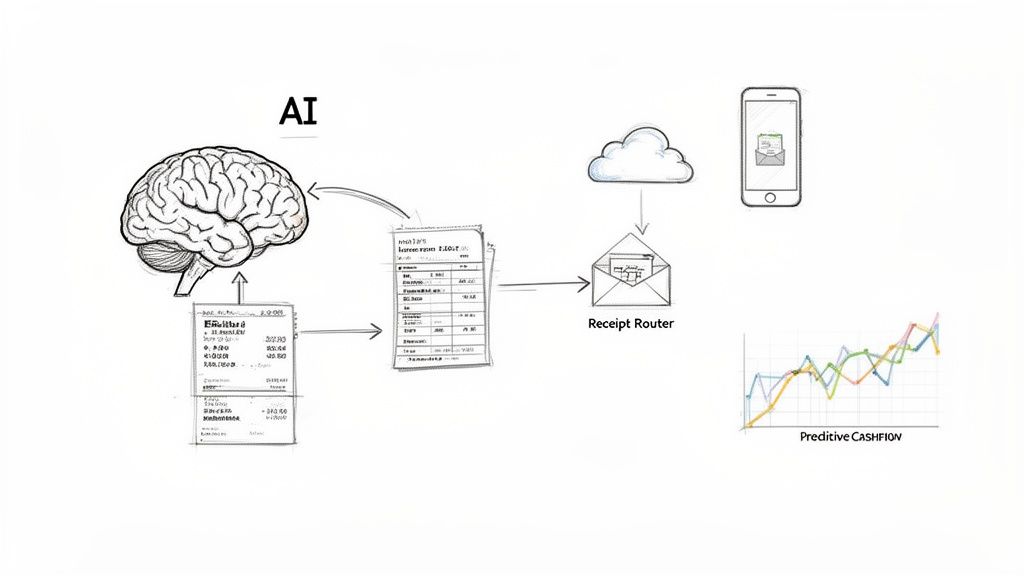
The world of accounting software is shifting under our feet. It's no longer just about sending invoices or logging expenses. The real conversation now, when comparing accounting packages, is about how well they use artificial intelligence and automation to save you time and give you a clearer picture of your finances. This isn't some sci-fi concept; it's here today and it's already a massive help.
These smarter technologies are being built right into the core of modern accounting platforms, taking over the kind of repetitive tasks that used to chew up hours of your week. It’s a bit like having a digital assistant who learns your business’s financial rhythm and starts making genuinely useful predictions and suggestions.
The Rise of Smart Financial Management
So, what does this actually mean for you day-to-day? The most obvious improvements are cropping up in a few key areas that can completely change how you manage your books.
- Smart Transaction Categorisation: Instead of manually telling your software where every single transaction should go, the AI learns from how you’ve done it before and does it for you. After a short while, it gets incredibly accurate, and suddenly your bank reconciliation is just a quick once-over rather than a chore.
- AI-Powered Cash Flow Forecasting: Many of the big platforms now use your past financial data to project your cash flow into the future. This is a game-changer. It can flag potential cash crunches weeks in advance, giving you time to chase a late invoice or hold off on a big purchase.
- Automated Data Entry: This might be the biggest time-saver of the lot. AI tools can now literally "read" your invoices and receipts, pull out the important bits like the supplier, date, and amount, and pop them straight into your accounts. You don't have to lift a finger.
In the UK market, how well a platform uses AI has become a major selling point. The big names like Intuit QuickBooks, Xero, and Sage are all pouring money into these features to give their users an edge.
Automating Your Expense Workflow
Let's be honest, managing expenses is one of the most frustrating parts of running a business. It's a fiddly, manual slog of collecting paper receipts, typing in the details, and trying to match everything up. This is exactly where a smart, focused bit of automation can make a world of difference.
Building the perfect financial setup isn't about finding one single piece of software that does everything. It’s about creating an efficient, automated ecosystem where specialised tools work together to solve specific problems.
This is where a service like Receipt Router fits in perfectly. It uses automation to fix one very specific, very time-consuming problem: getting your receipt data out of your email inbox and into your FreeAgent account. You just forward an emailed receipt, and the system does the rest, processing it and attaching it to the right transaction automatically.
You can learn more about the power of automation in accounting in our detailed article. It’s a perfect example of how pairing a brilliant core accounting package with specialist tools creates a workflow that actually works. You get to focus on your business, not on drowning in admin. It’s simply the smarter way to manage your finances.
Got Questions? Let's Get Them Answered
Choosing the right accounting software can feel like a big decision, and it's normal to have a few questions swirling around before you commit. Let's tackle some of the most common ones that crop up for freelancers and small business owners.
Think of this as the final check-in before you make a choice you feel genuinely good about.
Can I Switch My Accounting Software Later?
The short answer is yes, you can. But the honest answer is that it's a real pain. While most platforms have tools to help you move your data over, it’s a process that needs careful planning. You've got to make sure every last bit of your financial history, client details, and supplier info transfers perfectly without any errors.
To save yourself a future headache, it's far better to pick a package you can see yourself growing with. If you've got big plans, starting with a platform like Xero or QuickBooks might be a smart move, as they're built to scale.
Choosing software is a bit like choosing a business partner. You can change later, but it’s a lot less disruptive to pick one you can build a solid, long-term relationship with from the get-go.
Do I Still Need An Accountant With This Software?
For almost every small business, that’s a firm yes. Accounting software is brilliant at managing the day-to-day, such as sending invoices, tracking cash flow, and general bookkeeping. But it can't replace the strategic know-how of a great accountant. Think of the software as the car and your accountant as the expert driver who knows all the shortcuts.
An accountant gives you vital advice on big-picture stuff like tax planning, setting up the right business structure, and making sure you’re as tax-efficient as possible. They’re also the person you need for the heavy lifting, like finalising your year-end accounts and filing your Corporation Tax return. The software just makes working together a whole lot smoother because you're both looking at the same live data, which saves everyone time and, ultimately, money.
How Important Are Integrations For My Workflow?
Honestly? They’re everything. Integrations are the secret sauce that turns your accounting software from a simple record-keeping tool into a highly automated, time-saving machine. Your main package is great at the core stuff, but it's the specialised integrations that solve those really specific, often tedious, problems.
A perfect example is getting on top of your expense management. An integration like Receipt Router completely automates the painful process of getting receipt details from your email inbox and into your accounts. This solves several problems in one go:
- It frees up hours you’d otherwise spend on mind-numbing data entry.
- It ensures you claim every single penny you're entitled to.
- It keeps your records tidy and perfectly organised for tax season.
This is exactly how you build a financial system that genuinely works for you, not against you.
Are Free Accounting Packages A Good Option?
While "free" is always tempting, free accounting software nearly always comes with some serious strings attached. You'll often find limits on how many invoices you can send, how many bank accounts you can connect, or, the real deal-breaker for most UK businesses, no way to handle Making Tax Digital (MTD) for VAT.
For any serious UK business, especially if you're VAT registered, a paid plan from a reputable provider is a non-negotiable investment. The small monthly fee is easily worth it when you consider the time you'll save, the accuracy you'll gain, and the simple peace of mind that comes from knowing you’re fully compliant with HMRC.
Ready to eliminate receipt admin for good? Receipt Router connects directly to FreeAgent to automate your expense workflow. Forward your emailed receipts, and we handle the rest, matching them to the right transactions so you can focus on what matters. Start saving time with Receipt Router today.