Accounting Automation Guide for UK Small Businesses
Imagine getting your monthly bookkeeping done in the time it takes to brew a cup of tea. That’s the real-world promise of automation in accounting. It's not some futuristic, complicated concept; it's simply about using smart software to handle the repetitive financial donkey work for you.
Think of it as turning your most tedious admin into a quiet, efficient process that just runs in the background.
What Is Accounting Automation Really?
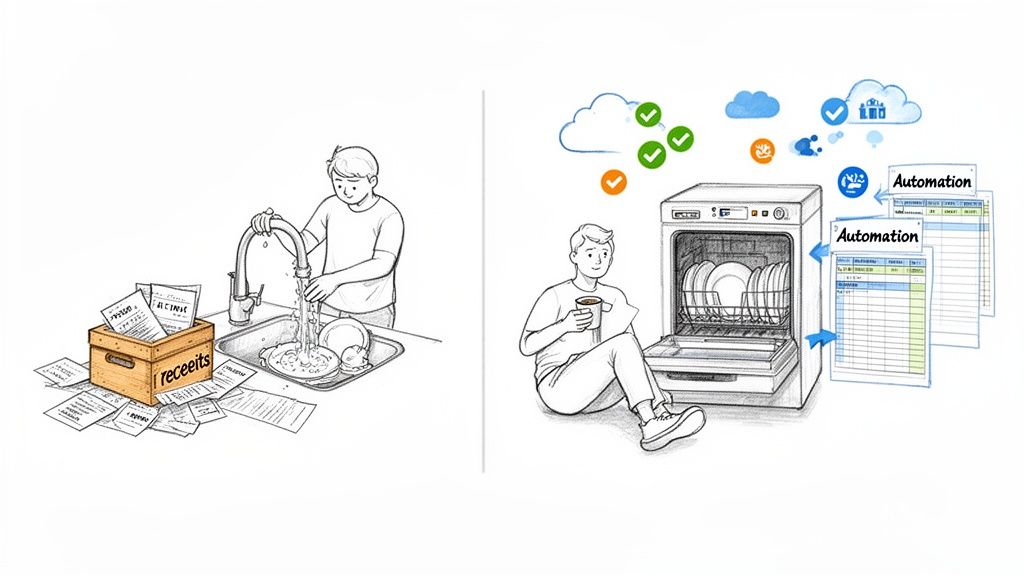
Let’s get real for a moment. Your current accounting process probably feels a bit like washing a mountain of dishes by hand after a massive Sunday roast. You're scrubbing, sorting, and drying for what feels like an eternity. It's slow, it’s easy to miss a spot (or make a mistake), and it completely drains the time and energy you’d rather spend on literally anything else.
Now, picture this: accounting automation is your state-of-the-art dishwasher. You load it up, press a button, and walk away. The end result is the same, spotless books, but the process is worlds apart. It frees you up to focus on what actually grows your business, whether that’s chatting with clients, dreaming up a new service, or just clocking off at a reasonable hour.
The Guts of It
At its core, accounting automation is about delegating the grunt work to technology. Instead of you manually typing in every single receipt, painstakingly matching bank transactions, or chasing down overdue invoices, you let software do it. You set the rules once, and the system takes care of the rest.
And this isn't just for the big players anymore. For UK freelancers and small business owners, it’s become a non-negotiable for staying competitive and, frankly, sane. The shift away from clunky spreadsheets is happening fast.
The UK's accounts receivable automation market hit a whopping £238.3 million in 2023 and is on track to more than double to £540.3 million by 2030. That's not just a statistic; it's proof that small businesses are ditching manual methods in droves. You can dig deeper into this trend in recent research about accounts receivable automation.
Why This Should Be on Your Radar
Making the switch isn't just a nice-to-have for saving a bit of time. It’s a fundamental upgrade to how you run your business finances, giving you a level of control and clarity that manual methods just can't match. The benefits are tangible and you'll feel them almost immediately.
To get a clearer picture, it helps to see the old way and the smart way side-by-side.
Manual vs Automated Accounting at a Glance
This table breaks down the difference between slogging through your accounts the old-fashioned way versus letting technology lend a hand.
| Accounting Task | Manual Method (The Old Way) | Automated Method (The Smart Way) |
|---|---|---|
| Receipt Entry | Hours spent typing out details from a shoebox of paper receipts. High chance of typos. | Snap a photo with your phone; software extracts the data and categorises it instantly. |
| Bank Reconciliation | Ticking off transactions one by one against a paper bank statement. Tedious and error-prone. | Bank feeds import transactions automatically. Smart rules match them to invoices and bills for you. |
| Invoicing | Creating each invoice from a template, manually sending it, and then chasing payments via email. | Set up recurring invoices, send automatic payment reminders, and let customers pay online with a click. |
| Financial Reporting | Crunching numbers in a spreadsheet at the end of the month to see how you did. Always looking backwards. | Get real-time dashboards showing your cash flow, profit & loss, and financial health anytime. |
The difference is night and day. Automation doesn't just do the same tasks faster; it opens up a smarter, more proactive way to manage your money.
Throughout this guide, we’re going to pull back the curtain on all of this, showing you exactly how to put these ideas into practice with no accounting degree required. We’ll look at the real benefits and workflows that can turn your financial admin from a soul-crushing chore into one of your most powerful business tools.
Why Every UK Freelancer Needs to Automate
If you're a freelancer or small business owner in the UK, the end of the month probably feels painfully familiar. It’s that frantic hunt through a shoebox of crumpled receipts or a desperate trawl through your inbox for an invoice you vaguely remember from three months ago. This isn't just stressful; it's time you could be spending on client work or, you know, actually having a weekend.
This is where automation in accounting comes in. It’s not some complicated, big-business luxury; it’s a straightforward fix for a very common headache. Think of it as a way to turn that shoebox of financial chaos into crystal-clear order. Imagine your books being organised, constantly up-to-date, and ready whenever you need them, giving you the power to make smart decisions on the spot.
From Shoebox Chaos to Financial Clarity
Let's take a typical UK freelancer, we’ll call her Sarah, a graphic designer. Before she started automating, her financial admin was a total mess. She’d burn whole weekends piecing together expenses for her quarterly VAT return, often missing out on small but valuable deductions because a receipt got lost in the shuffle. Her cash flow was a complete guessing game.
After switching to a simple automation tool, her process is unrecognisable. Now, when an invoice for a software subscription lands in her inbox, it’s automatically processed, categorised, and matched up with the right bank transaction. She snaps a quick photo of a lunch receipt from a client meeting, and it’s instantly digitised and filed correctly.
The results were immediate and obvious:
-
No More Lost Deductions: Every single eligible expense is captured, which means she's not leaving money on the table with HMRC.
-
Real-Time Cash Flow: She has a live, accurate picture of her business's financial health at any given moment.
-
Weekends Reclaimed: Bookkeeping is no longer a dreaded chore but a quiet background task that pretty much handles itself.
The True Cost of Manual Accounting
The time you spend on manual admin is more than just an annoyance; it's a hidden cost that eats directly into your profits. Every hour you spend typing up invoices or sorting receipts is an hour you’re not earning. Worse still, manual data entry is a recipe for human error, which can lead to compliance nightmares and even hefty financial penalties.
It’s no surprise so many businesses are making the switch. In the UK, 47% of finance leaders see improved productivity as the biggest win from automation, with many pros now spending less than 10 hours a week on invoices. For a sole trader, getting that time back is massive. It’s the difference between being stuck in paperwork and focusing on growth. You can dive into the details in this study on finance automation trends/Yooz%20-%20Infographic%20-%20State%20of%20Automation%20in%20Finance%20-%202023%20-%20UK.pdf).
This shift also makes staying on top of regulations like Making Tax Digital (MTD) far less daunting. When your digital records are kept in order automatically, submitting your tax information becomes a simple task instead of a last-minute scramble.
Making Smarter Business Decisions
One of the most powerful, and often overlooked, benefits of accounting automation is the clarity it gives you. When your financial data is tidy and current, you stop reacting to problems and start proactively planning for the future.
By automating the tedious tasks of data entry and organisation, you free yourself up to focus on what the numbers are actually telling you. It's the difference between being a bookkeeper and being a business owner.
Suddenly, you can confidently answer the big questions:
-
Which of my clients are the most profitable?
-
Is now a good time to invest in that new laptop?
-
Do I have enough cash set aside to get through a quiet month?
This is the kind of insight that’s vital for growing a sustainable business. It also transforms jobs like bank reconciliation, a task that once took hours of painful cross-checking, into a quick review. If you want to get a better handle on this, check out our guide on how to properly reconcile bank statements. At the end of the day, automation gives you the clean, reliable data you need to steer your business with real confidence.
Powerful Automated Workflows You Can Use Today
Right, let's move from the 'what' to the 'how'. It’s one thing to talk about automation in accounting, but it’s another thing entirely to see it working its magic in your own business.
So, let's break down four of the most powerful automated workflows you can set up right now. These are the game-changers that turn tedious admin into a smooth, hands-off process.
Think of it like this: you start with a jumble of receipts and invoices, but with automation, you end up with crystal-clear financial reports.
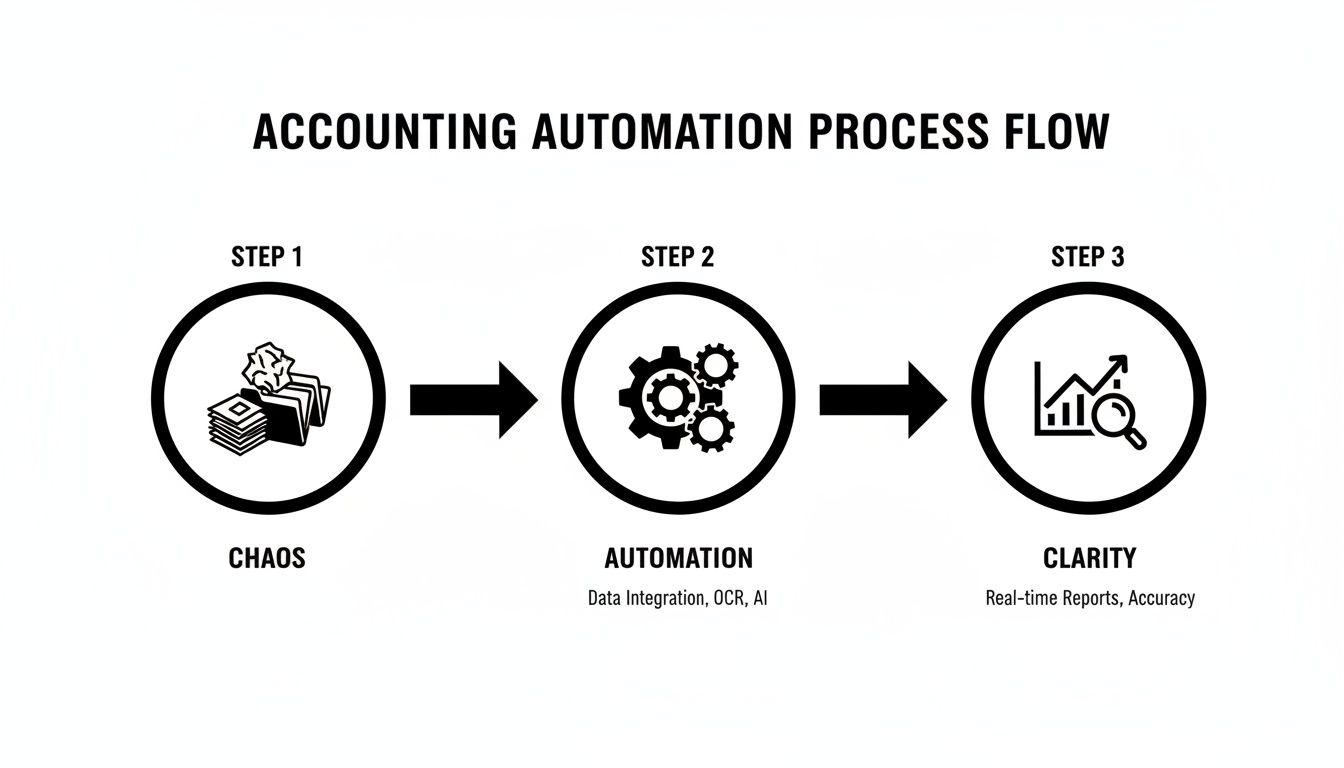
This journey from messy paperwork to actionable data is exactly what we're about to put into practice.
Automated Receipt and Invoice Capture
Ah, the classic shoebox full of crumpled receipts. It's a cliché for a reason. Manually typing in every coffee, train ticket, and software subscription isn't just a soul-crushing time sink; it’s also where mistakes love to creep in.
Thankfully, automated capture tools make this a thing of the past. Using technology called Optical Character Recognition (OCR), modern software can literally read documents for you. All you have to do is snap a photo of a paper receipt or forward a digital invoice from your email.
The software then gets to work, pulling out key details like the vendor's name, the date, and the total amount, before filing it neatly in your accounting system. For example, when your monthly Adobe Creative Cloud bill lands in your inbox, you just forward it. The system automatically rips out the data, attaches the invoice as proof, and categorises it as a 'Software' expense. Setting up email forwarding rules is surprisingly easy. You can check out our guide on how to automatically forward emails from Outlook to see for yourself.
Live Bank Feeds
A live bank feed is like giving your accounting software a direct, secure key to your business bank account. Instead of the monthly chore of downloading and uploading bank statements, transactions flow into your books automatically, every single day.
This gives you a real-time, up-to-the-minute view of your cash flow. You can see exactly what’s coming in and going out without lifting a finger. Honestly, this continuous stream of data is the bedrock of almost every other powerful automation.
If you do one thing, make it this: connect your bank feed. It's the single most important step towards effective accounting automation, feeding all your other workflows with the accurate, timely data they need to function.
Automated Bank Reconciliation
Let's be honest, bank reconciliation, the process of matching your records to your bank statement, is probably the most dreaded bookkeeping task out there. It’s a painstaking, line-by-line check that’s incredibly easy to get wrong. Automation turns this headache into a quick, five-minute review.
With your live bank feed in place, your accounting software starts doing the heavy lifting. It uses smart rules to connect incoming payments to the invoices you’ve sent and outgoing payments to the bills you’ve logged. When a client pays your £500 invoice, the software sees the £500 deposit in your bank feed and suggests matching it to that specific invoice. You just click 'OK'.
The brilliant part is that the system learns your habits over time, getting faster and more accurate with its suggestions. This drastically cuts down the manual work and means your books are always a perfect reflection of your bank balance.
Multi-Currency Handling
For any UK freelancer working with international clients, dealing with different currencies can be a nightmare. Manually calculating exchange rates, figuring out bank fees, and recording it all correctly in GBP is fiddly and a recipe for errors.
Most modern accounting platforms can handle this entire process for you. When you get paid in USD, for instance, the software will:
-
Automatically convert the payment to GBP using that day's exchange rate.
-
Account for any transaction fees from your bank or payment processor.
-
Reconcile the final GBP amount against your original invoice.
This ensures your income is recorded accurately for HMRC without you ever having to reach for a currency converter. It’s a massive time-saver that brings proper precision to your international dealings. And you're not alone in wanting this tech; a recent report found 75% of UK accountancy firms are pouring cash into cloud accounting and automation, with nearly a third already using AI for data entry.
These four workflows aren't just for big corporations. They are accessible, affordable, and designed to give freelancers and small business owners their most valuable asset back: their time.
Choosing Your Tools with a Privacy-First Approach
Knowing which bits of your accounting you can automate is one thing. But picking the right tool for the job? That’s where it gets tricky, especially when we’re talking about your sensitive financial data. As a business owner, you absolutely have to think about privacy first to keep your information safe.
Lots of automation tools work by asking for full access to your email inbox. They want to scan everything to find your receipts. For many freelancers and small business owners, that feels like a massive overreach. Handing over the keys to your entire digital filing cabinet is a big deal, and it's a huge amount of trust to place in a third-party app.
Luckily, there’s a much more secure way to do things.
The Two Main Privacy Models: What You Need to Know
When you look at automation in accounting tools, they generally fall into two camps on how they handle your data. It's really important to get your head around the difference between the 'full access' model and the much safer 'forwarding' model.
The full access approach links directly to your inbox and uses algorithms to hunt down anything that remotely looks like a receipt. It's convenient, sure, but it also means the service is constantly peering into all your private conversations.
Then there's the forwarding model, which is what we use at Receipt Router. This approach puts you squarely in the driver's seat. Instead of giving a tool free rein, you get a unique, private email address. All you have to do is forward the specific receipt emails you want processed to that address. Simple.
This picture sums it up perfectly. The forwarding model acts as a secure shield between the tool and your personal data.
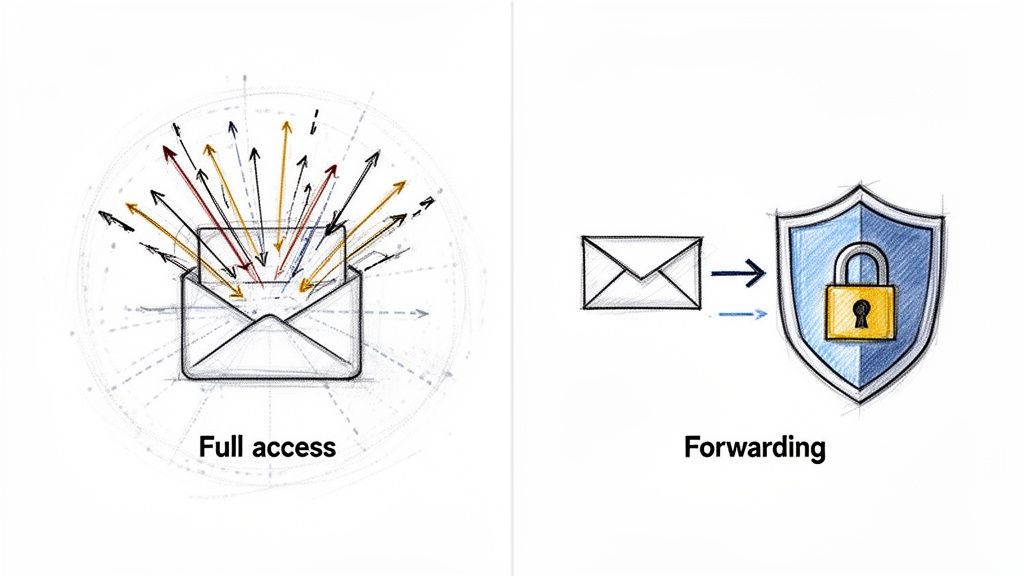
This way, the automation service only ever lays eyes on the information you choose to send it. Your other business and personal emails stay completely private, just as they should.
A Quick Checklist for Picking Secure Software
When you're sizing up different tools, data privacy should be right at the top of your list. But there are a few other things to look out for to make sure the software is actually going to make your life easier.
Here’s what to check for:
-
Seamless Integration: Does it play nicely with your accounting software, like FreeAgent? If the connection is clunky, it just creates more work, which defeats the whole point.
-
Multi-Currency Support: Essential if you have international clients or buy from overseas. The tool must be able to handle different currencies and convert them accurately for your UK books without you having to lift a finger.
-
Transparent Pricing: You want simple, clear pricing. No hidden fees or nasty surprises. A straightforward monthly subscription is usually the best bet for small businesses.
-
Data Control: Can you decide what data the app processes? A forwarding model gives you the final say every single time, which is exactly what you want.
This checklist helps you cut through the marketing fluff and focus on what really matters: genuine value and solid security. For more on this, check out our guide on the best apps that track spending.
Automation Tool Privacy Models Explained
Understanding how different automation tools handle your data is crucial. This table breaks down the two main approaches to help you choose a secure solution.
| Feature | Full Inbox Access Model | Email Forwarding Model (e.g., Receipt Router) |
|---|---|---|
| Data Exposure | Scans all incoming emails, including personal and sensitive business correspondence. | Only processes emails you explicitly forward to your unique address. |
| Your Level of Control | Low. You grant permission once, and the tool has constant access. | High. You're in complete control, deciding what to process case-by-case. |
| Privacy Risk | Higher. Your private data is continuously exposed to a third-party service. | Minimal. Your private emails are never seen or processed by the tool. |
| Setup Process | Often needs you to authorise broad permissions (e.g., "Read and send emails"). | Requires a simple, one-time setup of a forwarding rule in your email client. |
In the end, choosing your tools is about finding that sweet spot between convenience and security. By opting for a privacy-focused solution, you get all the time-saving perks of automation without ever having to compromise the confidentiality of your business.
Your Step-by-Step Implementation Plan
Dipping your toes into accounting automation can feel like a massive undertaking, but honestly, it’s much simpler than it sounds. You don’t need a grand strategy or a massive budget. All it takes is a clear, step-by-step approach to turn a bit of upfront effort into countless hours saved every single month.
Think of it like building a piece of flat-pack furniture. At first, the box of bits and pieces looks intimidating. But by following the instructions one step at a time, you end up with something solid and functional. Let’s break it down into a simple, manageable plan.
Step 1: Audit Your Current Process
Before you can fix a problem, you need to know exactly what it is. The first step is to take an honest look at your current bookkeeping habits to pinpoint the biggest time-sinks. This isn’t about feeling bad about your messy spreadsheet; it’s about finding the golden opportunities for automation.
Grab a piece of paper or open a new doc and, for one week, track the time you spend on financial admin. Be specific.
-
How long does it really take to manually enter receipts?
-
How much time do you spend matching bank transactions?
-
Are you chasing the same clients for payment every month?
Once you have this data, you'll see exactly where your time is disappearing. Most freelancers find that receipt and invoice processing are the most repetitive and time-consuming jobs, making them the perfect candidates to automate first.
Step 2: Choose Your Core Tools
With your biggest pain points identified, it’s time to pick your software. This usually involves two key components: your main accounting software and an automation add-on that specialises in the tasks you want to offload.
For most UK small businesses, the core choice is a cloud accounting platform like FreeAgent, which is designed to be MTD compliant from the ground up. This will be the central hub for your finances.
Next, you’ll need a tool to feed it information automatically. This is where a solution like Receipt Router comes in. By focusing on a privacy-first email forwarding model, it handles the specific job of getting receipt and invoice data into FreeAgent without you lifting a finger and without needing access to your entire inbox.
Your goal here is to build a simple, effective tech stack. A solid accounting platform forms the foundation, while a specialised automation tool acts as the loyal assistant, handling the repetitive data entry with perfect accuracy.
Step 3: Connect and Configure Your System
Now for the exciting bit: making the tools talk to each other. This is usually a straightforward, one-time setup. You'll start by connecting your business bank account to your accounting software to enable live bank feeds. This is often the single biggest win, as it kills the monthly chore of uploading statements.
Then, you'll set up your automation tool. With a forwarding system, this involves two simple actions:
-
Get Your Unique Address: Your automation tool will give you a private, unique email address. This is where you'll send all your digital receipts and invoices.
-
Set Up Auto-Forwarding: Create a rule in your email client (like Gmail or Outlook) to automatically forward emails from specific suppliers (like Amazon, Adobe, or your web host) to this new address.
This small amount of setup is the key that unlocks the whole system. From this point on, a huge chunk of your bookkeeping will just happen in the background.
Step 4: Review and Refine Your Workflows
Your automation system is now live, but it’s not something you just "set and forget" forever. For the first few weeks, it's a good idea to spend a few minutes checking in to make sure everything is working as you expected.
Are the transactions being categorised correctly? Are all your supplier emails being forwarded properly? This is your chance to tweak the rules and make small adjustments. For instance, you might add a new forwarding rule for a supplier you forgot about initially.
This final step is about turning a good system into a great one. That small, initial investment of time in setting up and refining your plan will pay you back tenfold, giving you the freedom to focus on what you do best: running your business.
Got Questions About Accounting Automation? We've Got Answers
Dipping your toes into the world of accounting automation can feel like a big step. It’s totally normal to have a few questions rattling around your head. After all, you’re changing how you manage the financial pulse of your business, so you want to get it right.
To cut through the noise, we've rounded up the questions we hear most often from UK freelancers and small business owners. Our aim is to give you straight-up, practical answers so you can feel confident about making the switch.
Isn't This Stuff Really Expensive for a Sole Trader?
This is probably the biggest myth out there, and the short answer is a resounding no. While huge corporations might spend a fortune on custom-built systems, the tools designed for people like us are genuinely affordable. Many cost less per month than a couple of decent coffees.
The real trick is to stop thinking of it as a cost and start seeing it as an investment in your own time. What’s an extra five or ten hours a month worth to you? When you add up the time you'll save on soul-destroying data entry, fixing mistakes, and hunting for paperwork, the return on your money is almost immediate. Plus, the subscription is a tax-deductible business expense, sweetening the deal even more.
Is Automation Going to Make My Accountant Redundant?
Absolutely not. It's a common worry, but accounting automation is here to make your relationship with your accountant better, not to end it. Think of it this way: automation tools are brilliant at handling the repetitive, low-value tasks that your accountant secretly hates doing anyway.
Automation takes care of the grunt work like organising receipts, matching transactions, and keeping things tidy. This means when your accountant gets your books, they're working with clean, accurate, and up-to-date information right from the get-go.
Automation frees your accountant from being a data entry clerk so they can be the strategic advisor you hired them to be.
They can finally spend their time on what really matters: high-impact work like tax planning, cash flow forecasting, and giving you the expert advice you need to grow your business. Trust us, your accountant will thank you for it.
How Secure Is My Financial Data with These Tools?
Security is, rightly, a massive deal for any reputable software provider. But it’s still smart to get your head around how different tools handle your information, because not all systems are created equal when it comes to privacy.
One popular method some apps use is to ask for full, continuous access to your email inbox, scanning everything to hunt for receipts. It's convenient, sure, but it's also a major privacy red flag for anyone who doesn't fancy a third party reading all their emails.
A far more secure and private model is one that puts you firmly in the driver's seat.
This approach gives you a unique, private forwarding address. You simply forward the specific emails you want processed and nothing else. This guarantees the service never sees your personal data or any other sensitive business chat. Always read a provider’s privacy policy and choose a method you’re 100% comfortable with.
Honestly, How Much Time Will It Take to Set Up?
Getting started is so much quicker than people imagine. You can be up and running in less time than it takes to watch a movie on Netflix. The initial setup usually boils down to three simple steps:
-
Pick your software: A bit of research to choose your accounting platform and any add-on tools.
-
Connect your accounts: Link your business bank account for live feeds and connect your automation tool to your accounting software. This usually takes just a few clicks.
-
Set up your rules: This might involve setting up a simple forwarding rule in your email for key suppliers.
A small, one-off investment of an hour or two is all it takes to build a system that will save you countless hours, month after month. That initial effort pays for itself almost instantly.
Ready to stop wrestling with receipts and start reclaiming your time? Receipt Router connects seamlessly with FreeAgent to automate your bookkeeping with a privacy-first approach. Set it up once and let your financial admin run itself. Start your journey to effortless accounting today.