How to reconcile bank statements: A Freelancer's UK Guide
So, what exactly is bank reconciliation? In simple terms, it's the process of matching up the transactions in your business records with the ones on your bank statement. It's a fundamental health check for your finances, helping you catch errors, spot potential fraud, and keep a real-time, accurate picture of your cash flow. For any freelancer in the UK, it’s the absolute bedrock of good financial management.
Why You Can't Afford to Skip Bank Reconciliation
Let's be honest, the thought of reconciling bank statements probably doesn't fill you with excitement. It often feels like one of those tedious admin jobs that always ends up at the bottom of the to-do list. But putting it off is one of the biggest financial mistakes a freelancer or small business owner can make.
Try to think of it less as a chore and more as your business's first line of defence. This is the process that guards your hard-earned cash and gives you the clarity you need to make smart, informed decisions.
Catch Nasty Surprises and Prevent Fraud
Your bank statement isn't perfect. Banks make mistakes, and dodgy charges can easily slip through the cracks if you're not paying attention. Regular reconciliation is your chance to catch these issues before they spiral into bigger problems.
By meticulously comparing your own records to what the bank says, you can instantly flag things like:
-
Duplicate charges from a supplier who's accidentally billed you twice.
-
Incorrect transaction amounts where someone keyed in the wrong figure.
-
Unauthorised withdrawals or other suspicious activity that could be fraud.
Spotting a £50 duplicate charge might not seem like a big deal, but these little discrepancies can quietly add up over time, slowly draining your account without you even noticing.
Get a Crystal-Clear View of Your Cash Flow
Do you actually know where your money is going each month? A properly reconciled bank statement gives you a completely accurate picture of your cash flow. It strips away the guesswork and shows you exactly what's coming in, what's going out, and what your true financial position is.
This kind of clarity is incredibly empowering. It helps you pinpoint unnecessary expenses, plan for future investments, and confidently answer the most critical question for any freelancer: "Is my business actually profitable?"
Stay Compliant and Keep Tax Time Stress-Free
As a UK freelancer, keeping your finances in order is non-negotiable. This is especially true when it comes to dealing with HMRC and filing your Self Assessment tax return. Having a solid history of reconciled accounts makes tax time infinitely less painful.
What's more, financial scrutiny is only getting tighter. For instance, the FCA is rolling out stricter safeguarding rules for payment firms, which will demand daily reconciliations by May 2026. This points to a much bigger trend towards financial accountability that affects us all. You can read more about the FCA's new rules on Osborne Clarke's website. It’s a clear sign that old-school manual checking is becoming a real liability for modern businesses.
Right, let's get you ready for reconciliation. Before you can even think about matching transactions, you need to get your financial house in order.
Honestly, this prep work is half the battle. Think of it like a chef doing their mise en place, getting all the ingredients chopped and ready before the heat is on. A little bit of organisation now saves you from that panicked hunt for a missing receipt when you're up against a deadline.
The idea is to build a solid habit, not just to survive a one-off reconciliation. Let's get your toolkit sorted.
Your Reconciliation Starter Kit
First things first, let's pull together the essentials. Having these documents and data points ready to go will save you a ton of time and faffing about later.
Here's a quick checklist of what you'll need to grab before you start:
| Document Type | What to Look For | Where to Find It |
|---|---|---|
| Bank Statements | The full statement for the period you're reconciling (e.g., last month). | Your online banking portal (usually as a PDF or CSV download). |
| Your Accounts | Your own record of income and outgoings. | Your accounting software (like FreeAgent) or a detailed spreadsheet. |
| Receipts & Invoices | All the proof for your spending and sales. | Email inbox, photos on your phone, physical wallet, supplier dashboards. |
This might seem straightforward, but the sheer volume of digital transactions can be overwhelming. Just look at the scale of UK payments: in December 2025 alone, the CHAPS system handled 4.56 million payments worth a staggering £8.4 trillion. While your business isn't dealing with trillions (yet!), it shows how quickly transactions add up. You can see the full breakdown of UK payment volumes from the Bank of England.
Taming the Receipt Monster
Let's be real: that growing pile of receipts is often the biggest headache. A chaotic mix of crumpled till receipts, PDF invoices buried in your inbox, and supplier emails makes reconciliation a nightmare.
A simple system is your best friend here.
My go-to tip: Create a dedicated digital folder (on your cloud drive or desktop) and a specific email label just for receipts. The second an invoice from a supplier like Adobe or a payment confirmation from Stripe lands in your inbox, file it away immediately. It takes five seconds but saves hours of searching later.
This is exactly where a bit of automation can change the game. Instead of doing all that manual filing, a tool like Receipt Router can automatically grab those invoice emails and send them straight into your accounting software. It builds an organised, digital paper trail without you having to lift a finger.
Getting a handle on this is crucial, especially when you're trying to figure out how your expenses impact important figures like the self-employed VAT threshold.
Alright, you've got your records gathered and a fresh cup of tea. It's time to dive into the actual reconciliation. This is the part where you methodically compare your business records to your bank statement, making sure everything lines up perfectly. Don't let the term "reconciliation" scare you; it’s less about complex accounting and more about being a good detective.
The goal is pretty simple: tick off every single transaction. By the end, you'll have a crystal-clear and accurate picture of your finances for the month.
This little diagram gives you a nice visual of how the documents you've prepared all fit together.
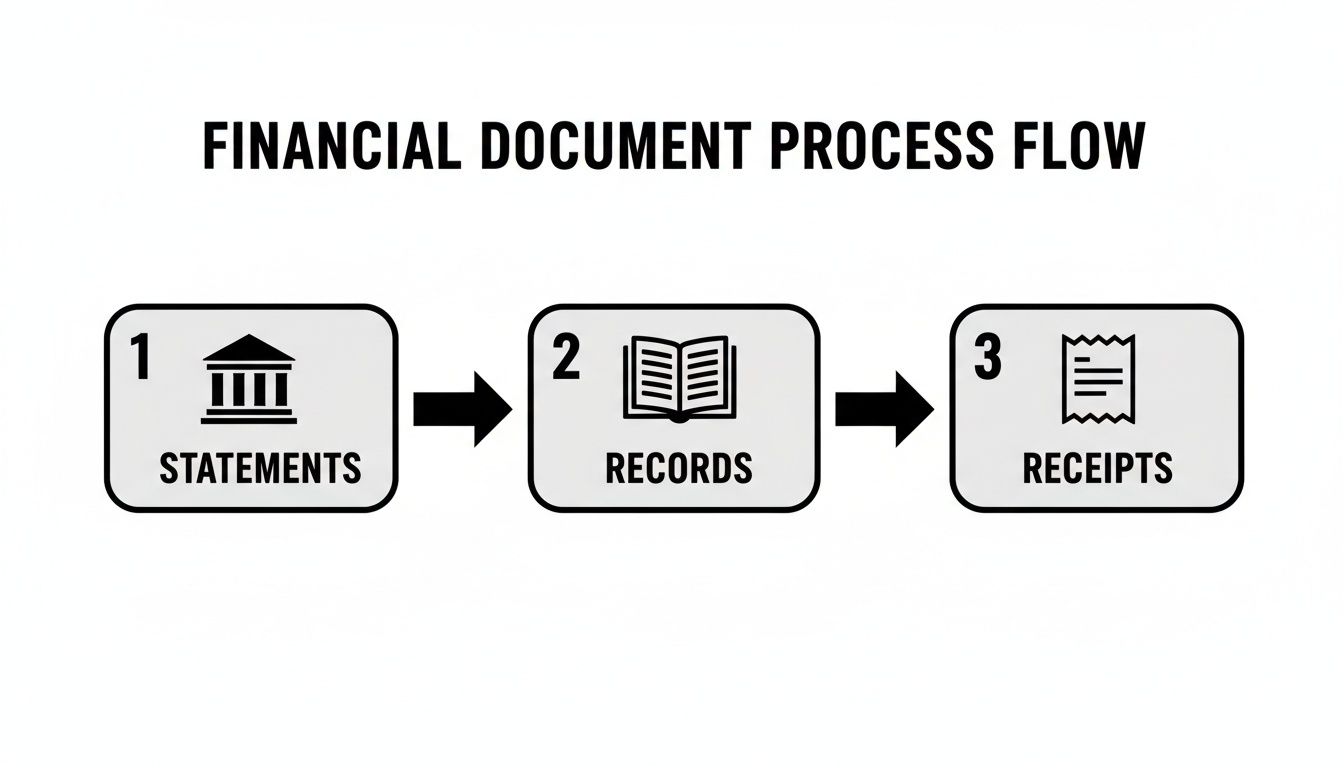
As you can see, it's a straightforward journey from the bank's official statement to your internal records and the individual receipts that back everything up.
Matching Transactions Line by Line
The best way to start is to have your bank statement and your accounting software (or spreadsheet) open side-by-side. I find it easiest to work from the bank statement and find the matching entry in my own records, but you do you.
Let's imagine you're a freelance graphic designer in Manchester. Here’s what this looks like in practice:
-
Client Payment: You spot a deposit of £1,200 on your bank statement from 'Creative Co.' Ah, that's the payment for the branding project. You pop over to your accounting software, find invoice #112, and mark it as paid. Done.
-
Software Subscription: A familiar debit of £25 from Adobe pops up. You know that’s your Creative Cloud subscription. A quick check in your expenses confirms it, so you tick that one off too.
You'll want to repeat this for every single line. For each transaction on your bank statement, find its partner in your books. Check the amount, check the date, and give it a virtual nod of approval. This methodical process is the absolute bedrock of a good reconciliation.
Think of it as simple validation. You're just confirming that what you think happened in your business (your records) is what actually happened in your bank account. This step alone can catch all sorts of pesky errors, like a client accidentally underpaying an invoice or a supplier charging you twice.
Attaching Proof for an Auditable Record
Once a transaction is matched, don't stop there. The crucial next step is to attach the proof, which means linking the digital receipt or invoice directly to the transaction in your accounting software. This creates a solid, auditable trail for every penny that comes in or goes out.
Honestly, this digital paper trail is a lifesaver. It’s not just good housekeeping; it's what keeps you organised and ready for HMRC and your annual Self Assessment. If you ever get that dreaded email about an audit, you’ll be able to pull up everything instantly, saving you from a frantic, stressful search for a year-old receipt.
Tackling Common Sticking Points
Now, in a perfect world, everything would match up first try. In the real world? Not so much. You're almost guaranteed to run into a few little oddities that need sorting out.
Here’s how to handle the usual suspects:
-
Bank Fees: You'll often see small charges on your statement for your monthly account fee or maybe a payment processing cost. These probably aren't in your books yet. No problem. Just create a new expense transaction in your software, categorise it as "Bank Charges," and match it up.
-
Uncleared Cheques: This feels a bit old-school, but it still happens! Let's say you paid a supplier by cheque. You've correctly recorded it as an expense, but if they haven't cashed it yet, the money is still sitting in your bank account. That transaction is just "outstanding." It's a completely normal part of the process, and your software should let you leave it as pending.
These little adjustments are exactly why we do this. Reconciliation bridges the gap between your records and the bank's reality, ensuring both are perfectly aligned by the time you're finished.
Solving Common Reconciliation Headaches
Even the most organised freelancer hits a snag during reconciliation. It’s totally normal. The real skill isn't avoiding these issues, but knowing how to fix them quickly when they pop up.
Think of these little headaches as part of the process. A receipt that’s off by a couple of quid or an invoice paid in US dollars isn’t a disaster; it’s just a puzzle waiting to be solved. Let’s walk through the most common scenarios you'll likely face.
Mismatched Amounts and Tiny Discrepancies
You're staring at your screen, confused. Your bank statement says you paid £52.50 at a cafe, but the receipt you scanned says £50. What gives? This is a classic mismatch, and it's almost always caused by something simple.
Nine times out of ten, these little differences boil down to a few things:
-
Tips or Gratuities: You probably added a tip after the card machine processed the main bill.
-
Small Bank Fees: A sneaky foreign transaction fee might be bundled into the total shown on your bank statement.
-
VAT Confusion: The way VAT is displayed on a receipt can sometimes be misleading. For a deeper dive, it's worth understanding the nuances of whether net amounts include VAT to avoid any mix-ups.
The fix is usually straightforward. In your accounting software, you’ll need to "split" the transaction. Just record the £50 as a business expense (like 'Client Entertainment') and the extra £2.50 as a separate line item. You could categorise it as 'Bank Charges' or even 'Drawings' if it was a personal tip. Easy.
Handling Multi-Currency Transactions
Working with international clients is brilliant for business, but it can make reconciliation a bit of a headache when payments land in dollars or euros. Shifting exchange rates and hidden fees can turn what looks like a simple payment into a real head-scratcher.
Let's say you've invoiced a US client for $1,000. By the time the money hits your UK bank account, it shows up as £785. The problem is, your accounting software, using the exchange rate from the invoice date, was expecting £800.
You can't just match the invoice to the payment here. That £15 difference is a mix of the exchange rate gain or loss and any bank fees for the conversion. Good accounting software will let you record this difference as a 'Currency Gain/Loss' to make everything balance perfectly.
Partial Payments, Refunds, and Chargebacks
Cash flow isn’t always a neat, straight line. Clients might pay in instalments, you may need to issue a refund, or you could face a dreaded chargeback. Each one requires a specific move to keep your accounts accurate.
-
Partial Payments: If a client pays part of an invoice, just apply that payment in your software. The invoice will simply remain partially open until they clear the rest of the balance.
-
Refunds: When you refund a customer, you'll see a debit on your bank statement. To match this, you need to create a "credit note" against the original invoice in your accounting software. This shows the money has gone back out.
-
Chargebacks: These are tricky. A chargeback looks like a withdrawal from your bank. You have to record it as an expense or a reversal of the original sale to make sure your income isn't overstated.
These situations really drive home why keeping good records is so important. This need for precise financial matching isn't just a small business thing; it’s a principle that scales all the way up. Just look at Ofwat's stringent blind year reconciliation process for UK water companies to see how seriously big organisations take it.
How to Automate Your Reconciliation and Reclaim Your Time
So, we’ve walked through the manual grind, from gathering your paperwork to wrestling with those pesky multi-currency payments. And while knowing the nuts and bolts is crucial, actually doing it month after month is a massive time-drain. This is where you can start working smarter, not harder, by letting a bit of tech handle the tedious stuff.
Automation can take the chore of bank reconciliation and turn it into something that just… happens. Instead of blocking out hours to match receipts, you can get back to what you're actually good at: running your business.
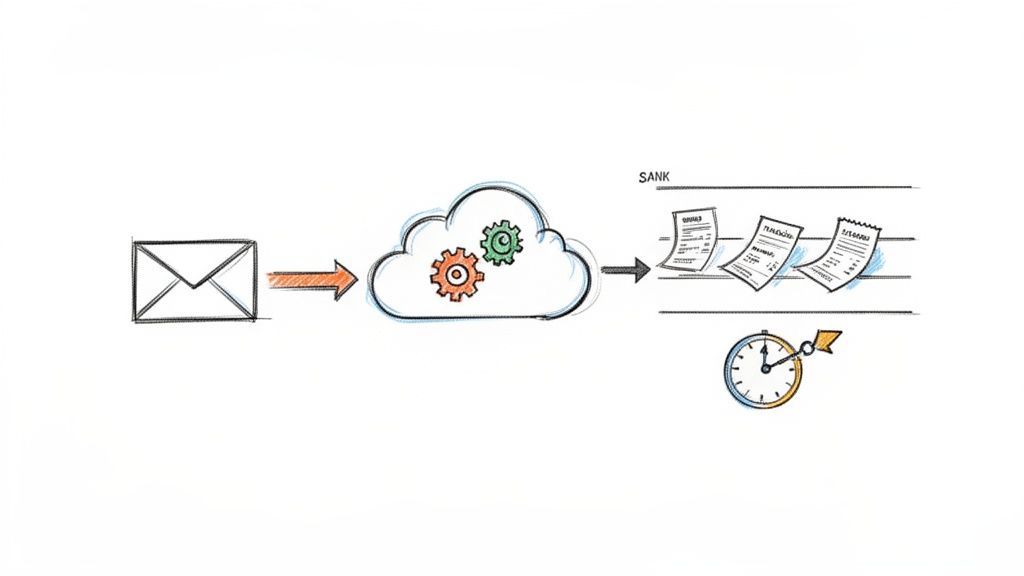
This picture pretty much sums it up. A simple email forward can kick off a whole chain of organised, efficient processing without you having to lift a finger.
A 'Set It and Forget It' Workflow
Imagine a system that does all the heavy lifting for you. Tools like Receipt Router were built specifically to solve the problems we’ve just talked about. The goal is a simple, automated workflow that just ticks along quietly in the background.
The setup is surprisingly simple because it works with the habits you already have. Here’s the gist of it:
-
You get a unique forwarding address. Think of it as a special inbox just for your business's receipts and invoices.
-
You set up auto-forwarding rules. Jump into your Gmail or Outlook and create a few simple rules. Anything from key suppliers like Adobe, AWS, or Stripe gets automatically pinged over to your new address.
-
The tool does the rest. The system grabs all the key data from the email, attaches the PDF invoice, and archives it all for you.
Once you’ve done this quick one-time setup, you’ll never have to manually hunt through your inbox for a digital receipt ever again.
Solving Real-World Problems Automatically
This isn't just about filing things away; it's about intelligently solving the biggest headaches that come with manual reconciliation.
Automation is the bridge between your bank feed and the proof you need for every transaction. It closes the loop, creating a complete, auditable, and stress-free record of your business spending without the endless admin.
For example, what about that invoice from a US supplier we mentioned? When it hits your forwarding address, a good system can handle the multi-currency conversion automatically. It figures out the right exchange rate and attaches the receipt to the right transaction in your books. That alone solves one of the most common reconciliation nightmares.
Keeping Your Records Perfectly Organised
One of the biggest long-term wins here is building a flawless, searchable archive of all your business expenses. No more chaotic mix of random emails and downloads. Every single receipt is filed away neatly, ready for when you (or your accountant) need it.
This gets really powerful when you hook it up to your accounting software. For instance, you can see how tools like Receipt Router connect with FreeAgent to create a fully synced system. When a receipt is forwarded, it doesn’t just get stored; it gets intelligently matched to the corresponding transaction that's already been pulled in from your bank feed.
This direct link between the transaction and the proof is the final piece of the puzzle. It transforms the task to reconcile bank statements from a painstaking manual job into a quick review process. You’ll save hours every single month, make sure every deductible expense is properly claimed, and build a rock-solid financial foundation for your business.
Got Questions About Bank Reconciliation? You're Not Alone.
Even with a perfect plan, you're bound to hit a few snags or have questions pop up when you first start reconciling your bank statements. It's completely normal. Let's walk through some of the most common questions I hear from freelancers and small business owners.
How Often Should I Reconcile My Bank Statements?
For most of us running a freelance business in the UK, doing it monthly is the sweet spot.
It’s frequent enough that you’ll catch any weird bank charges or potential fraud straight away, but not so often that it feels like a chore you’re constantly putting off. Sticking to a monthly routine keeps your financial picture up-to-date, which is absolutely vital for knowing where your money is actually going.
If you’re juggling a massive number of transactions every day, you might want to bump it up to weekly. The key thing, though, is to be consistent. Block it out in your calendar like you would a client meeting and make it non-negotiable.
What If a Transaction Is on My Bank Statement but Not in My Books?
Ah, a classic. This happens all the time, so don’t sweat it. It's usually something simple like a bank fee, a smidgen of interest you’ve earned, or a direct debit you completely forgot about.
The fix is easy. You just need to pop into your accounting software and create a new transaction that matches what you see on the bank statement. For example, if you spot a £5 monthly bank charge, you’ll just create a new expense and categorise it under ‘Bank Charges’. Job done. Now your books are a perfect reflection of what’s happening in your bank.
Finding these little mismatches isn't a sign you've done something wrong. It's actually the whole point of reconciliation, to hunt them down and get your records perfectly accurate.
My Bank and Software Balances Still Don’t Match. What Now?
First of all, take a deep breath. This is precisely why we reconcile, to find and fix these little mysteries. You’re on the right path.
Nine times out of ten, the culprit is a simple typo: you’ve entered £92 instead of £29, or maybe you’ve accidentally logged the same expense twice. Another common reason is timing differences, especially around payments coming in and going out.
-
Outstanding Payments: Did you pay a supplier by cheque and record it in your books, but they haven’t cashed it yet? Your software balance will look lower than your bank balance until that cheque clears.
-
Deposits in Transit: On the flip side, have you invoiced a client and recorded their payment, but the money hasn't actually landed in your bank account?
Your best bet is to work backwards, line by line, from your last successful reconciliation. If you’re really tearing your hair out, it might be worth getting a fresh pair of eyes on it. A quick chat with a bookkeeper or accountant can often solve the puzzle in minutes.
Can Software Really Make This Process Easier?
Oh, absolutely. It's a total game-changer. Using modern accounting software like FreeAgent is a fantastic start, especially with its bank feeds that pull in your transactions automatically. But the real magic happens when you automate the paperwork that goes with it.
This is where specialist tools come in. They’re built to tackle the most tedious part of the whole process: manually matching every single receipt to every single transaction. Imagine just forwarding your email receipts to one place, and the software automatically finds the right transaction, attaches the proof, and even sorts out any foreign currency conversions for you. This kind of setup can shrink hours of painful admin down to a quick ten-minute review each month.
Ready to stop wasting hours on manual reconciliation? Receipt Router connects seamlessly with your email and FreeAgent account to automate the entire process. Set it up once and reclaim your time. Get started with Receipt Router and see how easy it can be.