A Simple Guide to Self Employed Record Keeping in the UK
When you're self-employed in the UK, you're the boss. You call the shots, you chase the work, and you reap the rewards. But with that freedom comes the less glamorous side of things: keeping your records straight. Far from being just a chore for HMRC, good self employed record keeping is what puts you in the driver's seat of your finances, kills that end-of-year tax stress, and makes sure you claim every single expense you're entitled to.
Why Good Record Keeping Is Your Business Superpower
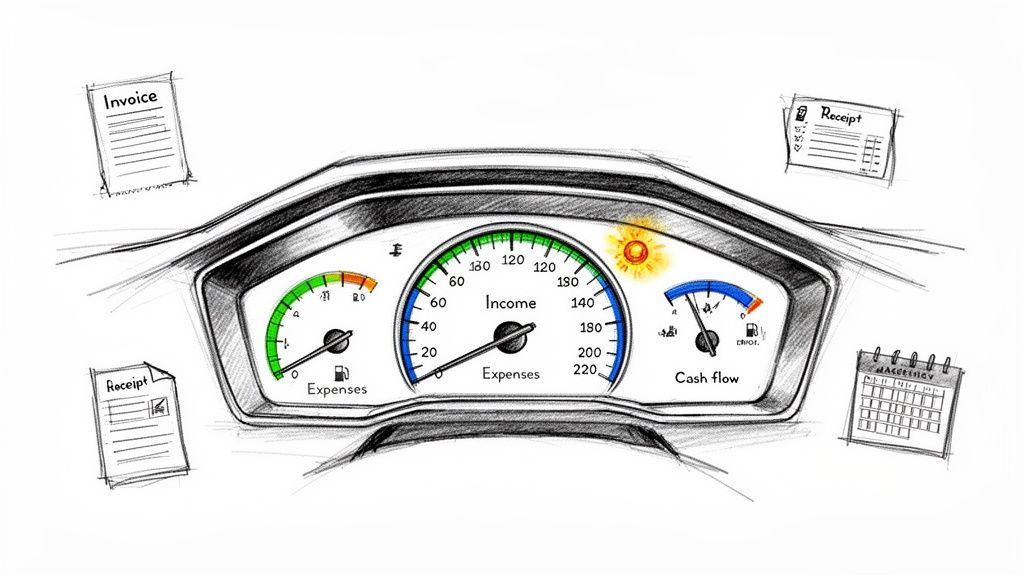
Jumping into a solo venture is a massive thrill, but it’s easy to get bogged down by the admin. Many people see record keeping as a tedious task to put off, but a better way to think about it is as your business's control panel.
Imagine trying to drive a car without a dashboard. You’d have no idea how fast you were going, how much fuel you had left, or if the engine was about to overheat. Your business records are exactly the same. They give you a clear, live view of your financial health showing your income (your speed), your expenses (your fuel), and any potential cash flow problems (those scary warning lights). Getting organised from day one isn't just about keeping HMRC happy; it's about making sure your business thrives.
The Real Cost of Messy Records
Let's be honest, without a decent system in place, things can get painful. The most obvious problem is that mad scramble when the Self Assessment deadline is just around the corner. Trying to find a year's worth of crumpled receipts and make sense of bank statements is a one-way ticket to a major headache.
Even worse, disorganised finances almost always mean you're missing out on tax deductions. That receipt for your new work laptop or the train ticket from a client visit is a legitimate business expense. Every expense you record lowers your taxable profit. If you lose the proof, you're just handing over more of your hard-earned cash to the taxman.
Beyond Just Getting Your Tax Done
A solid record-keeping habit does so much more than get you ready for tax season. It gives you the power to make genuinely smart decisions about where your business is heading. When you know exactly where the money is coming from and where it's going, you can:
- Pinpoint which clients or services are actually making you the most money.
- Spot where you’re leaking cash and cut unnecessary costs.
- Set your prices with confidence, knowing what you need to earn.
- Look ahead, forecast your income, and plan for bigger things.
If you want to go deeper into setting up a system for everything, a good guide on document management for small business can be a lifesaver.
A good system gives you the clarity to see your business not just as it is today, but as it could be tomorrow. It transforms reactive admin into proactive business strategy.
This forward-thinking approach is becoming less of a 'nice-to-have' and more of an 'essential'. In the UK, a whopping 7.0 million people filed an Income Tax Self Assessment for the 2023 to 2024 tax year. But here’s the kicker: only about half of them are using software to manage their finances. That's a bit of a gamble, especially with Making Tax Digital (MTD) for Income Tax just around the corner.
From April 2026, many sole traders will have to start sending quarterly updates to HMRC, making organised digital records an absolute must. You can find out more by checking the MTD business population statistics on GOV.UK.
The Essential Records Every UK Sole Trader Must Keep
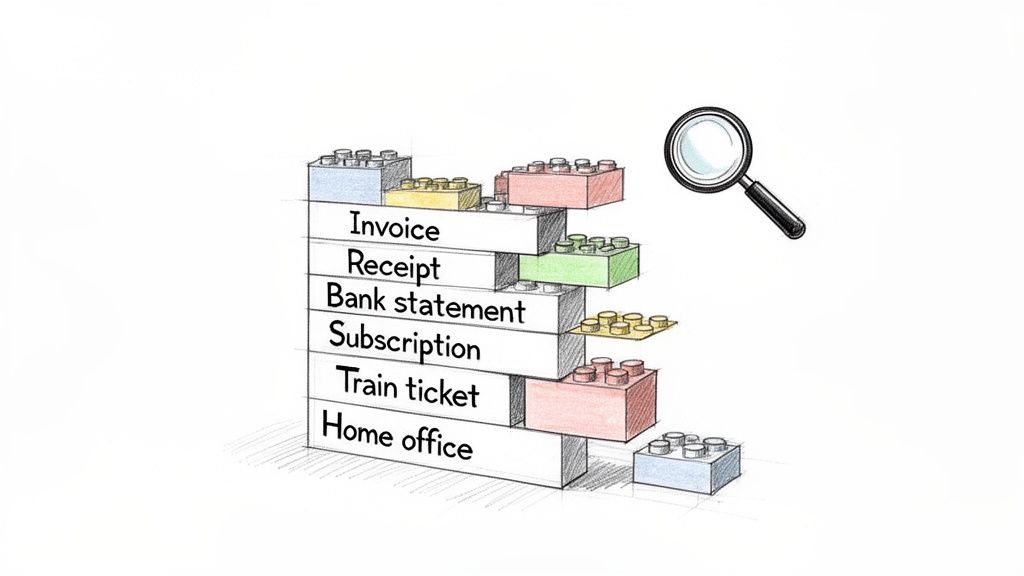
So, what does HMRC actually expect you to hang on to? It's not about stuffing a few invoices in a shoebox and hoping for the best. Proper self-employed record keeping means tracking everything that comes in and everything that goes out.
Think of it like building with LEGO. Each receipt, invoice, and bank statement is a single brick. If you're missing pieces, you can't build an accurate picture of your business's finances when it's time to do your tax return. It's as simple as that.
The whole thing can feel a bit much at first, but it really just boils down to two main things: your income and your expenses. Get a solid system for these two, and you’re setting yourself up for a much less stressful tax season.
Let’s break down exactly what you need.
Tracking Your Business Income
Documenting every single penny your business earns is completely non-negotiable. This isn’t just about the big-ticket invoices from your main clients; it’s everything, right down to that tiny one-off job you did last May. You need a clear, unbroken trail of your turnover for your Self Assessment tax return.
So, what does that look like in practice? You'll want to keep hold of:
- Copies of all invoices you send out. This is your primary record of what you've billed people for.
- Bank statements from both your business and personal accounts that show money coming in.
- Summaries from payment platforms like Stripe, GoCardless, or PayPal.
- A dated log of any cash payments you receive. If it's cash, you have to write it down.
Having all this on hand means there are no mysterious gaps in your income history, giving you (and HMRC) a crystal-clear view of your earnings.
Documenting Your Business Expenses
Okay, this is where your hard work really pays off. Every single legitimate business expense you track and claim reduces your taxable profit. And a lower profit means a lower tax bill. It’s a direct win.
But here’s the catch: to claim it, you have to be able to prove it. A line on your bank statement that just says "Amazon" won't cut it. HMRC wants to see the actual receipt that shows what you bought.
Keeping meticulous expense records isn't just about ticking a compliance box. It’s an active strategy to maximise your take-home pay by making sure you claim every single penny you're entitled to.
You need proof for any cost you've paid "wholly and exclusively" for your business. Common examples include things like:
- Office Costs: Think stationery, phone bills, postage, and software subscriptions like Microsoft 365.
- Travel Expenses: Keep receipts for train tickets, fuel (if using your car for business trips), and parking fees when you're off to see a client.
- Stock or Materials: If you make or sell products, you need records of all the bits and pieces you buy to create your final product.
- Professional Fees: This covers your accountant's bill, any legal advice, or memberships to professional bodies.
- Marketing & Advertising: Invoices for website hosting, Google Ads, or printing new business cards all count.
Knowing what you can and can't claim can be a bit of a minefield. To get a better handle on it, you might find our detailed guide on allowable expenses for sole traders in the UK really helpful.
To make this even clearer, here's a quick checklist of the essential records you need to have in your system.
Essential Records Checklist For UK Sole Traders
This table gives you a snapshot of the key documents and information to keep for both your income and expenses. Getting these organised is the first step towards stress-free finances.
| Record Category | What to Keep | Why It's Important |
|---|---|---|
| Sales & Income | Copies of all invoices you issue, bank statements showing payments received, cash receipts log, payment processor statements (e.g., Stripe, PayPal). | Provides a complete and accurate record of your turnover for your Self Assessment tax return. Proof of what you've earned. |
| Purchases & Expenses | Receipts for goods and stock, supplier invoices, bank and credit card statements, receipts for all business-related costs (e.g., travel, software, stationery). | Evidence to support the expense claims that reduce your taxable profit. You can't claim it if you can't prove it! |
| Bank Records | Monthly or annual statements for all business bank accounts and any personal accounts used for business transactions. | Crucial for cross-referencing your income and expenses, and for completing your bank reconciliation. |
| VAT Records (if applicable) | VAT invoices, records of VAT paid on purchases and charged on sales, copies of your VAT returns. | Essential for completing your quarterly VAT returns accurately if you are VAT-registered. HMRC requires this. |
| Asset Records | Receipts and invoices for any major equipment or assets you buy for the business (e.g., a new laptop, machinery, a van). | Needed to calculate capital allowances, which let you deduct some of the value from your profits over time. |
Keeping these records isn't just about satisfying HMRC; it’s about having a real-time, accurate view of your business's financial health. It's the foundation for making smart decisions.
How Long Should You Keep Your Business Records?
This is the big question, isn't it? How long do you actually need to hang onto all this stuff?
It's a classic dilemma. Chuck things out too soon, and you could be in a world of pain if HMRC comes knocking. But keeping every single receipt forever turns your office (or cloud storage) into a chaotic mess.
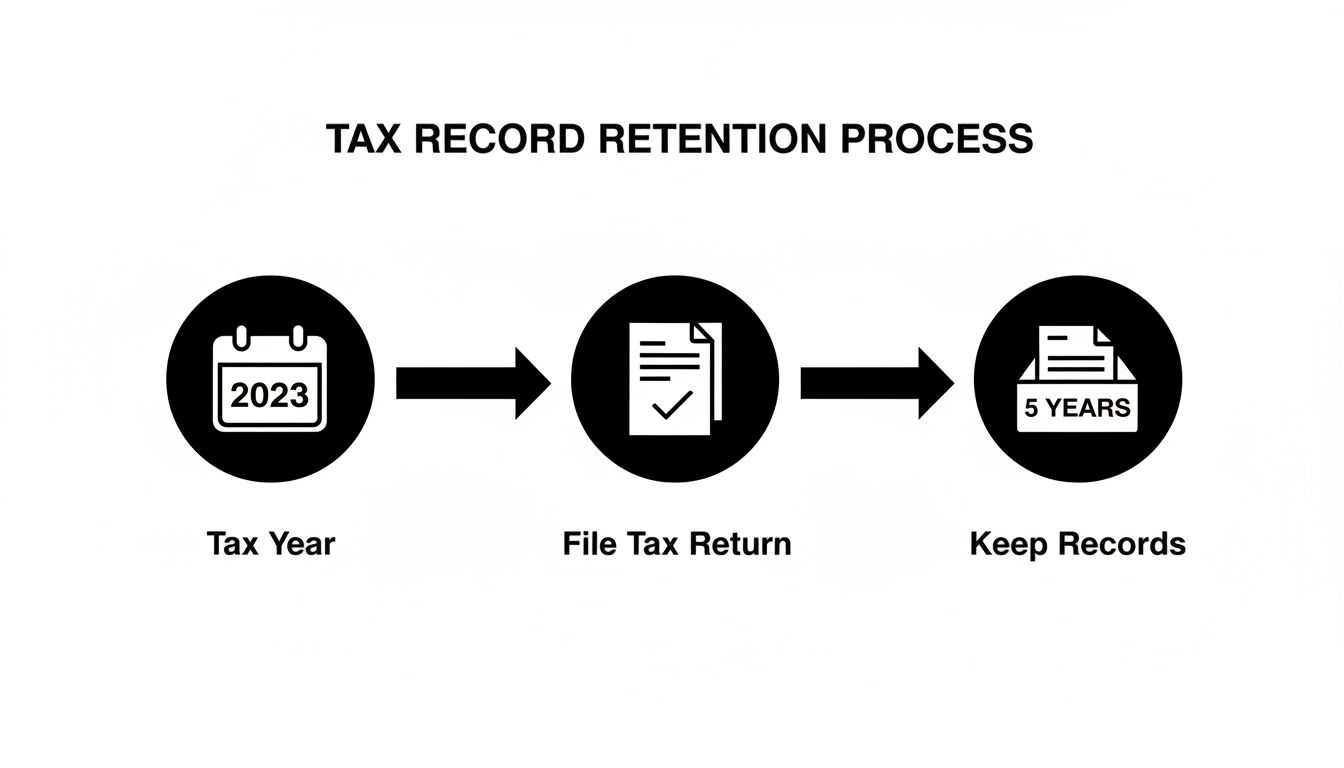
Thankfully, the official rule from HMRC is actually pretty simple. You need to keep your records for at least 5 years after the 31 January submission deadline of the relevant tax year. That’s the magic number. It gives HMRC plenty of time to ask questions about a past tax return, and it means you’ll have all the proof you need, ready to go.
The 5-Year Rule in Action: An Example
Let’s make that a bit more concrete. Say we’re talking about the 2023/24 tax year, which runs from 6 April 2023 to 5 April 2024.
- The deadline to get your Self Assessment tax return filed for that year is 31 January 2025.
- The 5-year clock starts ticking from that submission deadline.
- So, you’ll need to hold on to all your 2023/24 records until at least 31 January 2030.
It’s a common trip-up. The countdown doesn't start when you earn the money or even when you happen to file your return. It’s all tied to that official submission date.
This flowchart maps it out visually, from the end of the tax year right through to the final date you can safely have a clear-out.
Why Bother Keeping Them So Long?
This five-year window is essentially HMRC’s time to double-check things. If their systems flag a potential discrepancy or they just have a query about your figures, this period gives them the chance to make enquiries.
For the 4.3 million self-employed people in the UK as of 2024, sticking to this rule is simply non-negotiable.
And just to be clear, this applies to everything. This includes your paper receipts stashed in a folder and your neatly organised PDFs in the cloud. The five-year rule covers it all. For a bit more background on why compliance is so vital, you can read up on the latest details on self-employed record keeping in the UK.
Knowing exactly when you can safely shred old documents or delete old files brings huge peace of mind. It’s the key to running a tight ship without becoming a digital or physical hoarder.
While five years is the standard, it never hurts to be sure. It's always a good idea to check out resources that explain the official HMRC rules on how long to keep business records. Having a clear out-date in your diary for old files keeps your admin manageable and ensures you're confidently on the right side of the law.
Simple Workflows for Getting Your Records Organised
Knowing what records to keep is one thing. Actually organising them is where the wheels tend to fall off for most people. So, let's get practical and build a couple of simple, sustainable workflows for your paper and digital stuff. The goal here isn't perfection; it's consistency.
The freelance world has certainly had a shake-up recently. We saw self-employment in the UK hit a peak of over 5 million people just before the pandemic, followed by a big drop. This rollercoaster has forced a lot of us to get our admin in order, but record-keeping is still a massive headache. When you remember HMRC wants you to hold onto records for over five years, and things like MTD are on the horizon for 2.9 million sole traders, having a solid system isn't just nice, it's essential. You can get a better sense of these numbers from these trends in self-employment statistics.
The Classic Paper Method
Even in our digital-first world, you're still going to end up with paper receipts. A simple, old-school system can deal with these without any drama. Seriously, don't overcomplicate it.
A brilliant place to start is the "envelope method" or grabbing a cheap concertina file from a stationer.
- Label up some envelopes or folders: One for each month of the tax year is perfect (April, May, June, and so on).
- Shove receipts in straight away: The second you get a paper receipt for a business cost, pop it into the folder for that month.
- Quick review at month's end: Just set aside ten minutes to add up the receipts, maybe jotting them down in a basic spreadsheet.
This little habit stops those tiny-but-important receipts from vanishing into the black hole of your car's glove compartment and turns a monster year-end job into a small monthly task.
A Smart Digital Filing System
For all the digital stuff such as PDF invoices, email confirmations, you name it, a logical folder structure on your computer is your best friend. This is the bedrock of good digital admin. You can set this up on your laptop or, even better, use a cloud service like Google Drive or Dropbox so it's backed up and accessible anywhere.
A simple but really effective structure looks like this:
- Create a main folder called 'Business Records'.
- Inside that, make folders for each tax year (e.g., 'Tax Year 2024-25').
- Within each year, create two key subfolders: 'Income' and 'Expenses'.
- If you want to get fancy, you can add more subfolders inside 'Expenses' for things like 'Travel', 'Software', or 'Office Supplies'.
Now, whenever a digital receipt or invoice lands in your inbox, you just save it straight into the right place. To get more ideas on this, we've got a whole guide on creating a simple document management system.
Connecting Your Records to Your Bookkeeping Hub
Think of your filing system, whether it's a box of envelopes or a set of cloud folders, as your archive. Your bookkeeping software, like FreeAgent, is your financial control centre. The real magic happens when you get these two talking to each other.
This brings us to a really crucial bit of bookkeeping jargon: reconciliation.
Reconciliation is simply the process of matching every single transaction that goes through your business bank account to a piece of evidence, like an invoice or a receipt. It's the ultimate proof that your books are accurate and complete.
So, when your bank feed in FreeAgent shows a £30 charge from Adobe, reconciliation means attaching the actual Adobe invoice to that transaction. It proves exactly what you spent the money on and confirms it's a legitimate business expense.
Doing this manually for every single transaction is, frankly, the most time-consuming part of bookkeeping for most people. You’re constantly hunting for the right receipt, uploading it, and matching it to the right line item. This is exactly the pain point where modern automation can step in and save you a mind-numbing amount of time.
How to Automate Your Record Keeping
Let’s be honest. Manually saving every PDF from your inbox, snapping photos of paper receipts, and then uploading them one by one into your bookkeeping software is a massive time sink. It’s exactly the kind of mind-numbing admin that pulls you away from the work that actually pays the bills.
But what if there was a better way? Imagine a workflow that does all that heavy lifting for you, turning hours of tedious chores into a system that just runs quietly in the background. This is where you can finally unlock the secret to effortless self employed record keeping.
Introducing a Smarter Workflow
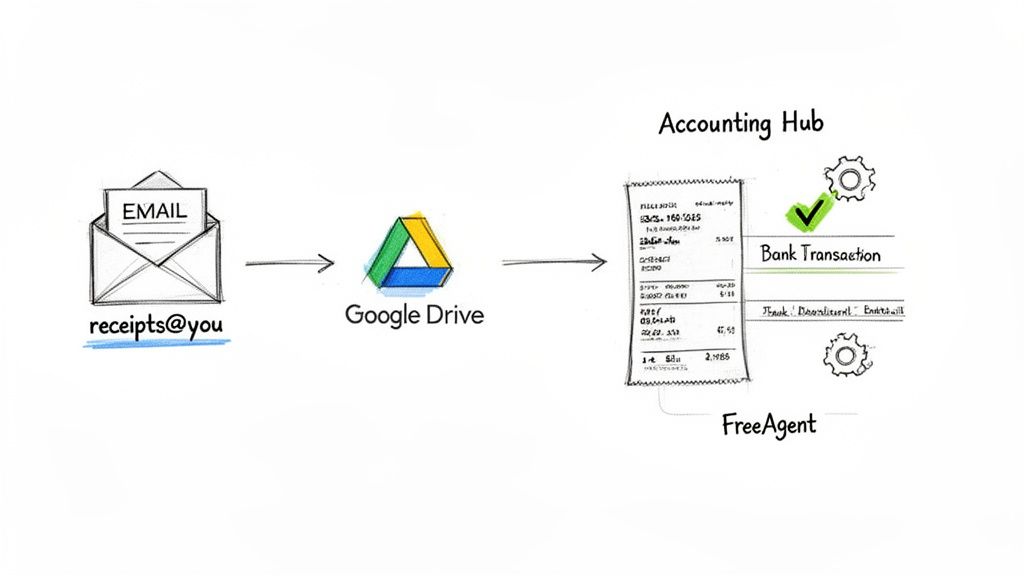
A modern automation tool like Receipt Router can completely change the game. The idea behind it is brilliantly simple: you get a unique, private email address specifically for your business receipts. This one tweak can instantly declutter your main inbox and kick-start a whole new automated process.
Instead of letting invoices from Amazon, your web host, or software subscriptions pile up, you just forward them to this special address. Even better, you can set up an auto-forwarding rule in Gmail or Outlook and then pretty much forget about it.
Automation transforms record keeping from an active, time-consuming chore into a passive, background process. You set it up once and it works for you every single day, saving you hours each month.
From there, the tool works its magic. It intelligently reads the email or receipt, pulls out all the important data, and gets it ready for your accounts. It’s the first link in a powerful chain that takes all the manual effort out of keeping your books in order.
How Automation Connects Everything
Once your receipt data is extracted, the real power of automation kicks in. The tool can link up directly with your bookkeeping software, like FreeAgent, and your cloud storage, like Google Drive. Think of it as the missing bridge between your inbox and your financial hub.
Here’s what that actually looks like in practice:
- Automatic Data Extraction: The tool scans the receipt or invoice and grabs the vital details such as supplier name, date, total amount, the lot.
- Smart Transaction Matching: It then dives into your bank feed in FreeAgent to find the matching payment. That £15 charge from your web hosting provider? It gets automatically paired with the invoice you forwarded.
- Secure Archiving: At the same time, a perfect digital copy of the receipt is filed away into a neatly organised folder in your Google Drive. Instantly, you have a tidy, searchable archive.
This automated reconciliation is a lifesaver. It completely eliminates the most tedious part of bookkeeping, hunting for receipts and manually attaching them to transactions. The system does it all for you, making sure your accounts are always accurate and up to date.
Key Benefits of an Automated System
Switching to an automated approach offers some pretty significant perks that go way beyond just saving a bit of time. It helps you build a much more robust and error-proof system for your business finances.
- Multi-Currency Support: If you buy from international suppliers, the tool can handle the currency conversion and match the receipt to the exact pound sterling amount that left your bank. No more head-scratching over exchange rates.
- Enhanced Privacy: You’re in complete control. The system only processes the specific emails you choose to forward, so your personal inbox stays personal.
- Time Savings: This is the big one. Freelancers and small business owners can easily save several hours every single month on financial admin. That’s more time for billable work or, dare I say it, a bit of a break.
For anyone who’s ever spent a frantic weekend getting their books ready for a tax deadline, this kind of system is a complete game-changer. If you're curious, you can learn more about how a modern receipt scanning app can streamline your entire process.
Common Record Keeping Mistakes to Dodge
Look, even the most organised freelancers can drop the ball sometimes. Getting your record keeping right is a habit, not something you master overnight. The best way to build that habit is to know where people usually trip up. These little slip-ups can tangle up your accounts, make you miss out on tax savings, and give you a massive headache when it's time to file your tax return.
So, let's walk through the most common blunders I see and, more importantly, how to sidestep them. Think of this as your field guide to building a bulletproof system for your business finances.
Mistake 1: Mixing Business and Personal Money
This is the big one. Honestly, it's the most common trap people fall into. You pay for a client coffee with your personal card, or you use the business account to do the weekly shop at Tesco. Before you know it, you've got a tangled mess. It becomes almost impossible to tell what was a genuine business spend and what was just... life.
When you mix your money like this, it doesn't just make bookkeeping a nightmare. It also means you're almost guaranteed to forget about allowable expenses you could have claimed. You simply can't remember which transaction was for what.
- The Simple Fix: Open a separate business bank account. Right now. Seriously. Have all your income land in that account and use it for every single business purchase. This one move creates a clean break between your personal and business finances and is the bedrock of good financial management.
Mistake 2: Forgetting Those Little Cash Purchases
It’s easy to remember the big invoices and your monthly Adobe subscription. But what about the small stuff? That £3 for parking to see a client, the coffee you grabbed while meeting a new contact, or the stamps you bought from the Post Office.
These little cash buys feel pretty trivial at the time, and the receipts often end up crumpled in a pocket or tossed in the bin. But trust me, over a whole year, these tiny amounts can add up to hundreds of pounds in tax deductions you've missed out on.
Just relying on your bank statements is a dodgy strategy. A statement shows a transaction took place, but HMRC wants to see the receipt or invoice to prove what you actually bought. It's the difference between showing them you spent £20 at WHSmith and proving you bought business stationery, not the latest bestseller.
The trick is to have a system to catch these costs the moment they happen.
- The Simple Fix: Make it a reflex to snap a photo of your receipt the second it hits your hand. Use a bookkeeping app on your phone to take a quick, clear picture. That way, the proof is digitised and safe straight away, so it doesn't matter if the paper original vanishes.
Mistake 3: Thinking Bank Statements Are Enough Proof
Loads of sole traders fall into the trap of thinking a bank statement is all the evidence they need. While it proves money left your account, it rarely gives HMRC the detail they're looking for. A line on your statement might just say "Amazon £50". Was that for a new hard drive for work, or a birthday present for your nephew?
Without the original receipt or invoice, you've got no real way to prove an expense is legitimate if HMRC ever decides to take a closer look. They're pretty clear about this, and relying on statements alone leaves your expense claims on very thin ice.
- The Simple Fix: Always, always keep the original proof. For online buys, save the PDF invoice or confirmation email as soon as you get it. For paper receipts, snap that photo. The final step is to link that proof to the right transaction in your bookkeeping software. This creates a solid, auditable trail that connects the payment to the proof.
Got Questions About Record Keeping? We've Got Answers
We've gone through a lot on the topic of keeping your records straight, but it's totally normal to still have a few questions buzzing around. Let's tackle some of the most common ones we hear from freelancers and sole traders across the UK.
Are My Bank Statements Enough on Their Own?
This is a classic question, and the short answer is a firm no. Your bank statements are definitely a key piece of the puzzle, but they don't tell the whole story.
Think of it this way: a bank statement shows that money left your account, but it doesn’t explain why. HMRC needs to see the actual receipt or invoice to confirm that what you bought was a genuine business expense and not, say, a round of drinks down the pub.
What on Earth Do I Do if I've Lost a Receipt?
First off, don't panic! It happens to the best of us. Losing a receipt isn't a disaster, but you do need to find some other way to prove the expense.
If you paid by card, your bank statement is your best friend here. It shows the date, the amount, and who you paid. You could even try reaching out to the supplier; many are happy to send over a duplicate receipt. The main thing is to make a clear note of what the expense was for, why the original is missing, and pull together whatever proof you can find.
The best way to never lose a receipt again? Go digital. Snap a photo on your phone the second you get it, or use an automation tool to grab it from your inbox. That way, the flimsy paper original doesn't matter anymore.
Do I Still Need to Keep Records if My Business Made a Loss?
Yes, one hundred percent. You have to give HMRC the full picture of your business finances, regardless of whether you ended the year in the black or the red.
In fact, good records are arguably more important when you've made a loss. Why? Because you can often carry that loss forward to lower your tax bill in a future, more profitable year. You'll need solid proof to do that, so don't slack on the paperwork.
What's the Simplest Way to Deal With All These Digital Receipts?
The easiest starting point is setting up a simple folder system on a cloud drive like Google Drive or Dropbox. Create a main folder for each tax year, then pop two subfolders inside: 'Income' and 'Expenses'.
Get into the habit of saving every digital invoice or receipt to the right folder the moment it lands in your email. It stops your inbox from becoming a digital dumping ground and makes life a whole lot easier when it's time to do your tax return. Of course, an automated system can do all that sorting for you, which is even better.
Tired of drowning in a sea of receipts and invoices? Let Receipt Router handle the admin chaos for you. Our tool automatically forwards, matches, and files your financial documents in FreeAgent and Google Drive, saving you precious hours every single month. Stop chasing paper and get back to what you do best. Try Receipt Router today and see how simple self-employed record keeping can be.