Your Freelancer Guide to a Document Management System
Right, let's get one thing straight. A document management system is just a fancy term for a digital solution that grabs, organises, and securely stashes all your important business paperwork in one central hub. It’s designed to take the absolute chaos of managing paper and digital files and turn it into a smooth, efficient process. In short, it’s the end of lost receipts and the annual tax-return panic.
What Is a Document Management System Anyway?
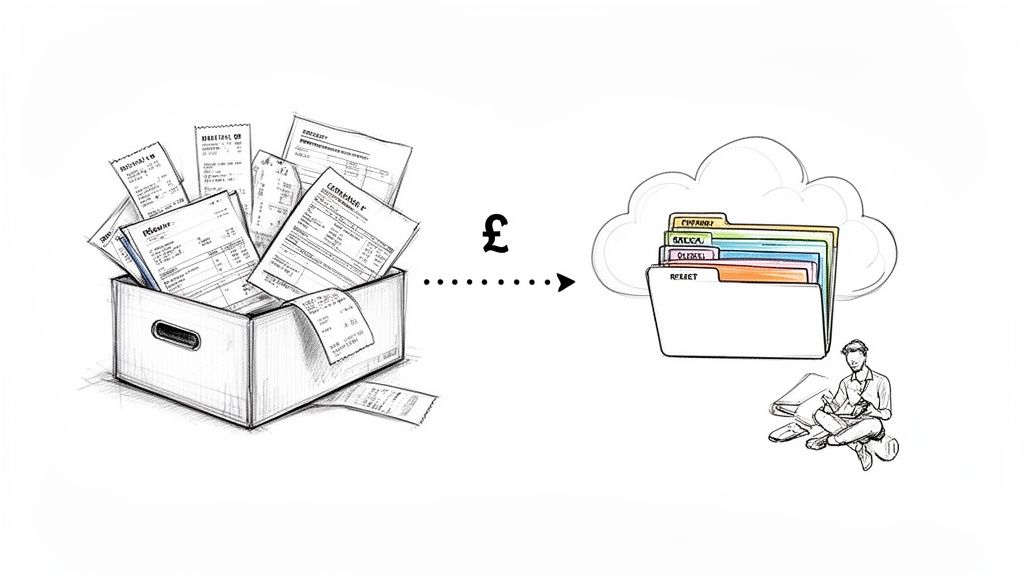
If you’re a freelancer in the UK, you already have a "system" for managing your documents, even if you don't call it that. It might be a shoebox overflowing with receipts, a specific folder buried on your desktop, or a bunch of starred emails you keep meaning to sort out. These methods might work for a bit, but they rarely last and almost always end in a mess.
A proper document management system (DMS) is your escape hatch from that clutter. Think of it as a super-organised digital filing cabinet that comes with a very smart assistant. Instead of you having to manually file every single invoice, contract, and coffee receipt, the system does all the hard graft for you.
Its main job is to bring a bit of order to your information. It makes sure every important bit of paper or digital file has a secure, specific home where you can find it in seconds. This isn't just about having tidy folders; it's about building a solid, reliable foundation for your business.
It's More Than Just Digital Storage
It's really easy to mix up a document management system with simple cloud storage like Google Drive or Dropbox. And while those are brilliant for just storing files, a true DMS has a lot more brains and automation built-in.
A DMS is an active system, not a passive one. It can automatically figure out what a document is, pull out key information (like the total on a receipt), and even link related files together. For instance, it can connect a purchase order, the resulting invoice, and the final payment receipt without you having to do a thing.
This creates a much smarter, more connected web of information, giving you the full story on your finances and projects.
A good document management system doesn't just store your files. It understands them. It connects the dots between different documents to give you useful insights and save you hours of admin.
Why This Actually Matters for UK Freelancers
As a solo business owner, your time is your most precious resource. Every hour you spend digging around for that one invoice from six months ago is an hour you’re not earning money or finding new clients. A DMS gives you that time back.
Just think about the annual stress of doing your tax return. A well-oiled system makes sure every single tax-deductible expense is captured and categorised properly throughout the year. No more last-minute scrambling, and no more missed deductions that end up costing you real money.
Ultimately, getting a document management system is about taking back control. It helps you:
- Cut down on the boring admin by automating all those repetitive tasks.
- Stay compliant with HMRC and their record-keeping rules.
- Keep sensitive data safe from being lost, stolen, or accidentally deleted.
- Get some peace of mind, knowing the financial backbone of your business is strong and organised.
The Core Features Every UK Freelancer Needs
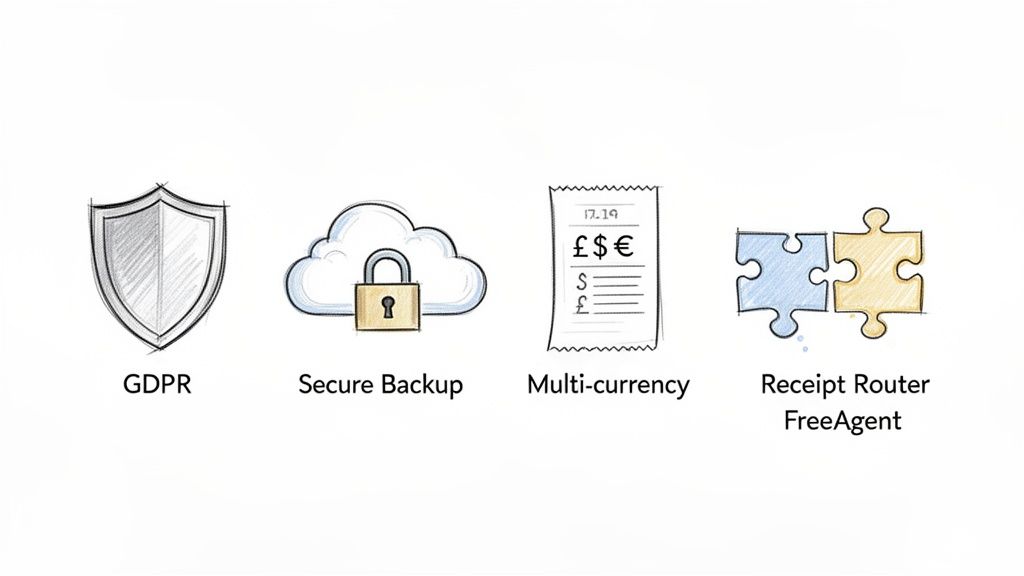
When you're choosing a document management system, it’s easy to get distracted by flashy features. But honestly, it’s not about finding the software with the most bells and whistles. It’s about picking a setup that solves the actual, day-to-day problems you face as a freelancer in the UK.
A lot of these systems are built for huge companies with entire IT departments to manage them. As a one-person band, your needs are totally different. You need a toolkit that slots right into your workflow, protects you and your clients, and crucially, saves you precious time. Get this right, and your system becomes a genuine asset, not just another monthly subscription you forget you're paying for.
Cast Iron GDPR Compliance
Let's get the serious bit out of the way first. As a freelancer in the UK, you’re legally on the hook for protecting any personal data you handle. That’s not just client lists; it’s everything inside their invoices, contracts, and emails. A data breach isn't just a bit embarrassing, it can land you with a hefty fine from the Information Commissioner's Office (ICO).
This is why any system you even consider must be GDPR compliant. It’s completely non-negotiable. Specifically, you need a tool that provides:
- Data Encryption: All your files, whether they're just sitting on a server or in transit, must be scrambled to keep prying eyes out.
- Access Controls: You need to be the gatekeeper, deciding who sees what. Even if it's just you, strong password protection is the bare minimum.
- Clear Privacy Policies: The company providing the service needs to be upfront about how they handle your data and, importantly, where in the world they store it.
Cutting corners here puts both your business and your clients at risk. Think of your DMS as a digital fortress for your data, not a flimsy garden shed.
Automated and Secure Backups
Picture this: your laptop gives up the ghost, taking every single one of your financial records with it. And it happens just weeks before your tax return is due. For a freelancer, that scenario is the stuff of nightmares.
Relying on manual backups is a recipe for disaster because we all forget. That’s why your system absolutely must have automated, secure cloud backups. This feature is your ultimate safety net, quietly copying your important files in the background so you can pull them back from the brink if your tech fails, gets stolen, or you just accidentally delete something important. It’s peace of mind in digital form.
Your business data is one of your most valuable assets. An automated backup isn't a luxury; it's an essential insurance policy that protects the financial integrity of your freelance career.
It’s clear more of us are catching on. While big companies still make up around 67% of the market for these systems, the small and medium enterprise segment is set to grow by 17.8% each year. It just goes to show that freelancers and small businesses are waking up to how valuable these tools are. You can find more detail on this trend in the market analysis on snsinsider.com.
Multi-Currency Receipt Handling
Do you work with clients in the US, Europe, or further afield? If you do, you'll know the pain of juggling invoices and receipts in dollars, euros, and who-knows-what-else. A basic system will just throw its hands up, leaving you to mess around with calculators and spreadsheets, a surefire way to make mistakes.
A DMS that's actually built for a modern freelancer will handle multi-currency receipts without breaking a sweat. It should be smart enough to recognise a foreign currency, find the correct exchange rate for that day, and convert it into pounds sterling automatically. This keeps your books accurate and, most importantly, keeps you on the right side of HMRC.
Seamless Software Integrations
Here’s where you can get really clever. Your document management system shouldn't be a lonely island. For it to be truly useful, it needs to talk to the other software you use every day, especially your accounting package. This is where integrations turn a good tool into a great one.
Take Receipt Router, for example. It's built specifically to create a hands-free workflow. You simply forward an email receipt to it, and the system automatically:
- Pulls out all the key information.
- Logs into your accounting software, like FreeAgent.
- Finds the matching bank transaction.
- Attaches the receipt right where it belongs.
An integration like this transforms a boring, repetitive chore into a single, automated action. It’s how you build a seriously efficient business, saving yourself hours every month. By connecting your tools, you create a powerful little ecosystem where your financial information just flows, keeping everything perfectly organised without you having to lift a finger.
For more ideas on streamlining your finances, have a look at our guide on the best apps that track spending.
Is a Document Management System Really Worth the Hassle?
Let's be honest, setting up any new system feels like another chore on an already overflowing to-do list. When you're busy juggling client work, drumming up new business, and just trying to keep your head above water, is overhauling your paperwork really worth the effort?
The short answer is a resounding yes. The real value of a good document management system (DMS) isn't about having perfectly neat digital folders. It's about fundamentally rewiring the admin side of your business to get back your most precious resources: your time, your money, and your sanity.
The 'Before and After' Picture
Think about the classic "before" scenario. You've just wrapped up a project and need to double-check a clause in the original contract. Cue 20 minutes of frantic searching through your email inbox, followed by another ten digging through a desktop folder ominously named "Client Stuff." The frustration is real, and it's all unbillable time down the drain.
Or what about the annual horror show that is tax season? You block out a whole weekend to piece together your expenses, scrolling through endless bank statements and hunting for crumpled receipts stuffed in a coat pocket. You know you're missing some, which means you're paying more tax than you should be. It’s stressful, tedious, and feels like a punishment for being your own boss.
Now, let's paint the "after" picture. That same client contract? You find it in less than 30 seconds with a simple search. Tax season? It's a total non-event. Every single receipt has been automatically captured, categorised, and backed up throughout the year. Your books are spotless, accurate, and ready for HMRC with a few clicks.
A document management system turns your admin from a reactive, stressful firefight into a proactive, organised hum. It’s the difference between feeling constantly on the back foot and being confidently in control.
This isn't just a minor tweak; it's a complete operational upgrade. It strips out the friction and anxiety, freeing you up to focus on the work that actually pays the bills and grows your business.
Winning Back Your Time with Automation
One of the biggest productivity killers for any freelancer is manual data entry. It’s the boring, repetitive stuff that eats up the day. In fact, some studies show that knowledge workers can spend a staggering 40% of their time on non-productive tasks like just searching for information. A solid DMS, especially one powered by automation, tackles this head-on.
Instead of manually downloading an invoice, renaming it, dragging it to the right folder, and then typing the details into your accounting software, an automated workflow does it all for you. This is exactly where tools designed for automation in accounting come into their own. By creating a bridge between your inbox and your financial software, documents can flow from one to the other without you lifting a finger.
Just think about how those saved minutes add up:
- 5 minutes saved per receipt: If you handle 30 receipts a month, that's 2.5 hours back in your pocket.
- 10 minutes saved per invoice: With 10 invoices a month, you've just reclaimed another 1.5 hours.
- Hours saved on tax prep: A well-oiled system can shrink your year-end admin from a multi-day nightmare to a couple of hours.
These aren't just abstract numbers. That's real time you can pour back into client work, learn a new skill, or even switch off and take a break.
Maximise Your Earnings and Sleep Better at Night
A messy system doesn't just waste your time; it costs you cold, hard cash. Every lost receipt for a train ticket, a software subscription, or a client coffee is a legitimate business expense you can't claim, which means your tax bill is higher than it needs to be. A DMS makes sure every single pound is logged and accounted for.
This organised approach also brings invaluable peace of mind. Knowing you're fully compliant with HMRC's record-keeping rules and that all your critical financial data is securely backed up is huge. It silences that nagging voice in the back of your head wondering if you’ve forgotten something important or worrying that a laptop failure could wipe out your entire financial history.
Ultimately, a document management system isn’t just another business expense. It’s an investment in your own efficiency, profitability, and well-being.
Choosing the Right Document Management Tools
Right, so you're ready to build your perfect system? Now that you see the benefits, let's get practical and pick the right tools for the job. Creating a proper document management system isn’t about finding one magical piece of software that does it all. It’s about building a small, powerful 'stack' of tools that work together to put your admin on autopilot.
For most UK freelancers, this usually means three key layers: a place to stash your files, a hub for your accounts, and a clever little automation tool to connect them. The good news? You’re probably already using some of these. The real trick is getting them to talk to each other to create a seamless workflow that practically runs itself.
The Foundation: Your Cloud Storage
First things first, you need a simple, secure home for your files. This is your digital filing cabinet where every important document will live. Tucking files away in folders on your laptop might feel easy, but it’s a risky game. You’re missing the security, remote access, and automated backups that are non-negotiable for a solid business setup.
The most common and effective choices for freelancers are usually one of these:
- Google Drive: A really versatile and familiar option that plays nicely with countless other apps. Its search function is brilliant for digging up a specific file in seconds.
- Dropbox: Another fantastic choice, well-known for being reliable and having a super-simple interface that makes organising files a doddle.
- Microsoft OneDrive: If you're already in the Microsoft 365 ecosystem, this is a no-brainer. It integrates beautifully with tools like Word and Excel.
Think of your cloud storage as your ultimate archive. It’s the secure backup for every single receipt, invoice, and contract. This means you can get to your financial history from anywhere, at any time, even if your laptop decides to give up the ghost. If you want to see how this works in practice, you can learn more about our specific integration with Google Drive and how it creates a perfectly organised backup of your receipts.
The Brains: Your Accounting Software
Next up is your accounting software. This is the command centre of your document management system, where all your financial data gets crunched and turned into something useful. For UK freelancers, a platform like FreeAgent is often the top pick because it’s built specifically with sole traders and small businesses in mind, with features that take the headache out of UK tax obligations.
Your accounting software does more than just track what’s coming in and going out. It's where you create invoices, pull financial reports, and, ultimately, get your tax return ready. By connecting it to your cloud storage, you create a direct link between the raw proof (your receipts) and the final numbers in your accounts. This proves every figure is backed up by solid evidence, which is exactly what HMRC wants to see.
The Connector: Your Automation Tool
Now for the secret sauce. This is the bit that transforms a bunch of separate tools into a genuinely automated system. An automation tool is the bridge, shuttling information between your inbox, your storage, and your accounting software without you lifting a finger.
Think of automation as your personal admin assistant. It tackles the boring, repetitive slog of filing and data entry, leaving you free to focus on what you actually do best: your work.
This is precisely where Receipt Router slots into your workflow. It's designed to be that connector. You just forward an email receipt to your unique address, and the tool intelligently reads the data, attaches the receipt to the right transaction in FreeAgent, and files a neat copy away in your Google Drive. It connects all the dots, turning a tedious, multi-step chore into one simple action.
Comparing Your Options
So, what's the right setup for you? It really depends on your budget, how tech-savvy you feel, and what your business needs. The move towards cloud-based tools is undeniable; cloud deployment now holds 68% of the market share and is expected to grow at a rate of 17.4% annually through 2030. This shift is happening because cloud tools are affordable, scalable, and don't require a huge upfront investment, which you can read more about in this market overview.
To help you figure it out, I’ve put together a quick comparison of the most common approaches freelancers take.
Comparing Document Management Tools for UK Freelancers
Here's a look at how different setups stack up, helping you weigh the pros and cons for your own solo business.
| Tool Type | Best For | Key Strengths | Potential Weaknesses |
|---|---|---|---|
| Cloud Storage Only | Freelancers on a very tight budget just starting out. | Low-cost or free to start; simple drag-and-drop functionality; great for basic file archiving. | Completely manual process; no automation; no connection to accounting; high risk of human error. |
| Accounting Software | Freelancers who want to manage their finances in one place. | Centralises invoicing and expense tracking; automates some financial reporting; HMRC compliant. | Receipt management can still be manual (e.g., snapping photos); lacks automated inbox processing. |
| The Full 'Stack' | Freelancers serious about saving time and maximising efficiency. | Fully automated workflow from inbox to accounts; ensures every receipt is captured and backed up; significantly reduces admin time. | Involves a small monthly investment for the automation tool; requires a one-time setup. |
Ultimately, building the right system is about making a smart choice for your business. Whether you’re just trying to escape a chaotic desktop folder or building a system from scratch, combining reliable storage, smart accounting software, and a powerful automation layer is what will give you the most efficient, stress-free solution.
A Simple Roadmap to Implementing Your System
Getting started is often the hardest part, but believe it or not, setting up a solid document management system is surprisingly straightforward. You don't need to be an IT whizz or have a massive budget. The real goal is to build a simple, effective workflow that you can set up in an afternoon and then pretty much forget about.
Let's break it down into three clear, doable steps. Think of this as your practical plan for turning financial admin from a chore into a smooth, organised process that just happens.
Step 1: Tidy Up Your Existing Files
Before you even think about new tools, it’s worth spending a bit of time on a digital spring clean. Let’s be honest, you probably have receipts, invoices, and contracts scattered everywhere: your inbox, desktop folders, maybe even a random cloud drive or two. Sorting this mess out now makes everything that follows a thousand times easier.
Start by creating one central folder in your chosen cloud storage, like Google Drive or Dropbox. Call it something obvious, like "Business Finances 2024". Inside, create a few simple subfolders.
- Client Invoices: For every invoice you've sent out.
- Business Expenses: The new home for all your receipts and purchase records.
- Contracts & Agreements: A safe place for important legal docs.
- Tax Documents: For anything and everything related to HMRC.
Don't go overboard. The aim here isn't perfection; it’s just about getting everything into one secure, accessible place. This initial bit of tidying sets a clean foundation for the automation we’ll build on top.
Step 2: Choose Your Core Tools
With your files in order, the next job is to pick the core software that will be the heart of your system. As we've touched on, this usually means two key pieces of kit: accounting software and a cloud storage provider.
For most UK freelancers, a platform like FreeAgent is a brilliant choice for accounting, mainly because it's built from the ground up for UK tax rules. For storage, Google Drive is incredibly versatile and plays nicely with other services. Together, these two will act as the brain and the archive for your entire setup.
This isn't just a niche idea; more and more small businesses are adopting smarter solutions like this. In fact, the UK's document management services industry has grown steadily, now pulling in an estimated £1.4 billion in revenue, with around 1,343 businesses now operating in this space. You can find out more about the UK market's growth and resilience online.
Step 3: Integrate Your Automation Layer
Right, this is where the magic happens. It’s time to connect your tools with an automation layer that gets rid of all the boring manual work. This is the secret sauce that turns a couple of apps into a truly hands-off system. Think of it as the bridge that lets information flow seamlessly between your inbox, your accounts, and your storage.
This flowchart shows how these three layers come together to form your complete DMS stack.
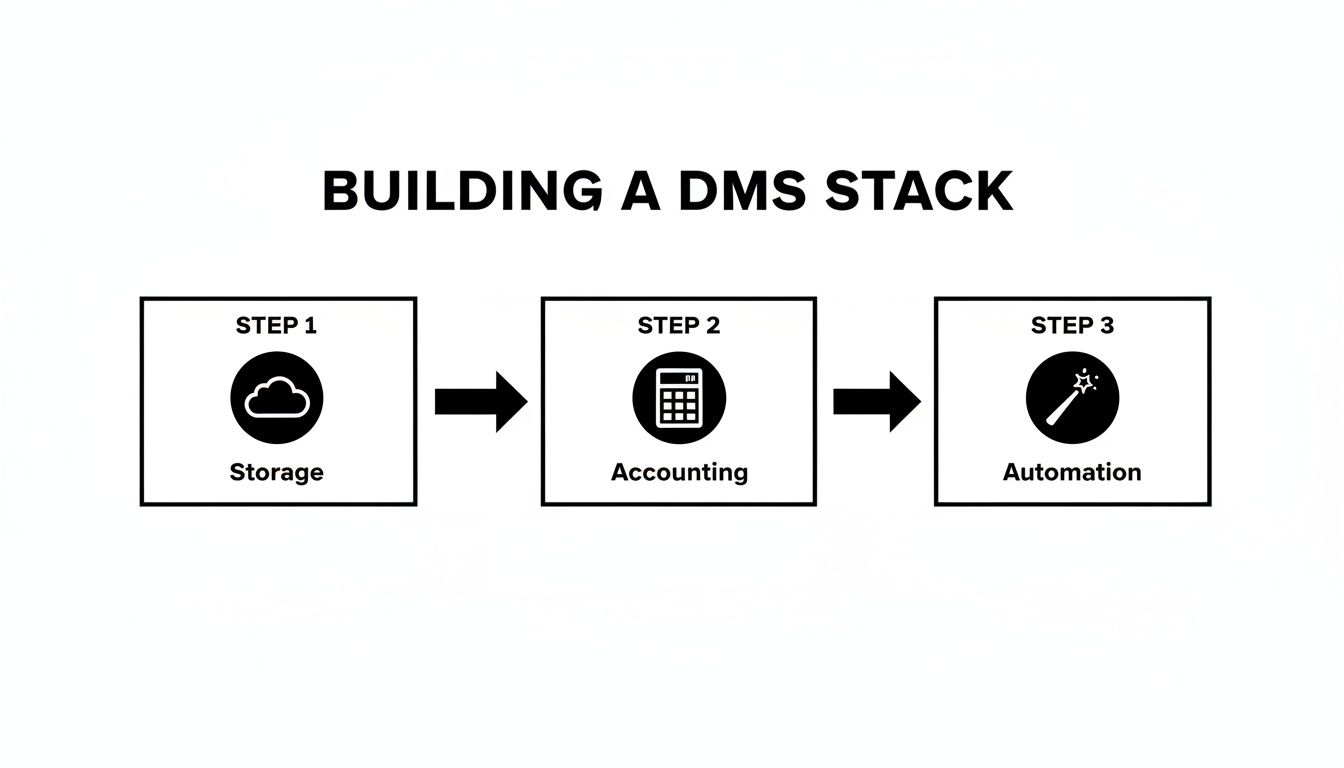
It’s a simple but powerful workflow where each tool has its own job but they all work together perfectly.
This is exactly where a tool like Receipt Router comes in. It’s designed to be that essential connecting piece. You get a unique email address just for your business receipts. When a receipt for an online purchase lands in your normal inbox, you just forward it.
Your goal should be to touch each document only once. Forward it, and let the automation handle the rest. This single principle is the key to reclaiming hours of your time.
Receipt Router immediately gets to work. It automatically reads the key details, logs into your FreeAgent account to find the matching bank transaction, and attaches the receipt right where it belongs. At the same time, it files a neat, organised copy in your Google Drive as a permanent backup.
This simple email forward kicks off the entire automated process.
What used to be a five-minute chore of downloading, renaming, uploading, and matching is now done with a single click. By following this simple roadmap, you can build a robust, automated, and stress-free system that will have your back for years to come.
Right then, let's talk about the classic mistakes people make when setting up a document management system. Getting organised is a fantastic step, but a few common trip-ups can turn a brilliant idea into a proper headache. Learning from others' blunders will save you a ton of time and stress.
The biggest one? Picking a system that’s way too complicated. It’s so easy to get wowed by fancy, enterprise-level software that’s built for massive companies. For a freelancer or small business, that’s like using a sledgehammer to crack a nut. You’ll be paying for bells and whistles you never touch and battling a system that just wasn't designed for someone like you.
The best system isn't the one with the most features. It's the one that solves your specific problems with the least amount of friction, letting you get back to your actual work.
Not Thinking About Backups and Automation
Another howler is treating backups as an afterthought. So many people only realise how vital backups are the second their laptop gives up the ghost, taking months of invoices and receipts with it. A system without automated, secure cloud backups is just a disaster waiting to happen. It should be a non-negotiable feature that works quietly in the background, giving you peace of mind.
Just as bad is ignoring the power of automation. If you're still manually downloading, renaming, and filing every single receipt, you're on the fast track to burnout. It's soul-crushingly tedious work that steals your billable hours. By not using simple automation tools, you're basically choosing to stay on the admin treadmill forever.
Here are a few other common missteps to keep an eye on:
- Forgetting Privacy: A massive privacy blunder is forwarding your entire email inbox to a service. You should only ever send what's absolutely necessary, like individual receipts. This keeps your own and your clients' sensitive information safe.
- Creating Too Many Folders: A ridiculously complex folder structure is just as chaotic as having no structure at all. Keep it simple. A few key categories will do the trick, so you can always find what you need without clicking through a maze.
- Ignoring Integrations: Choosing tools that don't talk to each other is a recipe for frustration. Your system should connect with your other key software to create a smooth, efficient workflow from start to finish.
By simply sidestepping these common mistakes, you’ll be well on your way to building a document management system that’s both resilient and genuinely useful from day one.
Got Questions? Let's Get Them Answered
Even with a solid plan, it’s natural to have a few lingering questions before you dive into setting up a proper document management system. Let’s clear up some of the most common queries so you can move forward with confidence.
Are Cloud Systems Actually Secure?
In a word, yes, as long as you pick a reputable provider. Big names like Google Drive and Dropbox pour millions into security. They use heavy-duty encryption to protect your files, both when they’re sitting on their servers and when you’re sending them.
Honestly, for most UK freelancers, the security they offer is miles ahead of what you could manage on your own laptop. It protects you from everything from a stolen computer or a failed hard drive to a nasty cyber-attack. Just make sure you double-check that they’re fully GDPR-compliant.
Can’t I Just Use Folders On My Computer?
Look, a basic folder structure is a step up from a digital shoebox, but it's not a real system. It has no automatic backups, no secure way to access files when you're out and about, and it certainly won't talk to your accounting software.
More importantly, if HMRC ever comes knocking for an audit, a simple folder system makes it incredibly difficult to prove you've kept proper records. A real DMS creates a neat, verifiable trail for every single transaction, which is exactly what the tax man wants to see.
What's the Best Way to Digitise Old Paper Receipts?
Your smartphone is your best friend here. A good scanner app like Adobe Scan or Microsoft Lens can snap a crisp, searchable PDF in seconds. They even automatically straighten the image for you.
Top Tip: Get into the habit of scanning paper receipts the second they land in your hand. This stops them from fading in your wallet or getting lost, and it means your system can file them away immediately.
Once you’ve scanned it, just email the file over to an automation tool like Receipt Router. It’ll take care of filing it and matching it up in your accounting software. It’s a simple little workflow that turns a pile of paper into a perfectly organised digital archive without you having to lift a finger.
Ready to stop wrestling with receipts and finally get your freelance admin sorted? Give Receipt Router a try and see what a truly organised system can do for your business. Find out more at https://receiptrouter.app.