Your Guide to Finding and Managing Receipts From eBay
Let's be honest, hunting for receipts from eBay is a massive headache. But when you're a UK freelancer, every single one is a potential tax deduction, a vital piece of your financial puzzle. Getting a grip on them isn't just good practice; it's a smart business move that puts money back in your pocket.
Why Bother with eBay Receipts? It's a Game Changer for Freelancers
As a freelancer or sole trader in the UK, tracking every business expense is non-negotiable. Think about all the stuff you might buy on eBay for your work: refurbished tech, office supplies, specialist tools... it all adds up. Each of those purchases is a potential tax-deductible expense. Ignoring those receipts? That's like willingly handing over extra cash to HMRC.
And it goes beyond just tax time. Properly organised records give you a crystal-clear view of your business's financial health. You can see what you're really spending and where your money is going, which is crucial for figuring out your actual profitability. Without that data, you’re just guessing.
Getting to Grips with Your eBay Paperwork
First things first, you need to know what you’re looking for. Not all bits of paper (or digital files) from eBay are the same, and they each serve a different purpose.
- Order Details Page: This is your main proof of purchase. It has the seller's name, item description, date, and total cost. For basic expense tracking, this is often all you need.
- Packing Slip: You'll usually find this in the box with your item. It’s great for checking you got what you ordered, but it rarely has pricing info, so it's no good as a financial record.
- VAT Invoice: If you're VAT-registered, this is the golden ticket. It's a formal document from the seller (not eBay itself) that breaks down the VAT, allowing you to reclaim it.
Treat each receipt like a valuable financial asset, not just another piece of digital clutter. This small shift in mindset turns bookkeeping from a chore into proactive, savvy business management.
This guide will walk you through exactly how to find, request, and manage every type of receipt you'll get from eBay. We'll get you set up to transform this tedious task into a smooth workflow that genuinely saves you time and money. If you're keen to build a robust system for all your paperwork, our guide on creating a document management system is a great next step.
Finding Your eBay Purchase History and Order Details
So, where does eBay keep all the important paperwork you need for your accounts? Thankfully, digging up your primary proof of purchase is pretty simple once you know the right clicks. This basic record is the first thing you'll need to get your eBay receipts in order.
The Order Details page is your go-to. It has all the key information HMRC wants for a standard expense claim: the purchase date, seller details, what you bought, and the total cost including postage.
Let's run through how to find it on both the website and the app.
On the eBay Website
Finding your transaction history on a desktop or laptop is just a couple of clicks away.
First, log in to your eBay account. In the top-right corner, you’ll see "My eBay." Hover your mouse over it, and a dropdown menu will pop up. From that list, simply click on "Purchase History."
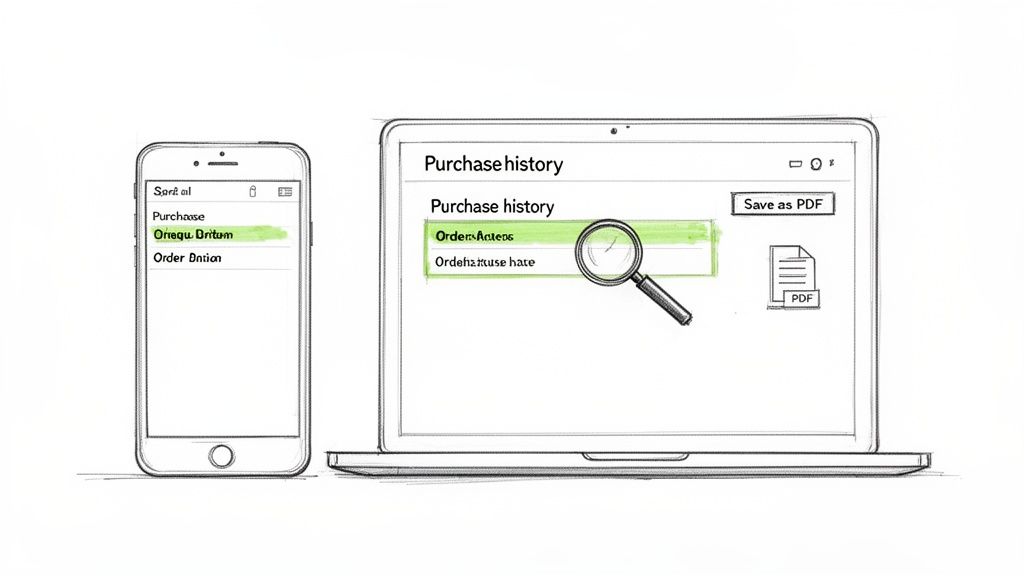
This screen lists everything you've bought recently. You can filter this view by date, which is a lifesaver when you're scrambling to find something from a specific month or tax quarter. Spot the item you need a receipt for and click on "View order details" to get the full breakdown. That's the page you need to save.
On the eBay App
If you're on the go, the process is just as easy on your phone.
Open up the eBay app and tap the "My eBay" icon, which is usually sitting in the menu at the bottom of the screen.
Next, tap on "Purchases." This pulls up a list of your recent orders. Just like on the website, you can tap any item to see its detailed view, which has all the same info you’d find on your computer.
My Pro Tip: Don't just let these details sit in your eBay account. Get into the habit of saving them immediately. Use your browser's "Print" function (Ctrl+P or Cmd+P) and choose "Save as PDF." I keep a dedicated folder on my Google Drive just for my 2024 eBay receipts. A bit of organisation now saves a world of pain later.
This manual approach is perfectly fine for grabbing a few receipts here and there. But if you’re buying stuff for your business on eBay regularly, it can turn into a real time-sink. That’s when it’s time to look at smarter ways to handle your receipts from eBay, which we’ll get into next.
Getting a Proper VAT Invoice From an eBay Seller
If you're a VAT-registered freelancer in the UK, a standard eBay order confirmation just won't do. To legally reclaim the VAT on your business purchases, you absolutely need a proper VAT invoice. Here's the catch: eBay itself doesn't issue these.
That responsibility falls entirely on the seller you bought from. Think of eBay as the massive marketplace, not the shop. The transaction is between you and the seller, so they're the ones who have to provide the correct paperwork.
Many bigger, professional sellers have this down to a fine art. They'll often pop a printed invoice in with your order or send a link to a downloadable PDF in their follow-up messages. Easy peasy.
But what about smaller sellers or individuals? Many of them aren't VAT-registered, which means they physically can't issue a VAT invoice. It’s always a good idea to quickly check a seller's business details on their profile page before you hit "buy now," especially if reclaiming the VAT is a must for that purchase.
How to Politely Ask for a VAT Invoice
So, the invoice didn't show up automatically. Don't panic. A simple and polite message is usually all it takes to get the document you need. Most professional sellers get these requests all the time and are happy to help.
You can use a straightforward template like this to make your request clear and professional:
Subject: VAT Invoice Request for Order [Your Order Number]
Hello [Seller's Name],
Hope you're having a good day.
I recently bought the following item from you: [Item Name].
I'm VAT-registered here in the UK and would be really grateful if you could provide a full VAT invoice for this purchase for my business accounts.
Thanks so much for your help.
All the best,
[Your Name]
This approach is direct, gives them all the info they need, and keeps things friendly. Just make sure to send it through eBay's official messaging system so there's a record of your conversation. Getting your head around the details is key, and you can learn more about how VAT applies to your business finances in our handy guide.
Why This Really Matters for UK Freelancers
This isn't just a minor detail; it's a big deal here in the UK. Did you know that UK-based sellers account for a massive 29% of eBay's top-performing sellers across the globe? That puts the UK second only to the US.
With 18 million active sellers on the platform worldwide, there's a very good chance you're buying from a local, VAT-registered business. Knowing how to get the right paperwork from them is a fundamental skill for keeping your finances in order. You can dive deeper into eBay's global seller landscape to see just how huge the UK market is.
Using eBay Reports for a Complete Financial Overview
Chasing down individual receipts from eBay is fine if you just need one or two, but it's a massive time-drain when you're trying to get a proper look at your finances. This is where eBay's reporting tools really shine, giving you the full picture without the faff of downloading every single transaction.
When it's time for year-end accounting or you just want to see what you spent last quarter, generating a single report is so much easier. Forget a folder full of PDFs; what you get is a tidy CSV file you can pop open in Excel or Google Sheets.
Generating Your Transaction Report
Alright, let's get this done. First, you'll want to head over to your account settings. It can feel a bit like a maze in there, but what you're after is the option to export your transaction history. Depending on your account, you'll typically find this tucked away in the "Payments" area or the "Seller Hub."
Once you've found the reporting section, you’ll see some options to filter the data. This is where you get to tell eBay exactly what you need.
- Pick the right report: eBay offers a few different types. For tracking what you've bought or sold, you'll want to look for a "Transaction report" or an "Order report".
- Set your date range: This bit is crucial. You can set it for a specific financial quarter, the entire tax year, or any other period you need to analyse.
- Generate and download: Once you've set your dates and chosen the report, just hit generate. eBay will get to work and give you a link to download the CSV file.
The spreadsheet you get back is a goldmine. It lays out everything neatly: dates, item names, seller details, costs, postage, and transaction IDs. It's all there in one place.
Making Sense of the Data
With your shiny new CSV file, you can start digging in. It’s dead simple to sort your columns to see what you’re spending on, say, "office supplies" or to get a grand total for your postage costs over the year. This kind of organised data is precisely what you (or your accountant) need.
When you’re pulling all your numbers together, knowing how to properly organize receipts for taxes is half the battle. A clean report from eBay gives you a fantastic head start, making sure every last deductible expense is accounted for.
eBay's presence in the UK is absolutely massive. Back in 2019, the platform pulled in a staggering 1,323 million US dollars in net revenue just from its UK operations. For freelancers and small businesses, that translates to a never-ending stream of receipts from eBay that need careful tracking. You can see more on eBay's UK financial performance on Statista.
Put Your eBay Receipt Management on Autopilot
Let's be honest, manually downloading every single eBay receipt is a surefire way to lose the will to live. It’s tedious, eats up time you don't have, and makes it incredibly easy for things to get missed. And every receipt that slips through the cracks is a potential tax deduction you can't claim, which means you're literally leaving money on the table.
There’s a much better way. You can let technology do the heavy lifting for you. Instead of spending hours every month chasing down a digital paper trail, you can switch to a modern, hands-off approach that’s perfect for any busy freelancer. Think of it as a 'set it and forget it' system for your bookkeeping.
The Power of Automation
Picture this: you buy something on eBay, and the confirmation email lands in your inbox. Instantly, it's automatically captured, processed, and filed away in your accounting software or cloud storage. You didn't have to lift a finger. No more manual downloads, no more saving endless PDFs, and definitely no more end-of-quarter panic.
This isn’t some far-off dream; it's exactly what tools like Receipt Router are designed for. By setting up a simple auto-forwarding rule in your email, you create a direct pipeline from your inbox straight into your accounts.
The process is refreshingly simple:
- Set up the forwarding rule: You tell Gmail or Outlook to automatically forward all your eBay purchase emails to a unique address provided by the tool.
- Let it do the work: The software then gets to work, pulling all the key data from the email, including the date, seller, what you bought, and how much it cost.
- File and forget: Finally, the processed receipt is neatly matched to the transaction in your accounting software (like FreeAgent) or saved in a specific folder in your Google Drive.
This entire workflow just hums along in the background, saving you a staggering amount of time over the year.
The infographic below shows the old-school, manual way of dealing with eBay reports, the very steps you can now automate.
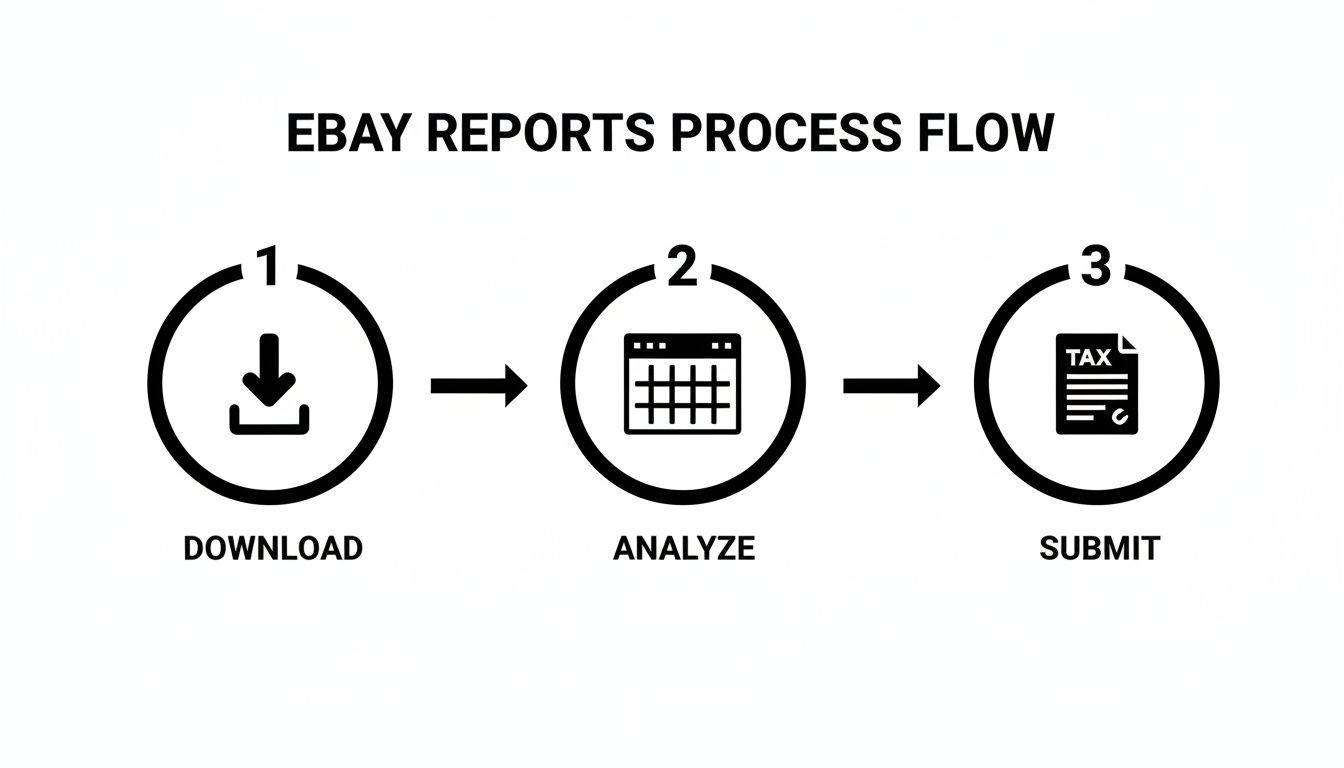
By automating this, you basically cut out the manual download and analysis stages, creating a direct link from purchase to bookkeeping.
Handling Multi-Currency and Data Extraction
One of the biggest headaches for UK freelancers is buying from international eBay sellers and having to juggle different currencies. A good automation system handles this without breaking a sweat. When a receipt for something in USD or EUR comes in, the software can convert it to GBP using the correct exchange rate for that specific day, keeping your accounts perfectly accurate.
This all hinges on clever data extraction technology. These systems rely on the best OCR software for receipts and statements to automatically read the information and minimise errors. It’s this tech that allows a tool to look at an eBay receipt and turn the messy details into structured, usable data for your accounts.
Key Takeaway: Automating your eBay receipt workflow isn't just a time-saver. It builds a more resilient and accurate financial system. You end up with a complete, searchable, and HMRC-compliant archive of every business purchase, all without the constant manual grind.
Putting your eBay receipts on autopilot frees you up to focus on what actually grows your business. To get more ideas on modernising your paperwork, have a look at our guide on using a receipt scanning app in your workflow. It’s a small change that makes a massive difference.
Got Questions About eBay Receipts? I've Got Answers
Even with a slick system for managing your paperwork, eBay can still throw a few curveballs. Here are the answers to some of the most common questions I hear from freelancers trying to get their eBay expenses in order.
Is an eBay Order Confirmation Good Enough for UK Taxes?
For most sole traders, the answer is a relieving "yes". That order confirmation email or the 'Order Details' page on the site usually ticks all the boxes HMRC needs to see. It shows the date, who you bought from, what you bought, and how much you paid, which is generally fine for your self-assessment.
But, and this is a big one, if you're VAT-registered, that simple confirmation won't cut it. To reclaim the VAT, you must have a proper VAT invoice from the seller. The standard order details page just doesn't have the required VAT breakdown.
What if a Seller Won't Give Me a VAT Invoice?
If you're buying from a UK seller who is VAT-registered, they are legally required to provide a VAT invoice when you ask. Often, a polite message reminding them of this is all it takes to get things moving.
Just remember, a huge number of sellers on eBay are private individuals or small hobby businesses who aren't registered for VAT. They physically can't give you a VAT invoice. It's always a smart move to check a seller's business details on their profile page before you hit 'Buy It Now' if getting that VAT receipt is a deal-breaker for your accounts.
A Quick Pro Tip: Don't leave chasing invoices until your tax return is looming. Get into the habit of asking for it the moment you've paid. It keeps your books clean from day one and saves you from a massive headache down the line.
Can I Dig Up Really Old Receipts From My eBay Account?
You can, but only up to a point. eBay lets you see your purchase history going back the last three years right from your account dashboard. If you need paperwork older than that, you’re probably out of luck trying to get it directly from the platform.
This is exactly why relying on eBay to be your filing cabinet is a bad idea. HMRC rules say you need to hang onto your financial records for at least 5 years after the 31 January submission deadline. That means eBay’s system leaves you with a two-year gap. Setting up your own digital, automated archive is the only way to be sure you have every receipt safely stored and accessible when you need it.
Tired of the endless cycle of chasing, downloading, and filing every eBay receipt? Receipt Router is the bridge between your inbox and your accounting software. It puts the whole tedious process on autopilot. Set it up in minutes and never stress about a missing receipt again. Start automating your bookkeeping today.