The Modern UK Freelancer Guide to a Receipt Scanner App
Let's be real for a moment. If you're a freelancer or run a small business in the UK, you probably have a shoebox, a folder, or a designated "doom pile" overflowing with paper receipts. It’s more than just a bit of a mess; that pile is actively costing you money.
We all know the feeling. A crumpled receipt represents a genuine business expense, a potential tax deduction that can lower your bill come January. But it only counts if you can find it, read the faded ink, and log it properly before the self-assessment deadline starts giving you nightmares.
That Shoebox Is a Bigger Problem Than You Think
Trying to manage your business expenses manually is like trying to navigate London during rush hour with a blurry, decades-old A-to-Z map. You’ll probably get there in the end, but the journey will be stressful, slow, and you’re bound to take a few costly wrong turns. All those hours spent squinting at receipts and matching them up with your bank statements? That's time you're not spending on paid client work.
A good receipt scanner app is your financial satnav. It takes a tedious, manual chore and turns it into a smooth, almost automatic process that puts you back in control.
The Real Cost of Sticking to Paper
The issue runs deeper than just wasted time. When your system is a chaotic mess of paper, you inevitably miss out on deductions. A forgotten train ticket, that business lunch you paid for in cash, the monthly software subscription you never logged: it all adds up. Over a tax year, these little omissions can easily mean you’re overpaying HMRC by hundreds, if not thousands, of pounds.
And then there's the year-end scramble. Instead of that frantic January panic, trying to piece together twelve months of spending, imagine having everything neatly categorised and ready to go. The peace of mind is priceless.
For most self-employed people I know, the admin is a constant headache. Moving your receipts into a digital system isn't just a 'nice to have' anymore; it's a smart business move that buys you back time and makes sure your numbers are spot on.
This isn’t just a feeling; the numbers back it up. Research has shown that over 60% of UK freelancers are bogged down by receipt chaos, losing an average of 12 hours every single month to financial admin. With HMRC keeping a closer eye on records, having everything organised and instantly accessible isn't a luxury, it's essential. If you're curious, you can read more about the expense tracker app market trends to see where things are heading.
Get Your Time Back and Keep More of Your Money
So, what’s the big win here? A receipt scanner app brings order to the chaos. You snap a quick photo, and the app does the heavy lifting, pulling out the shop's name, the date, and the total amount, then filing it away for you. It's a simple action with a massive impact:
- Never miss a deduction again. You capture every expense right when it happens, so you can be sure you're claiming for everything you're entitled to.
- Say goodbye to tax-time stress. Your books are always current. When the deadline rolls around, it’s a quick review, not a huge project.
- Actually understand your spending. With everything categorised, you can see at a glance where your money is going, which helps you make smarter decisions for your business.
Ultimately, this is about changing how you deal with your business finances. You can shift from being reactive and stressed to being proactive and in control, freeing you up to focus on what you actually love doing.
How a Receipt Scanner App Turns Photos into Data
Ever snapped a picture of a receipt on your phone and wondered what happens next? It feels a bit like magic, but it’s actually some seriously clever tech designed to rescue you from hours of soul-destroying admin. A receipt scanner app is essentially your digital translator, turning a simple photo into neat, organised financial data for your business accounts.
Think of it this way: a paper receipt is like a message written in a language your accounting software can’t speak. Typing in all the details manually is like translating that message word by painful word. It’s slow, tedious, and easy to mess up. A scanner app, on the other hand, reads the whole thing in a flash and translates it perfectly for you.
The Brains Behind the Scan: Optical Character Recognition
The clever bit of technology doing all the heavy lifting is called Optical Character Recognition, or OCR for short. You can think of OCR as a super-smart assistant that’s been trained to read text, even if it’s on a slightly crumpled receipt you photographed in a dimly lit café.
When you snap a picture, the OCR engine gets to work, analysing the image. It spots the shapes and patterns, recognises them as letters and numbers, and then expertly pulls out the key bits of information you actually care about.
- Vendor Name: It figures out if you were at Tesco, Starbucks, or your local hardware shop.
- Transaction Date: It finds the date you made the purchase.
- Total Amount: It grabs the final price you paid.
- VAT Information: For those of us in the UK, it can often spot the VAT amount, a lifesaver when it's time to do your tax return.
This intelligent data extraction is what makes a proper receipt scanner app so much more useful than just saving a picture in your phone’s photo album. It doesn’t just store an image; it understands what’s on it.
This whole process is about turning a chaotic pile of paper into clean, structured digital data. It's the first and most important step to getting your bookkeeping on autopilot.
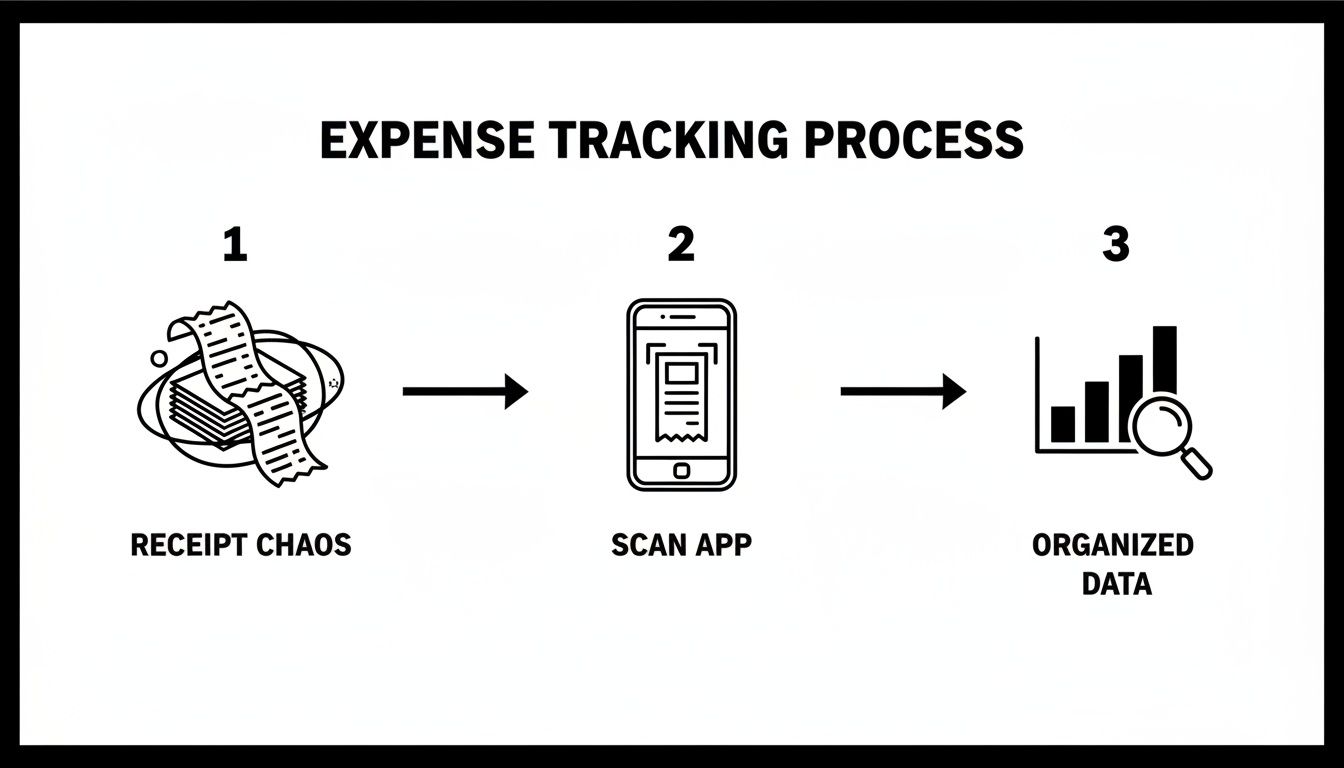
Let’s look at how much time this actually saves. The difference between the old way and the smart way is pretty stark.
Manual Entry vs Receipt Scanner App: A Time Comparison
This table breaks down the time and effort it takes to process your business expenses the old-fashioned way versus letting an app handle it.
| Task | Manual Process (The Old Way) | With a Receipt Scanner App (The Smart Way) |
|---|---|---|
| Capture & Store | Find the receipt, smooth it out, file it in a folder or shoebox. Hope you don't lose it. (2-3 mins) | Snap a photo. Done. The app saves and backs it up instantly. (10 seconds) |
| Data Entry | Sit down at your computer, open a spreadsheet or accounting software, and manually type in the vendor, date, amount, and VAT. (3-5 mins) | The app’s OCR reads the receipt and extracts all the data automatically. You just give it a quick glance to confirm. (15-30 seconds) |
| Reconciliation | Log into your bank account, find the matching transaction, and manually link it to your expense entry. (2-4 mins) | The app syncs with your bank, finds the matching transaction, and links it to the receipt for you. (Often fully automated) |
| Total Time Per Receipt | 7-12 minutes | ~1 minute |
As you can see, we're not just talking about saving a few seconds here and there. This is a fundamental shift in how you manage your admin, freeing up hours every single month.
From Basic Scanning to Full Automation
It's important to know that not all receipt scanner apps are created equal. They generally fall into two camps, and picking the right one depends on how much you want to automate.
1. Simple Scanner Apps (The Digital Shoebox) These are your entry-level tools. You take a picture, the app uses OCR to digitise the info, and it stores a copy for you. It's a massive improvement on a literal shoebox full of receipts, as everything is searchable and safe. But, the job of getting that data into your accounting software still falls on your shoulders.
2. Integrated and Automated Systems (The Smart Assistant) This is where things get really interesting. An integrated app doesn’t just read the receipt; it knows what to do with the information. These systems connect directly to your accounting software, like FreeAgent, and can automatically match the scanned receipt to the right bank transaction. Suddenly, you have a complete, verified record without any of the manual drudgery.
The goal isn't just to have digital copies of receipts. The real win is creating a system where your expense records practically manage themselves, leaving you free to focus on your actual work.
In the UK, this kind of tech has been a huge help for freelancers and small businesses, especially with HMRC’s Making Tax Digital (MTD) rules. In fact, over 70% of UK small businesses now consider digital tools essential for staying compliant. These apps have slashed manual filing errors, which used to cost SMEs £1.2 billion a year in penalties, by delivering OCR accuracy rates of over 98% for common receipts. You can read more on the impact of scanner apps on UK businesses.
Ultimately, it’s a journey from just taking a photo to having your expenses fully reconciled. That’s the difference between basic digitisation and true financial automation.
Choosing the Right App Features That Actually Matter
Diving into the world of receipt scanner apps can feel a bit overwhelming. After you’ve looked at a few, they all start to sound the same, right? The secret isn’t finding an app with the longest feature list, but one with the right features that will genuinely save you time and stress as a UK freelancer.
Let's be honest, not all features are created equal. Some are just bells and whistles, while others are absolute deal-breakers that can make or break your entire bookkeeping system. It's time to cut through the noise and focus on the five essentials that truly count for your business.
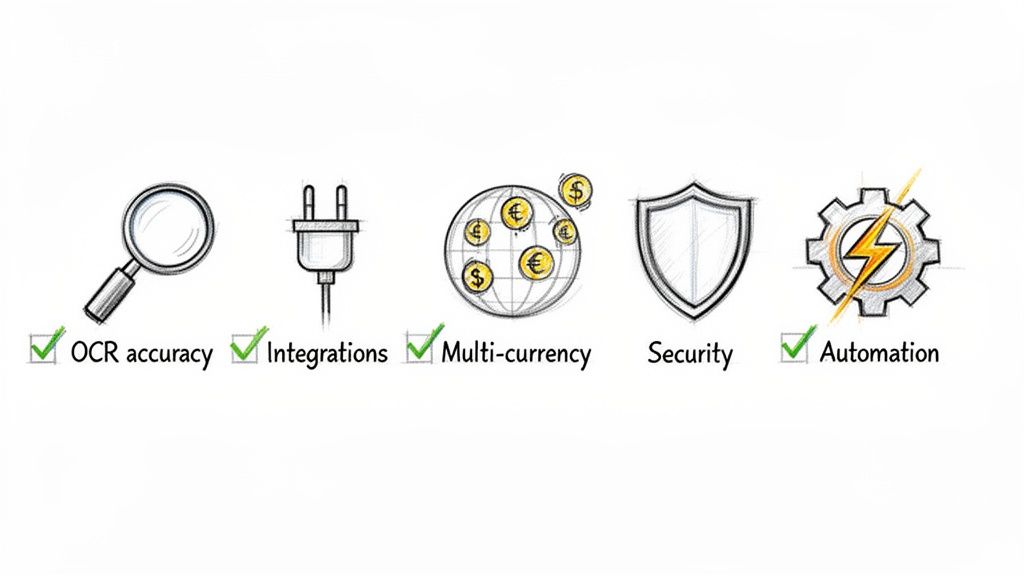
OCR Accuracy You Can Actually Trust
We’ve already touched on Optical Character Recognition (OCR); that’s the magic that reads the text on your receipts. Its accuracy is the absolute bedrock of a good receipt scanner app. If the OCR is constantly getting vendors, dates, or amounts wrong, you’ll end up spending more time fixing its mistakes than you would have spent just typing it all in yourself.
Picture this: you snap a photo of a £68.50 receipt for client travel, but the app reads it as £8.50. If that slips past you, you’ve just short-changed yourself by £60 on your claimable expenses. A solid app should have an accuracy rate of over 97% on clear receipts, making sure the data it pulls is reliable from the get-go.
Seamless Accounting Software Integration
For UK freelancers, especially if you’re using a tool like FreeAgent, direct integration is a must-have. An app that just stores photos of your receipts is only doing half the job. The real power move is when your scanned receipt data flows straight into your accounting software without you having to do a thing.
This creates a perfectly reconciled record. The receipt image, the data it contains, and the matching bank transaction are all linked up automatically. That’s what turns expense tracking from a painful chore into a simple background task, keeping your books tidy and ready for your tax return.
A receipt scanner app shouldn't just be a digital filing cabinet. It should be an active part of your financial workflow, bridging the gap between a purchase and your accounts.
Multi-Currency Support for a Global Business
Working with international clients? Subscribed to software from a company in the US, like Adobe or a project management tool? If so, multi-currency support is absolutely vital. It’s a common tripwire for UK freelancers, who often lose a little bit of money on every single transaction due to exchange rates.
Here's how it plays out: you pay for a $50 software subscription. Your bank charges you, let's say, £42 based on that day's exchange rate. If your app just logs it as "$50," your books are wrong. A great app will handle the currency conversion for you, recording the expense in pounds sterling exactly as it appears on your bank statement. That way, you claim the exact amount you spent.
Robust Data Security and Privacy
You’re dealing with sensitive financial data, so security can't be an afterthought. Of course, you should look for apps that use strong encryption, but you also need to think about how the app gets your information in the first place.
Some apps want sweeping access to your entire email inbox to hunt for receipts, which is a massive privacy red flag. A much safer and more sensible approach is a service that gives you a unique forwarding address. This means you remain in control, only sending over the specific receipt emails you want it to process. It keeps your data exposure to a minimum and the rest of your inbox stays private.
Smart Workflow Automation
Finally, the best tools are all about smart automation. This is more than just scanning. It’s about building a system that works for you. Look for features like:
- Automatic Categorisation: The app is clever enough to suggest the right expense category (like "Travel," "Software," or "Office Supplies"), saving you a click.
- Email Forwarding Rules: This is a game-changer. You can set up simple rules in your email client (like Gmail) to automatically forward receipts from specific senders, think Amazon, Uber, or Trainline. Your digital receipts are handled before you’ve even seen them.
- Intelligent Matching: The system is smart enough to find the right bank transaction to pair with your receipt, even if the dates or amounts are slightly off.
Once you know what to look for, you can start comparing some of the best business expense tracking apps out there. For a closer look at the options, our guide to the https://receiptrouter.app/blog/best-expense-management-software offers more detail. All these elements work together to create a system that just hums along quietly in the background, keeping your finances perfectly organised.
Real-World Workflows for Busy Freelancers
Theory is one thing, but how does a receipt scanner app actually hold up on a chaotic Tuesday afternoon when you're juggling deadlines and client calls? Let's get practical and walk through two common workflows that are perfect for busy UK sole traders.
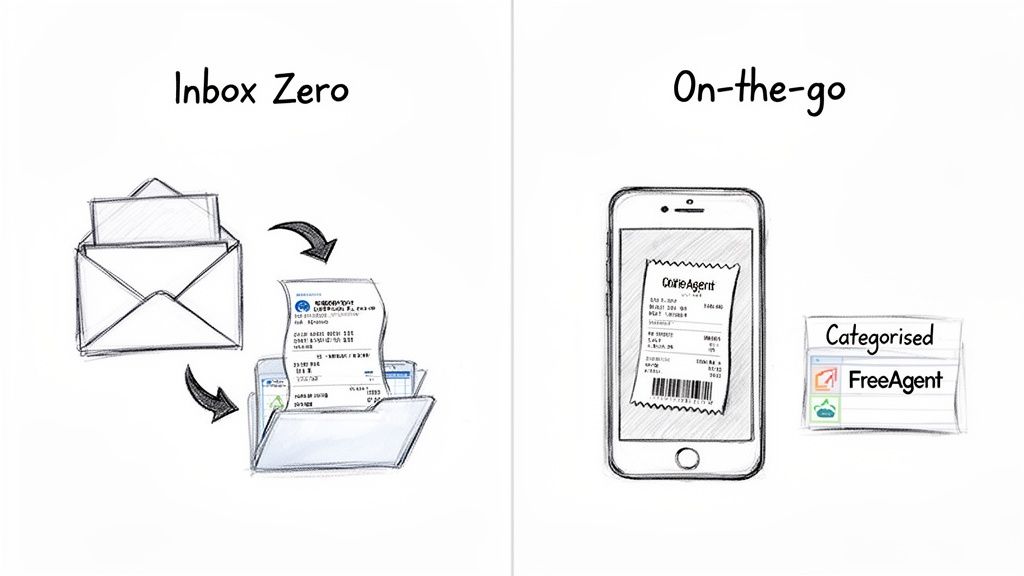
These examples show you exactly how a smart system can turn expense tracking from a mind-numbing chore into something that just happens in the background. The goal is simple: get your expense data perfectly categorised inside your FreeAgent account, without you having to do any of the tedious manual entry.
Workflow One: The Inbox Zero Method for Digital Receipts
Let's face it, most of us are drowning in digital receipts. Invoices from software subscriptions, booking confirmations from Trainline, and purchase summaries from Amazon can quickly swamp your inbox. The 'Inbox Zero' method uses a bit of simple automation to sort it all out for you.
Here’s how it works, step-by-step:
- Set Up a Simple Rule: First, you pop into your email client (like Gmail or Outlook) and create a new filter. You just need to tell it to automatically forward any email from a specific sender, for instance
auto-confirm@amazon.co.ukorreceipts-uk@uber.com, straight to a unique forwarding address provided by your receipt management service. - The Magic Happens on Autopilot: Now, every time Amazon pings you a receipt, your email system quietly forwards it on without you lifting a finger. The automated service gets the email, and its smart tech gets to work.
- Data Extraction and Matching: The system’s OCR scans the attached PDF or the email itself, pulling out the vendor, date, total amount, and VAT. It then talks to your FreeAgent account, finds the matching bank transaction, and neatly links the two together.
- Perfectly Filed, Every Time: The result? You log into FreeAgent and see that Amazon expense already there, with the digital receipt tidily attached. The whole thing happened automatically, meaning you never miss claiming for an online purchase again.
This 'set it and forget it' approach is a real game-changer. Instead of your inbox becoming another shoebox full of receipts to deal with later, you turn it into a proactive part of your bookkeeping machine.
Digital receipts are massive now. They made up 38.7% of the global market in 2023, and for freelancers using forwarding tools, that translates into a huge amount of time saved. In fact, these automated systems can match vendor emails to as many as 95% of transactions, freeing up hours every single month. When you consider HMRC data showing that UK sole traders miss out on a whopping £500 million a year in unclaimed expenses, using an app to boost your claims by 25-30% is a no-brainer.
Workflow Two: On-The-Go Scanning for Paper Receipts
So what about those classic paper receipts? The one from a coffee with a client, or that trip to a local supplier? This is where the mobile side of a receipt scanner app really shines. The process is just as simple but starts with a quick photo instead of an email rule.
Picture this:
- Pay and Snap: You’ve just paid for a client lunch. Before that receipt even gets crumpled in your wallet, you open your phone’s camera.
- Email the Photo: You take a clear picture and, instead of letting it get lost in your photo library, you email it directly to your unique forwarding address. Many services even have a dedicated mobile app to make this even quicker.
- Intelligent Processing Kicks In: Just like the digital receipt, the automated system gets your email. It uses clever OCR to analyse the photo, read the text, and pull out all the crucial data.
- Synced with Your Accounts: The service then hops into your FreeAgent account, finds the matching debit card transaction from the restaurant, and attaches the receipt image and its data. Your expense is recorded and reconciled before you’re even back at your desk.
Getting into this simple habit of snapping and sending means no paper receipt ever gets lost, faded, or forgotten. It turns every purchase into an instantly logged expense. For a deeper dive into how this works in the real world, check out this great piece on receipt scanning AI for busy professionals, which shows how tradespeople are handling hundreds of receipts a month.
By combining these two workflows, you create a complete, watertight system that handles pretty much every type of expense that comes your way. To see how this can apply to other areas of your finances, have a look at our guide on how to https://receiptrouter.app/blog/automate-accounts-payable.
Scanning vs Automation: Finding Your Perfect System
So, we've covered how a receipt scanner app can magically turn a photo of a flimsy receipt into proper financial data. But as your business gets busier, you'll realise there are two very different ways to handle your expenses. The path you choose will determine whether you're just digitising an old-school process or genuinely automating it.
On one side, you have the standard receipt scanner app. On the other, you have a fully automated forwarding service. Getting your head around the difference is crucial for building a system that actually saves you time, rather than just giving you a different type of admin headache.
It’s a bit like the difference between a manual and an automatic car. A traditional scanner is the manual; you're constantly involved, remembering to press the clutch and change gears for every single receipt. An automated service is the automatic; you just pop it in drive, and it handles all the tedious stuff for you, letting you focus on where you're going.
The Traditional Scanning Approach
Most receipt scanner apps work in a pretty straightforward way. You get a paper receipt, pull out your phone, open the app, and snap a picture. This is a massive improvement on the old shoebox full of crumpled paper, for sure. It gives you a searchable, secure digital copy.
The catch? The responsibility is still 100% on you. You have to remember to scan every single receipt, every single time. If you forget, or a receipt gets lost in your coat pocket before you get to it, a hole appears in your accounts. It's a solid first step away from paper, but it's still a very hands-on job.
The real point of a traditional scanner is to swap your physical filing cabinet for a digital one. While that’s a big win for organisation, it doesn’t really change the amount of work it takes to get the information into the cabinet in the first place.
This approach can work perfectly well if you only have a handful of expenses each month. But for a busy freelancer juggling multiple clients, the constant need to stop, open an app, and scan can quickly become just another chore on an already endless to-do list. The system only works if you keep feeding it.
The Automated Forwarding System
This is the next level. Instead of you actively scanning every little thing, an automated forwarding service works away quietly in the background, grabbing receipts as they come in. It’s a much more passive, ‘set it and forget it’ kind of system.
The main difference is how it works. For all your digital receipts, you simply set up email rules to automatically forward invoices from places like Amazon, Uber, or your software subscriptions to a special email address. For the odd paper receipt, you just take a quick photo and email it to that same address.
Everything ends up in one place. It doesn't matter if the receipt was a PDF from an online order or a paper slip from a coffee shop; both go into the same automated process. The service then pulls out all the important data and sends it straight to your accounting software, often without you lifting a finger.
Choosing Your Approach: Scanning App vs Automated Forwarding
So, which is the right fit for you? It really boils down to how much time you're willing to spend on your expenses and how watertight you need your records to be. A head-to-head comparison can help you decide which style best fits your business needs.
| Feature | Traditional Receipt Scanner App | Automated Forwarding Service (like Receipt Router) |
|---|---|---|
| Time Investment | High. Requires you to manually scan every paper receipt and often upload digital ones. | Low. Works automatically for digital receipts and requires one simple step (emailing a photo) for paper ones. |
| Record Completeness | Dependant on you. Easy to miss or forget receipts, leading to gaps in your records. | Very high. The automated nature means far fewer receipts fall through the cracks. |
| Ease of Use | Simple to start but can become a repetitive daily chore that adds to your workload. | Effortless after a one-time setup. It runs in the background, reducing your daily admin tasks. |
| Best For | Freelancers with very low transaction volumes or those just starting to digitise. | Busy professionals who value time and want a reliable, hands-off system for complete financial records. |
Ultimately, making the switch from active scanning to passive automation is about buying back your most valuable asset: your time. You can read more about the growing role of automation in accounting and how it’s freeing up business owners to actually focus on growth. The goal isn't just to have a digital copy of your receipts; it's to have a system that creates those records for you.
Right, you've made it this far, so you get it. The old way of stuffing receipts in a shoebox (or a "special" folder on your desktop) is a recipe for a last-minute tax-time panic. You know there's a better way, a calmer, more organised system that just ticks along in the background.
Swapping that manual slog for an automated workflow is probably one of the best things you can do for your freelance business. We're not just talking about saving a few minutes here and there. This is about reclaiming huge chunks of your time, clearing out that nagging "must do the books" thought from your head, and making damn sure you claim every penny you're owed.
So, What's the First Move?
Getting started is genuinely easier than you think. This isn't some massive, complicated software overhaul. It's a simple, high-impact change that pays for itself almost immediately in saved time and reduced stress.
The whole point is to have a system that quietly catches every expense without you even having to think about it.
- Claim absolutely everything: An automated system doesn't miss that £3 coffee receipt or that big software invoice. It all adds up, and it all helps lower your tax bill.
- Ditch the year-end dread: Imagine tax season being a quick review instead of a frantic, weekend-long data entry nightmare. That's what having up-to-date books gets you.
- Proper peace of mind: Knowing your finances are organised, secure, and always accessible just lifts a massive weight off your shoulders.
Making It Happen with Receipt Router
If you're a UK freelancer using FreeAgent, the path forward is pretty clear. A service like Receipt Router was built specifically to solve these exact problems. It’s not just another receipt scanner app you have to remember to open; it's a 'set it and forget it' system.
Think of it like putting your expense admin on autopilot. You do a quick one-time setup, and it just handles the grunt work for you, leaving you free to focus on the work that actually pays the bills.
Receipt Router gives you a unique forwarding email address, which is the key to the whole thing. You can set up rules in your inbox to automatically forward digital receipts from places like Amazon or your web hosting company. For paper ones? Just snap a photo and email it to the same address. The system pulls out the data, deals with any currency conversions, and files it all neatly in FreeAgent. It’s simple, secure, and honestly, the most effective way to get your financial admin sorted for good.
Got Questions? We've Got Answers
Changing up how you manage your business finances always brings up a few questions. It’s only natural to want to make sure you're making the right move. Let's walk through some of the most common things UK freelancers and small business owners ask when looking at a new receipt system.
Is My Business Data Actually Safe with a Receipt Scanner App?
It can be, but you have to pick your service wisely. Any decent app will use strong encryption to protect your data while it's being sent and when it's sitting on their servers.
This is where email forwarding services have a bit of an edge, though. They give you an extra layer of security because you are in complete control of what you send. Instead of granting an app full-on access to your entire inbox, you're only ever sending the specific emails you choose to forward. It’s a great way to keep data exposure to an absolute minimum.
Will HMRC Actually Accept Digital Copies from a Scanner App?
Yes, absolutely. HMRC is perfectly happy with digital copies of receipts and invoices, so long as they meet a few simple conditions. The main thing is that they have to be clear, readable, and show all the original information.
Using a receipt scanner app is actually a brilliant way to stay on the right side of Making Tax Digital (MTD) rules. Having everything organised, searchable, and backed up means you can pull any record HMRC asks for in seconds, without that frantic shoebox search.
What if I Get a Mix of Paper and Email Receipts?
This is pretty much the reality for every freelancer, and a good system will handle both without breaking a sweat. The trick is to have a single, unified workflow.
For all your email receipts from online orders or software subscriptions, you can just set up an automatic forwarding rule. For that paper receipt from a client coffee or a trip to the post office, you just snap a quick photo on your phone and ping it to the same unique email address. Simple. All your expenses, digital or physical, end up in one tidy, organised place.
How Much Time Will I Realistically Get Back Each Month?
Honestly, a lot. Most freelancers find they save anywhere from a few hours to a whole day of tedious admin every month, especially when it’s time to do the VAT return.
Just think about it. Add up all the minutes spent hunting for receipts, manually typing details into a spreadsheet or your accounting software, and then trying to match them up with your bank statement. An automated system crushes that entire process down to a few seconds per receipt. For a busy freelancer, that's time you can now spend on actual, billable work.
Ready to put your expense admin on autopilot? Receipt Router was built for UK freelancers who want to save time and stay organised. Get started in minutes and enjoy a 30-day money-back guarantee.