Automate Accounts Payable: Guide for UK Freelancers
Let's be honest, nobody gets into freelancing because they love data entry. Yet, for so many of us, that's what managing expenses feels like: a soul-crushing pile of receipts, invoices, and spreadsheets that steals hours from our actual work. The good news? You can automate your accounts payable. It’s not as complicated as it sounds, and it transforms that chaotic paper trail into a smooth, almost invisible process.
This simple shift doesn't just give you back your time; it saves you from the classic freelancer headaches that always seem to pop up at tax time.
Why Your Manual AP Process Is Holding You Back
If you’re a UK freelancer, you know the scene. The AWS bill you just downloaded. That Stripe invoice buried somewhere in your inbox. The crumpled coffee receipt from last week's client meeting. Trying to keep track of it all feels like a full-time job, but it’s a massive time-drain. Every hour you spend typing out details, matching invoices to bank statements, or hunting for lost paperwork is an hour you could have been billing a client.
But the manual grind isn’t just about lost time. It’s also a magnet for human error. A misplaced decimal point here, a missed VAT deduction there: these tiny mistakes can snowball into a giant mess when it’s time to file your taxes. The mental load of just trying to remember if you’ve paid a supplier or claimed an expense is exhausting and adds a layer of stress you just don't need.
The Hidden Costs of Old-School Bookkeeping
Beyond the sheer frustration, a manual accounts payable system hits you where it hurts: your wallet. Think about it for a second.
-
Late Payment Fees: An invoice gets buried, a deadline is missed, and suddenly you’re paying extra fees and apologising to a supplier. It’s completely avoidable.
-
Missed VAT Deductions: It's so easy to overlook the VAT on smaller purchases when you're wading through receipts. That's literally leaving money on the table.
-
Stressful Tax Seasons: That frantic, end-of-year scramble to find every scrap of paper and justify every expense is a direct symptom of a disorganised, manual system.
And you're not alone in this struggle. In the UK, a surprising 47% of organisations are still stuck in manual accounts payable workflows. This old-fashioned approach means their teams waste an average of 25 hours every single month just wrestling with invoices. You can dig into more of the reasons why UK businesses are slow to automate accounts payable.
The real cost of manual AP isn't just the hours you lose; it's the opportunities you miss. Every minute spent on admin is a minute you're not growing your business, serving clients, or simply enjoying the freedom you went freelance for in the first place.
Here’s what a modern, clean dashboard like FreeAgent looks like when all your data is automatically organised and in one place.
Having your financial information laid out clearly like this takes the guesswork out of your finances and helps you make much smarter decisions for your business.
Manual vs Automated AP: A Quick Comparison
To put it in black and white, here's a straightforward look at the real-world differences between sticking with manual entry and making the switch.
| Metric | Manual Accounts Payable | Automated Accounts Payable |
|---|---|---|
| Time Spent | Hours per week on data entry and chasing receipts. | Minutes per week as most data is captured automatically. |
| Accuracy | High risk of typos, missed details, and calculation errors. | 99%+ accuracy with tools that read data directly from documents. |
| VAT Claims | Easy to miss eligible VAT, especially on small purchases. | Automatically flags and calculates VAT, maximising your claims. |
| Record Keeping | Scattered receipts, emails, and spreadsheets. A nightmare at tax time. | A single, searchable digital archive. Secure and always accessible. |
| Supplier Relations | Risk of late payments damaging relationships. | Timely, reliable payments build trust and goodwill. |
| Stress Levels | Constant worry about deadlines, accuracy, and compliance. | Peace of mind knowing your finances are organised and up-to-date. |
The difference is pretty stark, right? One path is filled with friction and stress, while the other is about efficiency and control.
Getting Your Automated Workflow Set Up in Minutes
Right, let's get this sorted. You’re probably thinking setting up a new system is going to be a massive headache, but I promise this part is genuinely quick. It’s a one-and-done job that takes less time than brewing a proper cuppa, and the hours you'll save later are well worth it.
We’re going to be using two main tools for this: Receipt Router and your FreeAgent account. The real magic happens when they’re talking to each other, creating a smooth, hands-off process for every single invoice and receipt that comes your way.
Connecting Your Tools
First things first, we need to get Receipt Router and FreeAgent properly introduced. This connection is the crucial link that lets invoices fly through the system without you having to manually nudge them along.
It’s dead simple. When you first sign up for Receipt Router, it’ll ask to connect to your accounting software. Just pick FreeAgent from the list, pop in your login details, and give it the nod to authorise the connection. That’s literally it.
Think of it like giving your new digital assistant a key to the filing cabinet. It now has the access it needs to put everything in the right place, but it can’t do anything else.
This secure link lets Receipt Router see your bank transactions, which is how it so cleverly matches up receipts and invoices. If you want to get into the nitty-gritty, you can learn more about the Receipt Router and FreeAgent integration here.
This old, clunky process below? We're about to make it a thing of the past.
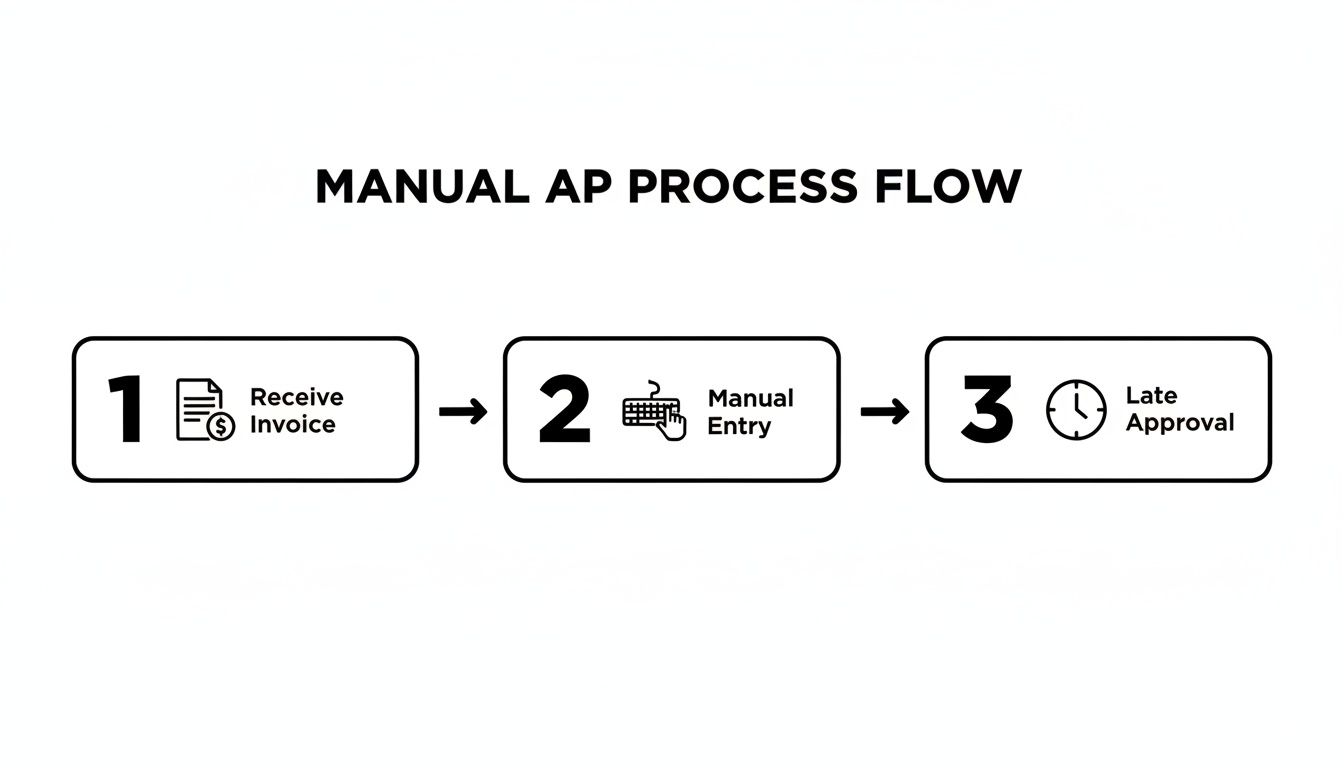
Every single one of those manual steps is a chance for something to go wrong or get delayed. Our new automated workflow is designed to sidestep all of that.
Setting Up Your Email Forwarding Rule
Now for the final piece of the puzzle: getting those invoices out of your inbox and into the system automatically. Instead of you having to remember to forward every single email from suppliers like AWS, Adobe, or Stripe, we’re going to get your email client to do the heavy lifting. This is the secret to a truly set-and-forget system.
Receipt Router gives you a unique, private email address specifically for this purpose. All you have to do is create a simple rule in Gmail (or Outlook, or whatever you use) to automatically forward emails from your regular suppliers to this address.
Here’s a quick rundown of how to do it in Gmail:
-
Pinpoint your suppliers: Jot down the email addresses of companies that send you regular invoices (think
mailer@stripe.comorno-reply@amazon.co.uk). -
Create a new filter: Head to Settings > See all settings > Filters and Blocked Addresses.
-
Tell Gmail what to look for: In the "From" field, paste in the email addresses you listed, separating each one with "OR".
-
Tell it what to do: Tick the box for "Forward it to" and add your unique Receipt Router email address.
That's it, you're done. From now on, whenever an invoice from one of those suppliers lands in your inbox, it’ll be instantly forwarded, processed, and filed away in FreeAgent. You won't even have to see it. This little bit of admin is the foundation of your new, streamlined accounts payable workflow.
What Your New Receipt Routine Looks Like
Right, so you’ve set up the system. What actually changes day-to-day? Forget that old song and dance of downloading PDFs, meticulously naming files, and manually punching numbers into a spreadsheet. Your new workflow is refreshingly simple and almost entirely hands-off.
This is more than just shaving a few minutes off your admin time. It’s about fundamentally changing how you handle your business expenses, turning a tedious chore into a background task you barely even notice.
Everyday Scenarios, Completely Sorted
Let's walk through a few common situations a UK freelancer or small business owner faces. This is where you’ll really feel the difference, seeing annoying tasks shrink into two-second jobs.
-
The Digital Invoice: That monthly invoice from Adobe or your web host lands in your inbox. Thanks to your email rule, a copy is instantly whisked over to Receipt Router without you lifting a finger. The system reads it, finds the matching bank payment in FreeAgent, and attaches the PDF. Done.
-
The Paper Receipt: You’ve just paid for a client coffee or bought some office supplies and have a paper receipt. Just pull out your phone, snap a quick, clear photo, and fire it off to your unique Receipt Router email address. The tech scans the image, pulls out the date, amount, and VAT, then files it perfectly against the right expense in your accounts.
-
The Foreign Currency Subscription: Your business uses a US-based tool like Mailchimp, which bills you in dollars. No problem. When the invoice arrives, just forward it. Receipt Router handles the currency conversion based on the transaction date, making sure the GBP amount recorded in FreeAgent is spot-on for HMRC.
Here’s a look at how simple the mobile process is, turning a crumpled receipt into clean digital data in a flash.
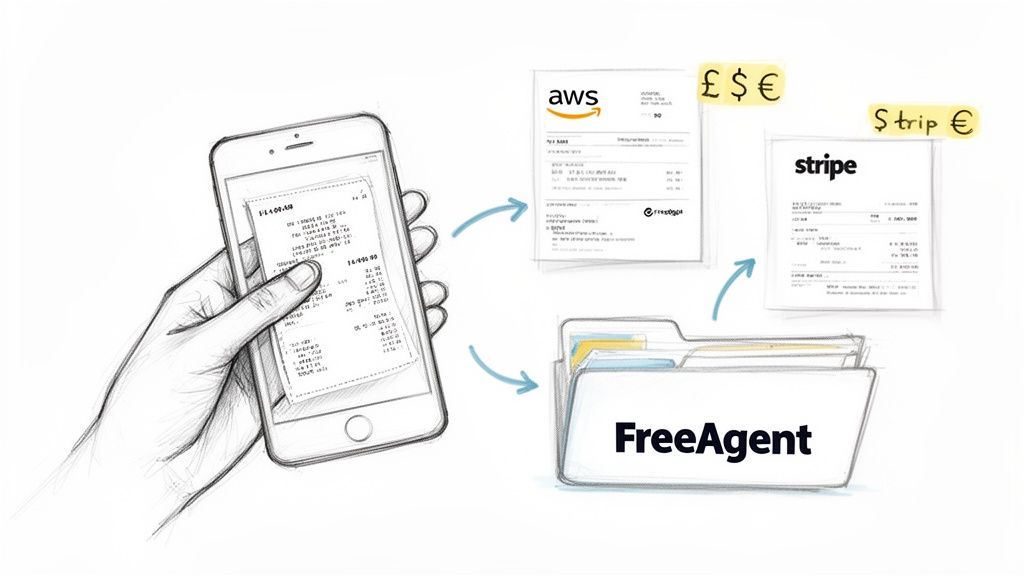
This simple action means you can stop hoarding bits of paper in a shoebox. It prevents lost receipts and, more importantly, stops you from missing out on legitimate tax deductions. It’s a key part of building a solid digital document management system.
Handling Different Receipt Types
Your new automated setup is designed to handle the mix of documents you get every week. Here's a quick look at how it deals with the most common ones.
| Receipt Type | How to Process It | Key Benefit |
|---|---|---|
| Email Invoice (PDF) | Email forwarding rule sends it automatically. | Zero-touch. You don't have to do anything at all. |
| Paper Till Receipt | Snap a photo with your phone and email it. | Captures the expense instantly before the receipt gets lost or fades. |
| Recurring Subscription | Forward the first invoice; set up rules for the rest. | Consistency and accuracy, especially for VAT calculations. |
| Online Purchase | Forward the confirmation email or PDF receipt. | Ensures you have proof of purchase for all digital spending. |
This process gives you a reliable, consistent way to manage every single business expense, no matter how it comes to you.
The Magic Behind The Curtain
So, how does it all connect? Behind the scenes, Receipt Router is constantly looking for a match between the document you've sent and your live bank feed in FreeAgent. It zeroes in on the amount and date to find the corresponding transaction.
Once it finds a confident match, click. It automatically attaches your receipt or invoice as proof.
This automatic matching is the heart of the entire system. It gets rid of the most common point of failure in manual bookkeeping: linking the proof of purchase to the actual bank transaction. This is what gives you audit-proof records without the late-night admin sessions.
This isn’t just a nice-to-have anymore; it's becoming standard practice. Research from the AP Association shows that 52% of UK accounts payable professionals now spend fewer than 10 hours a week just processing invoices. The data is clear: automation can lead to a 67% cost reduction and an 80% boost in productivity.
By putting a system like this in place for your own business, you're simply adopting the same smart efficiencies that bigger companies use to stay organised and competitive.
Pro Tips For Maximum Efficiency
Right, so you've got the basics sorted. Invoices are magically appearing in FreeAgent, and you're already saving time. But now it’s time for the really clever stuff.
These next few tweaks are what separate a good system from a great one. They’re the small details that make your process truly efficient and, more importantly, completely audit-proof. Let's add the final polish.
This is all about building a rock-solid archive and making sure your personal and business finances stay firmly apart. This is where the real peace of mind kicks in.
Create An Audit-Proof Receipt Archive
Having receipts attached in FreeAgent is brilliant, but I always recommend an extra layer of security. My favourite pro move? Connecting Receipt Router to a dedicated Google Drive folder. It builds you a perfectly organised digital filing cabinet, completely on autopilot.
Every time a receipt is processed, a copy is automatically filed away in a folder named after the supplier, for example ‘AWS’ or ‘Stripe’. Everything is sorted by year, month, and vendor. You can find any document you need in seconds.
Imagine this: HMRC wants to see all your software expenses from two years back. Instead of that sinking feeling and a frantic search through old emails, you just pop into Google Drive, find the folder, and it’s all there. Dated, named, and ready to go.
This simple backup is your best friend during any financial review. It's undeniable proof that you have a serious system for tracking every penny.
Master VAT and Privacy Controls
Getting your VAT claims spot-on is non-negotiable, and this system makes it a whole lot easier. With every receipt captured digitally, you have a clear, undeniable trail for every single claim. No more missing out on claiming back VAT on small purchases just because you can't find the bit of paper.
Now, let's talk privacy. The last thing you want is your latest Amazon personal shopping spree ending up in your business accounts. The trick is to be smart about your email forwarding.
You've got a few options here, and I've used them all at different times:
-
Forward Manually: For those one-off business purchases, just forward the email yourself. It takes two seconds and keeps you in complete control.
-
Use Specific Rules: Instead of a blanket "forward all" rule, get granular. For example, set up a rule that only forwards emails from
receipts@amazon.co.ukif the subject line also contains the word "invoice." -
Use a Separate Business Email: Honestly, this is the cleanest approach. Have a dedicated email address you only use for business purchases.
Setting up specific forwarding rules in Outlook or Gmail gives you the best of both worlds: automation that doesn’t overstep. If you need a hand with that, our guide on how to automatically forward email from Outlook walks you through it. It’s these small adjustments that make your automated system truly work for you.
How Automation Pays For Itself
Forking out for a new bit of software, even a cheap one, always makes you pause and ask: what’s the return? Is this monthly subscription actually going to be worth it? When it comes to automating your accounts payable, the payoff isn't some vague promise of being "more efficient." It’s a real, measurable win in both reclaimed hours and cold, hard cash.
Let's be honest about the time suck. How many hours do you really spend chasing invoices, typing in details, and matching everything up? For most freelancers I know, it’s easily five, maybe even ten hours a month, especially when a VAT return or tax deadline is looming. An automated workflow crushes that time down to less than an hour.
Calculating Your Time Savings
Let’s do some quick back-of-the-napkin maths. Say your billable rate is a nice, round £50 per hour. If you’re losing five hours a month to manual AP admin, that’s £250 of your time basically thrown away.
When automation slashes that admin time to just one hour, you've instantly pocketed £200 worth of your own time every single month.
That’s not just theoretical money. That's four extra hours you can bill to a client, spend drumming up new business, or, let’s be real, just log off and enjoy your evening. The small monthly cost of a tool like Receipt Router suddenly looks tiny compared to the value of the time you get back.
The sheer speed is a game-changer. While you might struggle to manually process five invoices in an hour, an automated system can churn through 30 invoices in the same time. This alone can slash the hours you spend on payables by a massive 70-80%. It’s no wonder that half of all UK firms are now using digital payments to cut costs and mistakes, as you can see from the state of finance automation in the UK report/Yooz%20-%20Infographic%20-%20State%20of%20Automation%20in%20Finance%20-%202023%20-%20UK.pdf).
The Financial Wins Beyond Time
But it's not just about winning back your day. A perfect digital record means you stop letting tax-deductible expenses slip through the cracks.
Think about these very real financial gains:
-
Maximised VAT Claims: Every single receipt is a potential VAT reclaim. Missing just a few small ones each month really adds up over the course of a year.
-
Zero Late Fees: With everything organised and reminders in place, you pay your suppliers on time, every time. No more getting stung with penalty charges.
-
A Happier (and Cheaper) Accountant: Handing your accountant a set of perfectly organised, digital records can seriously cut down the hours they need to spend on your books, which often translates to a smaller bill from them.
When you add it all together, the argument for automation becomes a no-brainer. You're not just buying a piece of software; you're investing in a system that plugs financial leaks and frees up your most valuable resource: your time.
Got Questions About AP Automation?
Jumping into a new way of managing your finances always throws up a few questions. And when it’s about something as critical as your business accounts, it’s only smart to get the details straight before you commit.
To help out, I’ve pulled together the most common things UK freelancers ask me when they're thinking about automating their accounts payable. Let's get these sorted so you can feel good about making the switch.
What Happens If I Get Receipts In Different Currencies?
This is a big one. If you’ve got international clients or use software that bills in dollars or euros, you’re dealing with this all the time. The good news is, a decent automation setup handles this without you even having to think about it. No more fiddling with currency converter tabs.
Let's say you forward an invoice from a tool like Mailchimp (in USD) or a supplier in Europe (in EUR). The system is smart enough to convert that amount into GBP automatically. It pulls the exchange rate from the exact transaction date, making sure the figure that lands in your accounts is spot-on for HMRC. It’s a huge time-saver and keeps your books accurate.
Is It Secure To Forward My Business Emails?
Brilliant question. Security is everything. Let me be clear: you absolutely do not forward your entire inbox. That would be a privacy disaster. Instead, a service like Receipt Router gives you a unique, private email address just for your receipts.
You have total control over what goes there.
-
One-off buys? Just manually forward that specific email.
-
Regular suppliers? This is where it gets clever. You can set up a simple forwarding rule in your email client (like Gmail or Outlook) to automatically ping over invoices from specific senders, like
billing@adobe.comorreceipts@stripe.com.
This targeted approach means you get all the benefits of automation while the rest of your business and personal emails stay completely private and untouched.
How Do I Handle Paper Receipts From Coffee Shops Or Travel?
Ah, the classic paper receipt. Despite living in a digital world, we all still end up with them from client coffees, train tickets, or a quick trip to the post office. Your automated system can handle these just as easily as a PDF.
Just snap a clear photo of the receipt on your phone. Then, email that picture straight to your dedicated Receipt Router address. The tech is clever enough to read the key details right from the image: supplier, date, amount. It then matches it to the right transaction in FreeAgent.
It’s a two-second job that turns a flimsy bit of paper into a permanent, audit-proof digital record. This is how you stop those small-but-vital expenses from getting lost in the bottom of a bag ever again.
Will My Accountant Be Able To Use This System?
Yes, and honestly, they’ll probably love you for it. An automated AP process makes working with your accountant so much easier. They get what they need, when they need it, without having to chase you.
When every single transaction in your FreeAgent account has a receipt or invoice neatly attached, your accountant has all the proof they need in one place. This cuts down the back-and-forth emails dramatically, especially around tax time. Your records are clean, complete, and ready for anything, which can often lead to lower accountancy bills. It's a win-win.
Ready to stop chasing paper and win back hours every month? Receipt Router was built for UK freelancers and small businesses who want to automate their receipts and invoices without all the usual faff. Set it up once, and let your receipts file themselves.