Calculate net of vat: A Quick Guide to VAT Calculations
Figuring out the net amount of a VAT-inclusive price might sound like a headache, but the formula is actually pretty straightforward.
All you need to do is take the gross amount (the total price you paid) and divide it by 1 + the VAT rate. So, for the standard 20% UK rate, you just divide the total by 1.20. It’s a simple move that unwinds the original VAT calculation, showing you the true cost of the goods or services.
Why Nailing Your VAT Math Really Matters
If you're a freelancer or run a small business in the UK, getting to grips with Value Added Tax is just part of the deal. But working out the net price from a gross total isn’t just about ticking a box. It’s a core skill for keeping your books clean, claiming back every penny you’re entitled to on business expenses, and generally keeping your finances in good health.
Get this wrong, even by a little bit, and it can cause a real domino effect. Small miscalculations start to stack up, quietly chipping away at your profits and creating a mess you'll have to sort out come tax return season.
The Real Cost of Small Mistakes
For most UK businesses, working out the net from gross is a daily task, especially with the standard rate sitting at 20% since 2011. Let's say you have an invoice for £120. To find the net, you just divide it by 1.2, which gives you a net price of £100 and £20 in VAT.
Now, imagine that happening across thousands of businesses. It adds up. In fact, HMRC's data shows that total VAT receipts ballooned to a staggering £168 billion in the 2023-24 financial year. For small businesses and freelancers, every single miscalculation means you could be missing out on reclaimable VAT.
Think of it this way: every time you miscalculate the net value of an expense, you're either under-claiming what you're owed from HMRC or creating an accounting error that needs fixing later. Both scenarios cost you time and money.
Building a Strong Financial Foundation
At the end of the day, getting this calculation right is all about taking control of your finances. It means you pay exactly what you owe and claim back every penny you're allowed to.
This isn’t just a compliance issue; it’s about smart cash flow management and making better financial decisions. It’s a vital skill, particularly as your business grows and you start edging closer to the registration limit. Knowing your numbers inside-out helps you plan for the future. You can learn more about this in our guide to the self-employed VAT threshold.
Getting this process down is the bedrock of solid business finances, one receipt at a time. It turns a chore into a tool for real financial clarity.
The Simple Formula for Finding the Net Price
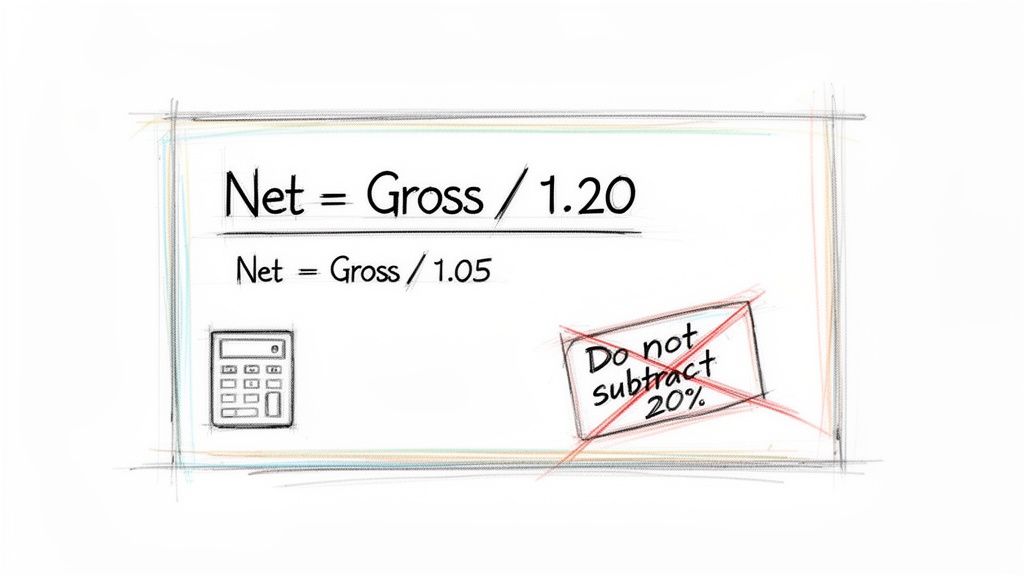
Right, let's get straight to it. Figuring out the net of VAT from a gross price is one of those things that seems tricky but is actually dead simple once you know the secret. Forget complicated maths; there's one core formula you'll come back to time and time again.
The magic formula you need is:
Gross Amount / (1 + VAT Rate) = Net Amount
Why does this work? Because VAT is always calculated as a percentage of the net price. To undo that, you just have to divide the total by 1 (representing the original net amount) plus the VAT rate. So, for the standard 20% VAT rate, your divisor is simply 1.20. Easy.
UK VAT Rates and Divisors at a Glance
To make this even easier, here’s a quick reference table with the numbers you'll need for the different UK VAT rates. Committing these to memory will save you a ton of time when you're sorting through a pile of receipts.
| VAT Rate Type | VAT Percentage | Gross Amount Divisor |
|---|---|---|
| Standard Rate | 20% | 1.20 |
| Reduced Rate | 5% | 1.05 |
| Zero-Rated | 0% | 1.00 |
As you can see, for zero-rated items like most food or children's clothing, the net and gross amounts are identical. For things like domestic fuel or kids' car seats on the reduced rate, you'll be dividing by 1.05. For everything else, 1.20 is your go-to.
If you ever get muddled, our guide on if the net amount includes VAT is a great place to refresh your memory.
The Most Common VAT Calculation Mistake (And How to Avoid It)
I see this all the time. The most common pitfall is trying to subtract 20% directly from the gross price to find the net. It feels logical, but it will always give you the wrong answer and could land you in hot water with HMRC.
So, why is it wrong? Because the VAT amount is 20% of the net price, not 20% of the gross price you paid at the till.
Let's run through a quick example. Imagine you have a receipt for £120. This is your gross amount.
- The Right Way: £120 / 1.20 = £100 (Net). The VAT is £20.
- The Wrong Way: £120 - 20% (£24) = £96 (Net). This is incorrect.
That £4 difference might seem small on one transaction, but it adds up fast. If you make this mistake across hundreds of expenses, your books will be a mess, affecting everything from your profit figures to your VAT returns. Always, always use the division method. It’s the only way to get it right every single time.
Let's Put the VAT Formula to Work
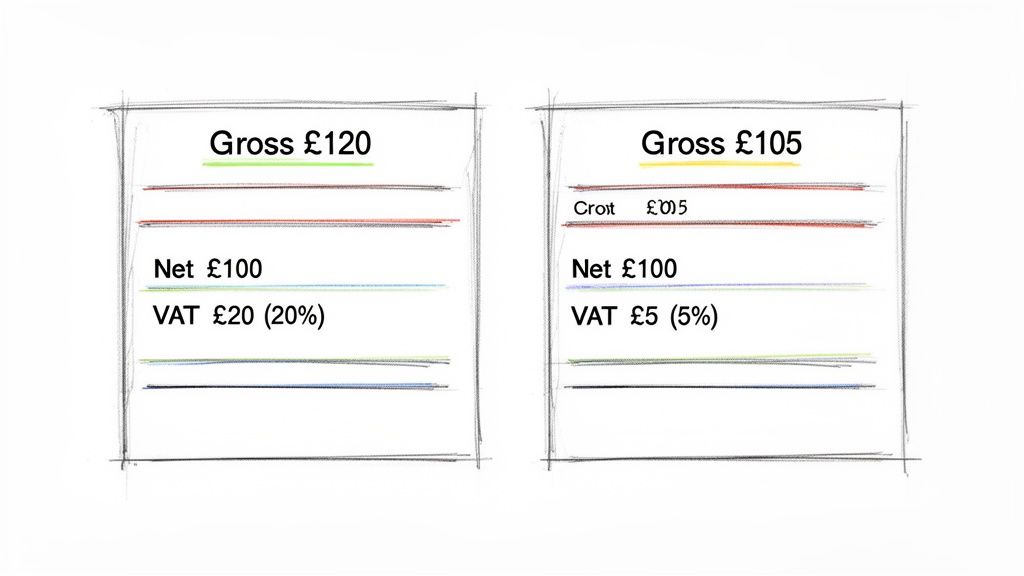
Alright, knowing the formula is great, but the real test is applying it to the numbers you see day-in, day-out. Let's walk through a couple of real-world scenarios that any UK freelancer or small business owner will find familiar.
This is where the theory becomes practical. We'll take a gross total from an invoice and break it down, showing you how to calculate the net of VAT and pinpoint the exact VAT amount you need for your books.
Scenario 1: The Everyday 20% Standard Rate
This is the big one, the rate you'll encounter most often.
Picture this: you've just received an invoice for your annual software subscription. The total damage is £240.00, including VAT. Your job is to split this into the actual cost (net) and the tax (VAT).
- Gross Amount: £240.00
- VAT Rate: 20% (the standard rate)
- The Calculation: £240.00 / 1.20 = £200.00 (Net Amount)
Simple as that. To figure out the VAT part, just find the difference.
- VAT Amount: £240.00 (Gross) - £200.00 (Net) = £40.00
So, the software really cost your business £200.00. The other £40.00 is the VAT you can likely claim back on your next return. This little bit of division is fundamental to keeping your expenses in check.
Scenario 2: The Less Common 5% Reduced Rate
Not everything gets hit with the full 20%. A great example is your domestic energy bill, especially if you have a home office. Let's say your quarterly electricity bill lands on your desk, and the total is £105.00.
Because domestic fuel and power are charged at a reduced 5% rate, we need to adjust our divisor.
- Gross Amount: £105.00
- VAT Rate: 5% (the reduced rate)
- The Calculation: £105.00 / 1.05 = £100.00 (Net Amount)
And again, we find the VAT by subtracting the net from the gross.
- VAT Amount: £105.00 (Gross) - £100.00 (Net) = £5.00
The actual energy cost was £100.00, with £5.00 in reclaimable VAT. This is a perfect illustration of why it’s so crucial to know which rate applies to what you're buying.
What About Zero-Rated Items?
It’s worth quickly touching on zero-rated goods. You might buy something like a book or some children's clothing, and the receipt clearly states 0% VAT. In this situation, the gross price is the net price.
A £15 book has a net value of £15 and a VAT amount of £0. You still record the purchase in your accounts, but there's no VAT to reclaim. This is different from VAT-exempt items, which are considered outside the scope of VAT altogether.
These calculations aren't just academic exercises; they're the daily reality for millions of businesses. According to official UK VAT statistics and their impact, over 2.3 million VAT-registered businesses handled a mind-boggling £270 billion in gross VAT in 2023-24. After businesses reclaimed what they were owed, this boiled down to a net liability of £158 billion, a process that hinges entirely on getting these net calculations right.
It’s no wonder so many people rely on accounting software like FreeAgent to automate this stuff and save themselves a massive headache.
What About Rounding and Foreign Currency?
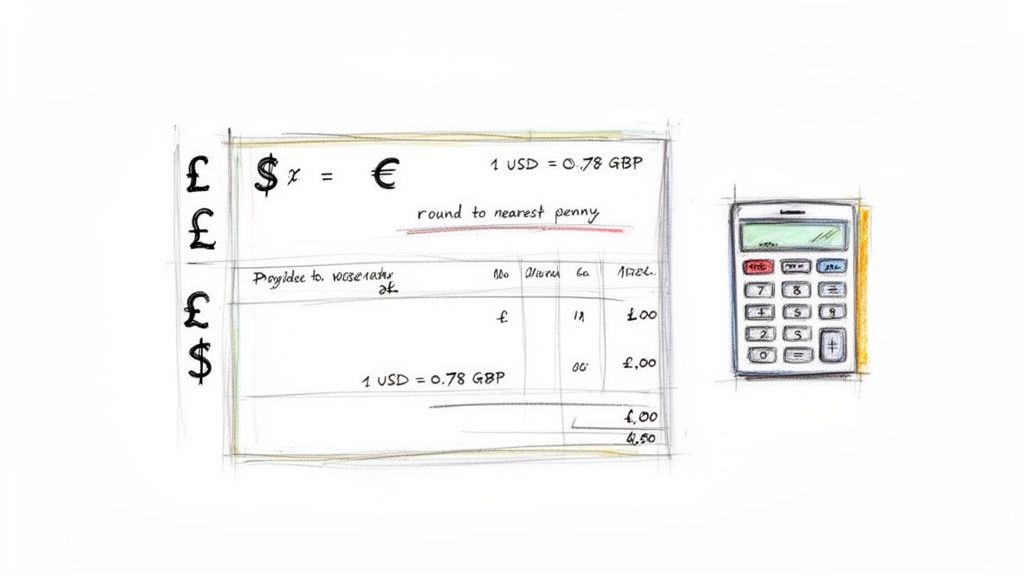
It would be lovely if every calculation spat out a neat, whole number. But in the real world of business finance, you're constantly dealing with fractions of a penny and, increasingly, invoices from suppliers in different currencies.
These little details can feel like a headache, but getting them right is non-negotiable for accurate, compliant accounts. Let's walk through how to handle rounding and tackle those tricky foreign currency invoices from places like AWS or Stripe.
Dealing with Pence and Rounding
When you divide a gross amount by 1.20, you often get a number that trails off into infinity. That £10 receipt? It gives you a net value of £8.33333... So, what do you do?
Thankfully, HMRC is pretty pragmatic here. Their guidelines allow you to round the final VAT amount to the nearest penny. You can round up or down, but the golden rule is to be consistent. Stick to one method for all your accounting.
Here’s the standard practice:
- Round down if the third decimal place is 4 or less. So, £8.333 becomes £8.33.
- Round up if the third decimal place is 5 or more. For example, £12.916 becomes £12.92.
It might just be a fraction of a penny, but consistent, correct rounding is what keeps your VAT return figures perfectly aligned with your bookkeeping. It's the kind of small detail that prevents much bigger headaches later on.
How to Calculate Net VAT for Foreign Currency Invoices
If you’re running a modern business, chances are you’re paying for services in USD or EUR. So how do you correctly calculate the net VAT amount in GBP for your records?
The process isn't complicated, but it has one crucial first step: you must convert the currency before you touch the VAT calculation.
You can't just apply the VAT formula to the foreign currency amount. First, convert the total gross amount into Great British Pounds (GBP) using a valid commercial exchange rate for the date of the transaction. You can use HMRC's official exchange rates or another reputable source.
Let's say you've got an invoice from a US software supplier for $50.00.
- Find the exchange rate: Look up the exchange rate for the date of purchase. For this example, let's say it was £1 = $1.25.
- Convert to GBP: Now, convert the gross amount into pounds. $50.00 / 1.25 = £40.00.
- Calculate the Net Amount: With the amount in GBP, you can now apply the standard UK VAT formula. £40.00 / 1.20 = £33.33 (Net Amount).
- Work out the VAT: The VAT portion is simply the difference: £40.00 - £33.33 = £6.67.
For any business dealing with international payments, using a good multi-currency payment gateway can make this whole process much smoother. Following these steps is essential for tracking your expenses accurately and making sure you reclaim the correct amount of VAT on all your international purchases.
Let's Automate Those VAT Calculations and Save You Some Time
Doing the maths by hand is a great way to get a feel for how the numbers work, but let's be real, it’s no way to run a business day-to-day. Once you're comfortable with the formula, it’s time to ditch the manual slog and embrace some smart automation.
This is where spreadsheets become your new best friend. For any business wanting to get a grip on its finances, figuring out how to easily calculate net of VAT or other key figures is a massive win. Knowing how to quickly create a calculator for different scenarios can slash your manual effort and reduce mistakes.
Simple Spreadsheet Formulas for Instant Calculations
You can knock together a simple but powerful tool in Google Sheets or Excel to handle all your net VAT calculations on the fly. This is a complete game-changer when you're staring down a mountain of expense receipts at the end of the month.
Here are the formulas you can just copy and paste. We’ll assume your gross (VAT-inclusive) amount is sitting in cell A2:
- For the 20% Standard Rate:
=A2/1.2 - For the 5% Reduced Rate:
=A2/1.05
Just drop your gross figure into one column, and the formula in the next one will spit out the net amount instantly. You can even add a third column to show the VAT amount itself with a simple subtraction: =A2-B2 (assuming A2 is your gross total and B2 is the net you just calculated).
This little setup saves you from endlessly punching numbers into a calculator, but it’s really just the first step on the road to proper automation.
Taking Automation to the Next Level
Spreadsheets are brilliant, but the real goal is to take this task off your plate entirely. This is where dedicated accounting software and clever tools step in, completely changing the game for managing your receipts and expenses.
Picture this: an email receipt lands in your inbox. Instead of opening a spreadsheet, you just forward that email to a special address. Behind the scenes, clever tech reads the total, works out the net amount and VAT, and files it all away perfectly in your accounting software.
Since VAT first appeared in the UK back in 1973, the need to calculate net of VAT has been a constant headache for businesses. Today's 20% rate means you have to be spot on; even a tiny miscalculation on a Stripe invoice can throw your books out of whack. For a sense of scale, government stats show that in the 2023-24 financial year, net Home VAT receipts hit a staggering £158 billion. You can read the full annual UK VAT statistics commentary on GOV.UK if you fancy a deep dive.
This isn't science fiction; it's exactly what tools like Receipt Router are designed to do. By connecting your email to an accounting package like FreeAgent, it completely removes manual data entry from the equation. This doesn't just save a frankly ridiculous amount of time, it also wipes out the risk of human error that always creeps in when you’re tired or in a rush.
For any business juggling more than a handful of expenses, this kind of tech is the final word in efficiency. It ensures your books are always accurate and up-to-date without you having to lift a finger. If that sounds like a much better way to work, you might find our guide on automation in accounting an interesting read.
Got Questions About Net VAT Calculations?
Even once you've got the formulas nailed down, a few tricky questions always seem to pop up. Don't worry, you're not the first to ask. I've pulled together the most common queries I hear from freelancers and small business owners to give you clear, simple answers.
Why Can’t I Just Subtract 20% to Find the Net Amount?
This is, without a doubt, the number one mistake people make. It feels logical, but it's a classic trap. The reason it doesn't work is that VAT is calculated on the net price of the item, not the final gross total you paid.
Let's break it down. Say you have a £100 item (net). You add 20% VAT (£20), and the final price becomes £120 gross.
If you then try to reverse this by taking 20% off £120, you’d be subtracting £24, which would leave you with £96. That's not the right number. The VAT you paid (£20) is actually 1/6th of the gross price (£120), which is why dividing the total by 1.2 is the only way to correctly undo the maths and get back to that original £100 net value.
How Do I Handle a Receipt with Different VAT Rates?
Ah, the dreaded mixed-VAT receipt. You'll see this all the time on bills from supermarkets or suppliers selling a variety of products. The key thing to remember is you absolutely cannot apply a single calculation to the grand total.
The only proper way to tackle this is to split the items up based on their individual VAT rate, which should be clearly marked on any decent receipt.
You'll need to:
- Group all the standard-rated (20%) items together.
- Do the same for any reduced-rate (5%) items.
- And finally, group the zero-rated (0%) items.
Once they're sorted, calculate the net and VAT for each group separately using the right divisor (1.20, 1.05, or 1.00). Add those individual net totals up, and you've got your final figure. Honestly, this is where automation can be a real game-changer, saving you from a ton of manual data entry.
What’s the Difference Between VAT Exempt and Zero-Rated?
They sound similar, but in the eyes of HMRC, they're worlds apart. Getting this right is crucial for your accounts.
Zero-rated means the goods are still part of the VAT system, but the rate charged is currently 0%. Things like most food, books, and children's clothes fall into this camp. You must record these sales and purchases in your VAT accounts.
VAT exempt means the goods or services are completely outside the scope of VAT altogether. Think postage stamps, insurance, or certain financial services. These don't get included in your taxable turnover, and critically, you usually can't reclaim any VAT on expenses you incur to make these exempt sales.
Can I Calculate Net of VAT if I’m Not VAT Registered?
Yes, and you absolutely should. Even if you're not registered yet, understanding the true cost of your purchases is just good financial practice. For your own accounts, the gross amount (what you actually paid, including VAT) is the business expense, since you can't reclaim any of it.
However, knowing the underlying net amount helps you see the real cost of goods versus the tax you're paying. This becomes incredibly useful as your business grows and you start inching closer to the VAT registration threshold. It lets you forecast exactly how your pricing and profitability will shift once you have to start charging VAT yourself.
Tired of manually splitting out VAT on every single receipt? Receipt Router was built for you. Forward your email receipts, and we automatically extract the figures, match them to the right transaction in FreeAgent, and even back everything up to Google Drive. Stop the year-end scramble and reclaim hours of your time. Start your journey to effortless receipt management today.