A Freelancer's Guide to Bank Statement Reconciliation
Let's be honest, "bank statement reconciliation" sounds like a proper chore, doesn't it? But if you're a freelancer in the UK, it’s one of those financial health checks you genuinely can’t afford to skip. It's simply the act of making sure the money movements in your business records perfectly match what your bank statement says.
Think of it as your best defence against sneaky errors and the only way to get a real grip on your cash flow.
Why Reconciliation Matters More Than You Think
Forget the textbook definitions for a minute. Bank reconciliation is less about ticking boxes and more about having real confidence in your numbers. When you trust your financial data, you can make smarter decisions for your business without hesitating. It’s your early warning system for costly mistakes and gives you a crystal-clear snapshot of how your business is really doing.
Uncovering Hidden Costs and Errors
It's shockingly easy to miss small bank fees or accidental duplicate charges. On their own, they seem tiny, but these little leaks can drain a surprising amount from your business over a year. Let’s say an unexpected £15 monthly service fee slips through unnoticed. That's £180 straight off your bottom line by the end of the year.
A classic real-world example I see all the time is the duplicate charge. A graphic designer I know was accidentally billed twice for a piece of software she uses daily. Because she had a routine of reconciling her accounts each month, she spotted the £70 error straight away and got it refunded. Without that simple check, that money would have just vanished. Reconciliation basically turns you into a financial detective, letting you catch problems before they grow.
Staying on the Right Side of HMRC
For any UK sole trader or small business owner, keeping accurate records isn't just a good habit; it’s the law. Regular bank reconciliation keeps your books tidy and ready for any potential HMRC inspection.
This process creates a crucial audit trail, proving that the income and expenses you've reported are accurate. It also saves you from that mad panic that so often hits during tax season, because you’ve kept clean, reliable records all year round. If you want to dig deeper into the nuts and bolts, understanding what reconciliation in accounting is all about provides a great foundation.
Reconciliation is the bridge between your day-to-day business activities and your official financial statements. It's the verification step that confirms your financial story is true and accurate.
The good news is that this doesn't have to be a manual nightmare. With the right tools, you can turn reconciliation from a headache into a simple, almost automated task. In this guide, we'll walk through exactly how to make this essential process an effortless part of your routine.
Right then, let's get you set up for a pain-free bank reconciliation. A little bit of organisation now saves a massive headache later. Think of it like cooking: you wouldn't start throwing ingredients in a pan without getting everything chopped and ready first, would you? The same idea applies here.
Getting all your paperwork in a row before you begin means you can get into a good rhythm without stopping every five minutes to hunt for a missing receipt. It's all about making the process smooth and, dare I say it, maybe even a little bit satisfying.
Your Reconciliation Preparation Checklist
Before you even think about opening your accounting software, run through this list. It’ll make your life a whole lot easier.
Here’s a quick checklist to make sure you have everything you need to get started. It’s your mission control for a successful reconciliation.
| Item | Why You Need It | Where to Find It |
|---|---|---|
| Bank Statements | This is the bank's version of events. It's the ultimate source of truth for what actually went in and out of your account. | Download it from your online banking portal for the specific period you're reconciling. |
| Your Business Records | This is your side of the story, all the sales you've made and the money you've spent. | This will be in your accounting software (like FreeAgent), a spreadsheet, or a good old-fashioned ledger. |
| Invoices & Receipts | You need proof for every single transaction. This is non-negotiable for keeping HMRC happy. | Check your email for digital receipts, your wallet for paper ones, and your outbox for invoices you've sent. |
| Previous Reconciliation Report | This confirms your starting balance is correct. If it's off, you'll be chasing your tail from the get-go. | Find this in your accounting software's reports section or in your saved files from last time. |
Having these bits and pieces ready to go means you can focus on the main event: matching everything up.
Nail Down a Regular Reconciliation Routine
Honestly, one of the best habits you can get into as a freelancer is to set a fixed time for this. If you let it all pile up for a year, it becomes this huge, scary monster of a task that’s incredibly easy to put off.
For most of us, doing it monthly hits the sweet spot. It’s often enough to spot any weirdness quickly but not so frequent that it feels like a constant chore. If you’re juggling a huge number of transactions, you might even consider a quick weekly check-in. The most important thing is just to be consistent.
Pick a day, stick to it, and you'll turn a dreaded annual slog into a simple, manageable business habit. It’s this kind of discipline that keeps your books clean and trustworthy all year round.
This isn’t just busywork. Think about the sheer volume of payments flying around. The Bank of England’s data on its CHAPS payment system shows a daily average of 210,483 high-value transactions. That's a mind-boggling number of payments that all need to be tracked precisely.
And it’s not just the big fish. With 94% of these payments being £1 million or less and a median value of just £4,586, it really drives home how crucial it is for UK sole traders to get this right. Every single one of those smaller, everyday transactions needs to be accounted for. You can see these fascinating payment statistics on the Bank of England's website.
Oh, and if you're drowning in a sea of paper receipts, remember that a good receipt scanner app can be an absolute lifesaver for freelancers. It helps you capture everything on the go.
Once you’ve got your documents gathered and a date in the diary, you’re ready to roll. It’s time to get into the nitty-gritty of matching your records to the bank's and making sure every penny has a home.
Matching Transactions for Total Accuracy
Right, you’ve got all your documents organised. Now for the main event: the bank statement reconciliation. This is where we roll up our sleeves and methodically compare what your business records say with what your bank statement says. The goal is simple but absolutely crucial. We need to tick off every single transaction that appears on both lists to confirm they match perfectly.
The best place to start is always at the top. Before you even look at individual transactions, check that the opening balance on your current bank statement matches the closing balance from your last reconciliation. If they don't line up, you've spotted a problem straight away, most likely a hangover from a mistake in the previous period. Getting this right first is non-negotiable.
Once that’s sorted, we can dive into the heart of it: matching individual entries. Think of it as financial detective work, making sure every penny is accounted for.
The whole reconciliation process follows a pretty logical flow, from gathering your paperwork to verifying it all.
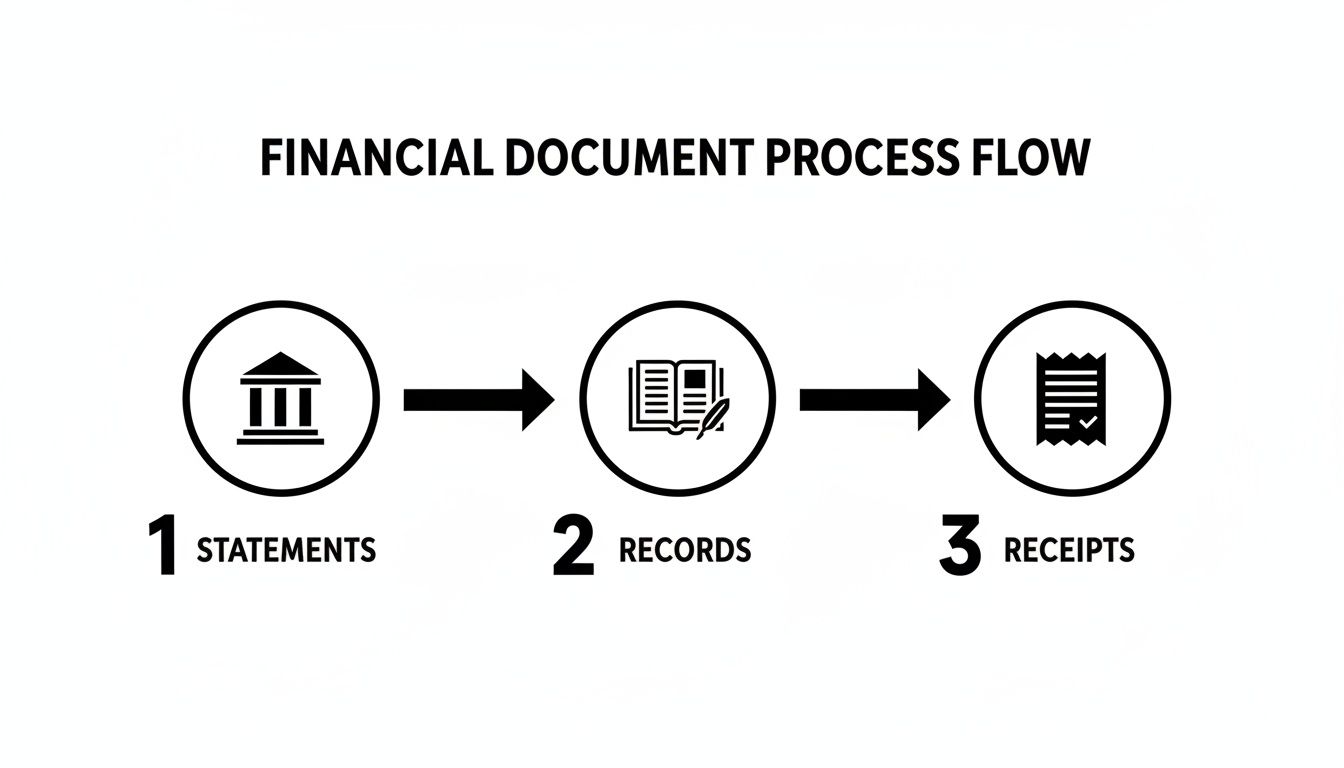
This diagram shows how your bank statements, internal records, and all those little receipts feed into creating a verified and accurate picture of your finances.
A Practical Workflow for Matching
Going line by line can feel a bit monotonous, so it pays to have a system. I've always found it best to tackle the bigger, more significant transactions first. They're usually easier to spot and matching them quickly gives you a real sense of progress.
For instance, think about a large payment you received from a major client. You'll have an invoice for, say, £2,500 in your records. Scan your bank statement for that corresponding £2,500 deposit. Found it? Great. Tick it off on both documents. Now do the same for your big expenses, like that quarterly software subscription or a hefty materials purchase.
Another good tactic is to group similar transactions. If you made several small purchases from the same supplier, look for all of them at once. This kind of batching is so much quicker than jumping randomly between different types of transactions.
Verifying Every Payment and Deposit
This is your moment of truth: confirming that the money you think you have is the money you actually have. It's not about the big picture; it’s all in the details.
Let’s walk through a real-world example. Imagine you're a freelance writer and you invoiced a client for £500 on the 15th of the month. Your accounting records show this £500 as income. Now, grab your bank statement. You should see a deposit for £500 hitting your account a few days later.
Once you spot it, you've just confirmed that piece of income. This is exactly why the process is so vital for accurate tax reporting. When you file your Self Assessment, you need to be absolutely certain that the income you declare is backed up by what actually landed in your bank.
The same logic applies to everything going out. You bought a new office chair for £120 and have the receipt logged in your expenses. On your bank statement, you should find a debit card payment or bank transfer for exactly £120 to the office supply shop. When you find the match, tick it off.
By methodically confirming every payment and deposit, you are creating an undeniable audit trail. You're not just 'doing your books'; you're building a solid, evidence-backed financial foundation for your business.
What to Look for When Matching
As you're working through this, keep your eyes peeled for a few specific things. The details really matter, and tiny discrepancies can often point to bigger issues.
- Matching Amounts: Does the figure in your records match the bank statement exactly? A difference of even a few pence needs looking into.
- Transaction Dates: The date you record a transaction might not be the same date it clears the bank. This is normal, but the dates should be reasonably close. A transaction from three months ago suddenly appearing is a definite red flag.
- Payee and Payer Details: Double-check that the name of the supplier or client on your statement matches who you have in your records. This is a simple way to catch miscategorised payments.
By using a structured approach like this, you turn a potentially chaotic chore into a manageable, even empowering, task. You’re not just checking boxes; you're gaining total clarity over your financial health, one transaction at a time. This methodical verification is what separates guessing from knowing.
Tackling Common Reconciliation Headaches
Sooner or later, it happens to every business owner. You're cruising through your bank reconciliation, feeling on top of things, and then... you hit a wall. The numbers just refuse to line up. Don't panic. This is completely normal and almost never signals a major disaster.
More often than not, it's just one of a few usual suspects causing the trouble. Think of yourself as a financial detective. Your job is to spot the clues, investigate the common culprits, and crack the case. It’s less about blame and more about making sure every penny is where it should be, which is the cornerstone of good financial housekeeping.
Decoding Timing Differences
One of the most frequent reasons for a mismatch is a simple timing difference. This happens all the time. You’ve recorded a payment or a deposit in your books, but it hasn’t actually cleared the bank yet. It’s a classic case of your records being a little ahead of reality.
Here’s a real-world example:
- On the 30th of the month, you write and post a cheque to a supplier for £200. You immediately log this outgoing payment in your accounting software because, as far as you're concerned, the money is spent.
- Your supplier, however, doesn't pop it into their account until the 3rd of the next month.
- When you reconcile your bank statement for the first month, your books will show £200 less than your bank statement does.
This isn’t an error; it's what we call a transaction in transit. The fix is easy. You just need to flag it as an "outstanding payment" in your reconciliation. Once it clears in the next period, your balances will align perfectly.
Dealing with Sneaky Bank Charges
Another common tripwire is forgetting to account for bank fees. These are often small amounts for monthly service charges, transaction fees, or interest payments that the bank quietly deducts. Since you don't get a formal invoice for them, they're incredibly easy to miss when you're updating your own records.
If your reconciled balance is off by a small, specific amount like £5 or £12, have a quick scan of your bank statement for any service fees. Once you've found the culprit, it's a simple fix. Just create a new expense entry in your accounting software for the bank charge, pop it in the right category, and your books will snap back in line with the bank.
Don’t let small discrepancies slide. Investigating a £5 difference builds the discipline needed to spot a £500 error. It’s all about maintaining rigorous accuracy in your bank statement reconciliation process.
These little issues highlight just how many transactions UK small businesses juggle. UK Finance payment statistics show a market processing trillions annually, where even tiny reconciliation mistakes can add up. What's more, the data in the ONS Pink Book, which details the UK's current account, relies on the accuracy of reported deposits and loans. This makes precise bank reconciliations a fundamental part of the UK's financial reporting fabric. You can read the full ONS report on the UK's balance of payments for more context.
Navigating Multi-Currency Conversions
For anyone working with international clients or using services billed in other currencies (like paying for software in USD), exchange rates throw another spanner in the works. You might record an expense based on the exchange rate on the day you bought something, but the bank often processes it a day or two later at a slightly different rate.
For instance, you subscribe to a software tool for $100. On that day, the exchange rate makes it £80, so that’s what you log. But when the payment actually clears, the bank uses a rate that converts it to £81.50. That £1.50 difference is a currency fluctuation.
Thankfully, your accounting software should let you adjust for this. You can usually edit the original transaction to match the exact pound sterling amount that left your bank. This keeps your expense records spot-on. If you find this is becoming a regular chore, it might be time to investigate getting some help. You can learn more about how expert support can simplify these issues in our guide to bookkeeping services for small businesses.
To help you troubleshoot faster, here’s a quick-reference table for the most common reconciliation snags.
Common Reconciliation Problems and Their Solutions
| The Problem | What It Looks Like | How to Fix It |
|---|---|---|
| Timing Differences | A cheque you've sent hasn't been cashed, or a deposit hasn't cleared yet. | Mark the item as "outstanding" in your reconciliation. It will resolve itself in the next period. |
| Unrecorded Bank Fees | Your records show slightly more cash than the bank statement, often by a small, recurring amount. | Find the fee on the bank statement and add it as an expense in your accounting records. |
| Currency Fluctuations | An international payment in your records doesn't exactly match the GBP amount on your statement. | Adjust the transaction in your books to match the final amount charged by the bank. |
By learning to spot these common issues, you can resolve discrepancies quickly and keep your reconciliation process running smoothly. You'll go from feeling frustrated by mismatches to feeling empowered to solve them.
Leaning on Tech to Automate Your Workflow
Okay, now that we’ve walked through the manual reconciliation grind, you can probably see why it’s a job most of us dread. The good news? You don't have to do it that way. It's time to let modern tools take over the heavy lifting. These days, smart software isn't a luxury; it's an essential part of keeping your finances accurate without losing your sanity.
Imagine a world where you’re not manually keying in receipt details or digging through your inbox for an old invoice. That's exactly what you get when you pair a solid accounting platform with a smart receipt management tool. They handle the most mind-numbing parts of reconciliation, freeing you up to do what you actually enjoy.
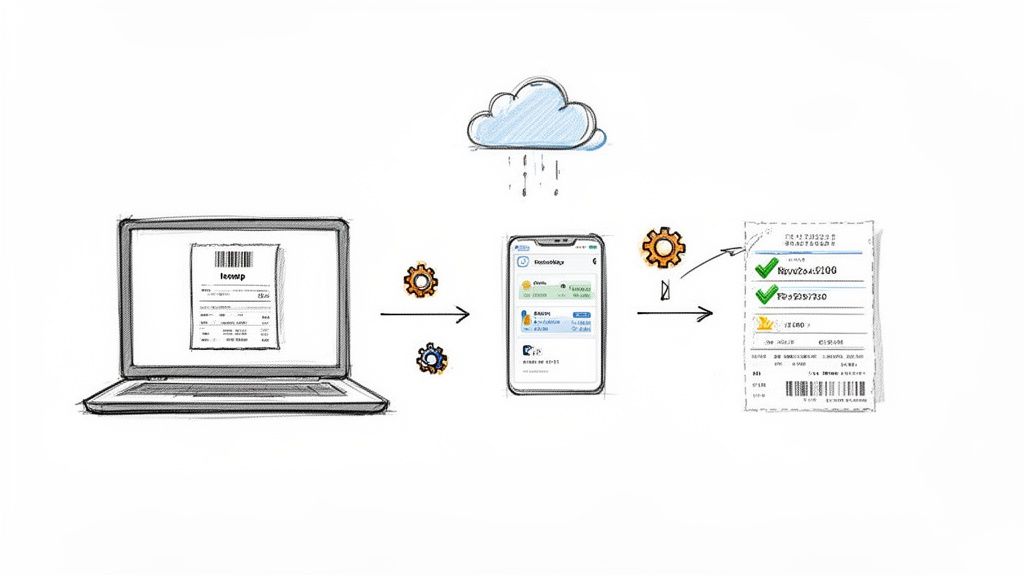
From Manual Slog to Automated Bliss
The whole point here is to get your financial information flowing smoothly without you having to touch it. Platforms like FreeAgent can link directly to your bank, automatically pulling in your transactions. That alone saves a massive amount of data entry. But the real game-changer is what happens when you add a dedicated receipt tool into the mix.
Instead of letting digital receipts clog up your inbox, you can simply forward them. Tools like Receipt Router give you a unique email address. Anything you send there gets scanned and processed. The software pulls out the important bits: date, amount, supplier, and then intelligently matches that receipt to the right transaction in FreeAgent.
Just like that, a tedious, multi-step chore becomes a single, two-second action. This is the definition of "work smarter, not harder" for any freelancer.
Making Sense of Multi-Currency Transactions
If you’re a UK freelancer, there’s a good chance you’re dealing with international clients or suppliers. Paying for that AWS server in USD or getting a payment from a European client via Stripe means juggling different currencies. This is where reconciliation can get messy, fast. Exchange rates are always moving, so the amount on the invoice rarely matches the exact amount that hits your bank account.
This is another spot where automation is a lifesaver.
- Automatic Conversion: Forward a receipt in a foreign currency, and a smart tool will convert it to GBP using the correct daily exchange rate without you having to look it up.
- Pinpoint Matching: It then hunts down the exact GBP transaction in your bank feed, so the numbers line up perfectly. No more manual calculations.
- Fewer Mistakes: This completely removes the guesswork and the risk of human error, keeping your expense claims spot-on and HMRC-compliant.
The real win with automation isn't just speed; it's accuracy. When you let software handle the tricky conversions and matching, you end up with a set of books you can actually rely on.
As your business grows, this kind of efficiency becomes vital. You might even find that bringing in specialised help, like virtual assistant bookkeeping, makes perfect sense to keep everything running smoothly.
Building Your Perfect Digital Archive
One of the best side effects of a good automation setup is that it creates a flawless, searchable digital archive for you. Every time a receipt gets matched, a copy of it is attached directly to the transaction inside your accounting software.
This means you’ll never have that heart-stopping moment of panic when you can't find a receipt at tax time. Even better, some tools (like Receipt Router) will also back up every single receipt to a cloud service like Google Drive, neatly organising them into folders by year, month, and supplier.
Without you lifting a finger, you get a perfectly structured, HMRC-ready archive. It’s the kind of peace of mind that lets you focus on your work, knowing your finances are tidy and accessible. If you want to learn more about how tech is changing the game, check out these insights on automation in accounting. This kind of setup turns a task you used to put off for weeks into a simple, background process that just happens.
Got Questions? We've Got Answers
Even when you've got a system, reconciling your bank statements can throw up a few curveballs. It's a vital part of keeping your freelance finances in order, so let’s tackle some of the most common questions that crop up.
How Often Should I Be Reconciling My Accounts?
For most freelancers and small business owners in the UK, reconciling monthly is the sweet spot. Doing it this often means the job never gets too big, and you can spot any weird transactions or potential fraud before they become a real headache. If your business is buzzing with lots of daily transactions, you might even find a quick weekly check-in feels better.
The key isn't the exact schedule, but sticking to it religiously. Whatever you decide, weekly or monthly, pop it in your calendar as a recurring appointment. Treating it like a client meeting is the secret to keeping your books clean and trustworthy year-round.
Think of it as a regular health check for your business finances. A quick monthly review prevents small issues from becoming major emergencies down the line.
What If I’ve Looked Everywhere and Still Can’t Find a Discrepancy?
That moment of frustration is all too familiar. You've been over it a dozen times and the numbers just won't line up. Before you throw your laptop out the window, take a deep breath and check your own maths first. A surprisingly common culprit is a transposition error, a fancy term for accidentally swapping two numbers around, like typing £81 instead of £18.
Here’s a handy little trick: is the difference between your records and the bank statement divisible by nine? If it is, there's a very good chance you've got a transposition error hiding somewhere. Also, give your last reconciliation report a quick glance to be certain you started this period with the correct opening balance.
If you’re still stumped, it might be time to call in backup. A fresh pair of eyes from a bookkeeper or your accountant can often pinpoint the problem in minutes. It’s a small investment for the peace of mind that comes with knowing your accounts are spot on.
Can Software Really Automate All of This?
Accounting software has come a long way, and yes, it can automate the lion's share of the reconciliation process. It’s a proper game-changer. While it might not be 100% hands-off, it gets you incredibly close.
Here’s a peek at how it works its magic:
- Automatic Imports: Software like FreeAgent uses secure bank feeds to pull your transactions in automatically. Right away, you've eliminated the soul-destroying task of manual data entry.
- Intelligent Matching: The software then gets clever, suggesting matches for your invoices and expenses. It’ll see a payment of £450 come in and propose linking it to your invoice #007 for that exact amount.
- Receipt Integration: This is where it gets even better. By connecting a dedicated tool like Receipt Router, the system can read your emailed receipts, match them to the right bank transaction, and neatly attach the receipt file for you.
You'll still want to give everything a final once-over and click to confirm the matches, but the automation handles all the grunt work. It turns a job that could easily eat up a few hours into something you can knock out in minutes over a cup of tea.
Ready to stop juggling receipts and start automating your reconciliation? Receipt Router connects directly with FreeAgent to match and archive your receipts effortlessly. See how it works at https://receiptrouter.app.