Apps for Receipts: Save Time and Money for UK Freelancers
At their core, receipt apps are digital tools that let you snap a picture of a receipt, organise it, and store it safely, completely getting rid of manual data entry. For freelancers and small business owners in the UK, the best ones are those that talk directly to your accounting software like FreeAgent, can handle different currencies, and pretty much automate the whole process. It's a massive time-saver.
Why Your Shoebox of Receipts Is Costing You Money
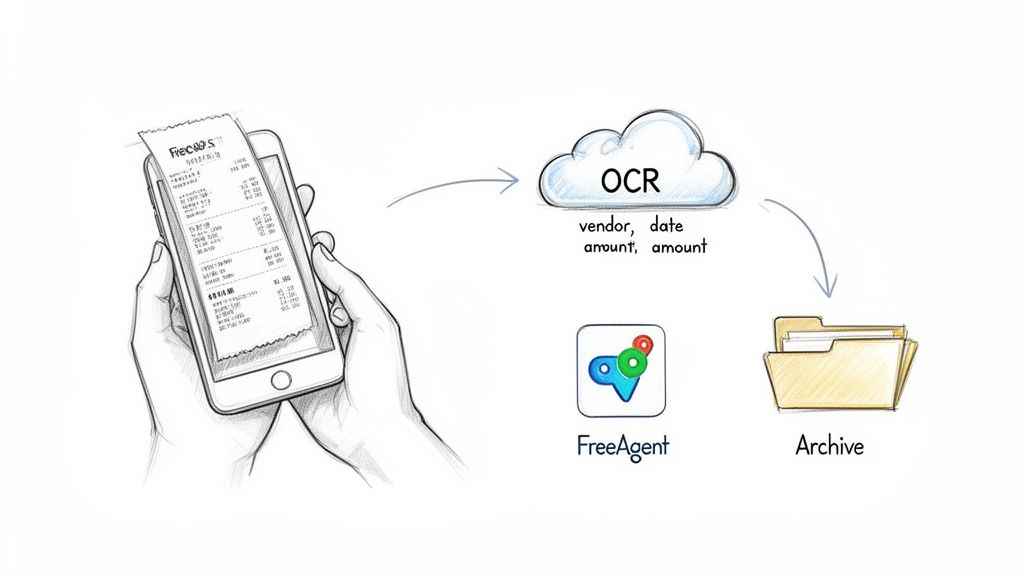
Let's be honest. For too many of us, "receipt management" is a fancy term for a bulging wallet, a shoebox stuffed with faded paper, and an inbox swamped with PDF invoices. Every time you buy a coffee for a client or subscribe to a new piece of software, another bit of paper or a digital file gets added to the ever-growing pile.
Trying to make sense of it all feels like doing a jigsaw puzzle with half the pieces missing and no picture on the box. You know everything you need is in there somewhere, but finding a specific receipt is a frustrating, time-sapping nightmare. Come tax season, that jumble of thermal paper and random emails becomes a serious headache.
The Hidden Costs of Manual Tracking
This isn't just a bit of a nuisance; it's actively costing you money. Think about it: every hour you spend hunched over a spreadsheet, squinting at a crumpled receipt and typing in the details, is an hour you’re not spending on paid client work. Those hours add up fast, eating directly into your earnings.
Even worse, a chaotic system all but guarantees you'll miss out on claiming perfectly legitimate expenses. A lost train ticket here, a forgotten software invoice there… it all means you're handing over more tax to HMRC than you legally need to. Poor record-keeping is one of the most common reasons small businesses fail to claim everything they're entitled to.
It's not just about the missed deductions, though. The real cost of a messy receipt system is the slow, steady drain on your most valuable resource: your time. Manually entering data is a low-value chore that pulls you away from the high-value work that actually grows your business.
This is exactly where apps for receipts come in and change the game. They are built from the ground up to bring order to this chaos. You swap a manual, error-prone chore for an automated system that hums along quietly in the background.
From Chaos to Automated Clarity
Imagine a world where your financial admin pretty much takes care of itself. You just snap a quick photo of a paper receipt or forward an email invoice, and the app handles the rest. It cleverly reads the key details like the date, the amount, and the supplier, and sends it all straight to your accounting software, filed away neatly and securely.
This modern approach turns a job you dread into a simple, two-second task. It gives you back your valuable time and, crucially, makes sure every single pound of tax-deductible spending is captured without fail. You can dive deeper into how a receipt scanner app can streamline your finances in our detailed guide. It's also worth understanding the broader ways automation reduces business operating costs, because getting your receipts in order is often just the first step to a much more efficient business.
How Do These Receipt Apps Actually Work?
Think of a receipt management app as your very own financial admin assistant, one that works around the clock. Its whole job is to take that messy shoebox full of receipts, or that chaotic inbox of email invoices, and magically transform it all into clean, organised financial data.
It all starts with your smartphone. You just snap a quick, clear photo of a paper receipt, forward over an email, or upload a PDF. That's your part done. From there, the app does all the heavy lifting, saving you from the soul-crushing boredom and inevitable typos that come with manual data entry.
The old-school way of doing things? It’s a recipe for disaster, full of lost receipts and missed tax deductions.
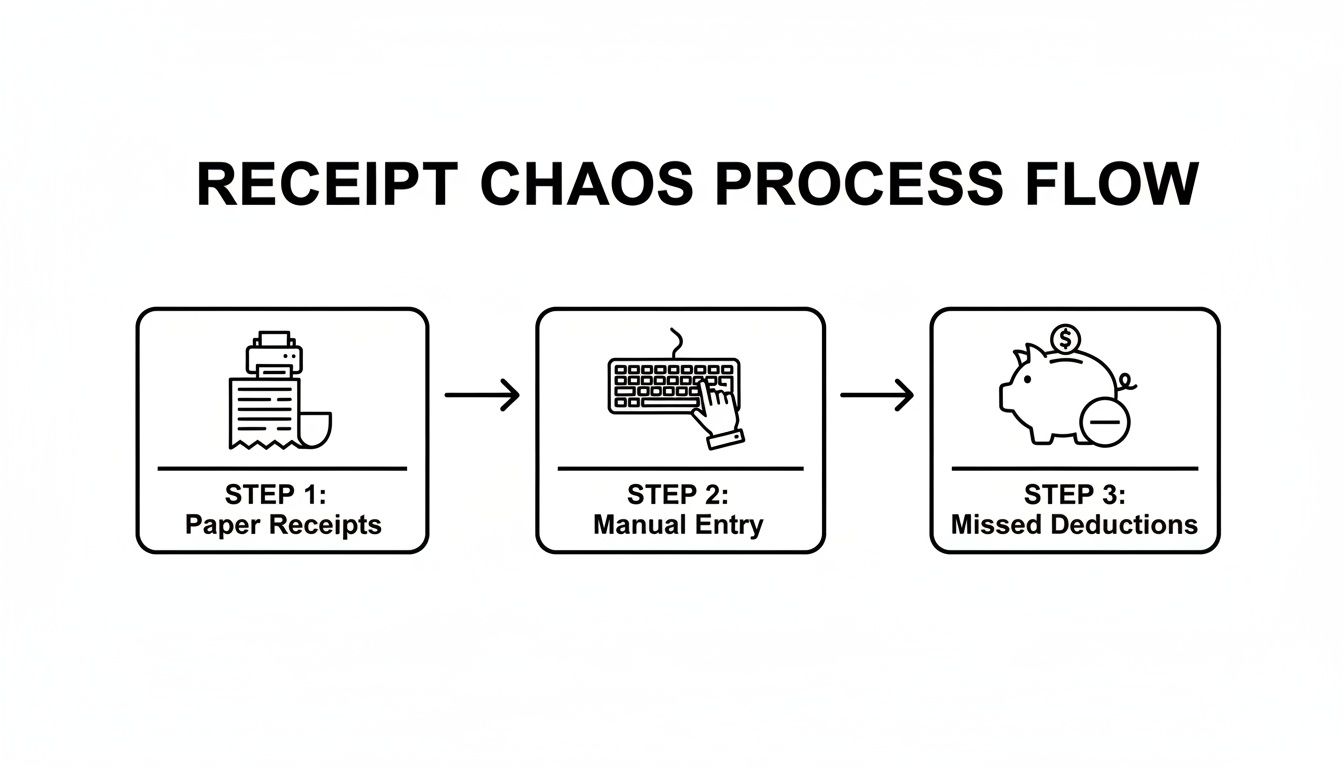
As you can see, it doesn't take much for a simple paper receipt to become a financial headache, directly hitting your profit when you can't claim back what you're owed.
The Tech Behind the Scenes
So, what's the secret sauce? At the core of most of these apps is a technology called Optical Character Recognition (OCR). You can think of OCR as a super-speedy digital eye that scans the photo of your receipt and reads the text, figuring out what's what.
But modern apps take it a step further. They use a more advanced version of this tech, often called Intelligent Document Processing (IDP). It doesn't just read the text; it understands the context, which is a game-changer.
This means the app is smart enough to know the difference between the shop's name and the total amount you paid. It actively looks for and accurately pulls out the key details:
- Vendor Name: It spots who you paid, whether it's "Pret a Manger" or "Amazon UK".
- Transaction Date: The app instantly finds the date of your purchase.
- Total Amount: It isolates the final figure you paid.
- VAT Amount: And for UK businesses, this is the big one. It can pull out the specific amount of VAT you paid, making your VAT returns a breeze.
Once this information is grabbed, it’s no longer just a pretty picture of a receipt. It's structured, usable data that your accounting software can actually understand.
Turning Raw Data into Perfect Records
This is where the magic really happens for a UK freelancer or small business owner. The data doesn't just get stored in the app and forgotten about. It’s sent straight to where you need it most, creating a flawless record of your business spending.
The best receipt apps are designed to talk directly to the accounting software we use here in the UK. For instance, after the app has done its thing, it can automatically create a brand-new expense in your FreeAgent account and attach the digital receipt image right to it.
This forges an unbreakable, HMRC-compliant link between the transaction on your bank statement and the actual proof of purchase. Gone are the days of frantically digging through folders for a tiny slip of paper. Everything is right there, neatly filed and connected.
This seamless connection keeps your books accurate and up-to-the-minute. To see just how smooth this can be, it's worth checking out how tools like ours offer a seamless integration with FreeAgent, completely automating your bookkeeping. This whole process is what turns a simple photo into a fully reconciled business expense, saving you hours of tedious work every single month.
Essential Features for UK Freelancers
When you start digging into apps for receipts, you quickly discover they aren't all built the same. A lot of them are made with a global or American audience in mind, meaning they can feel a bit off-key for a UK-based sole trader. To find the right fit, you need to zero in on the features that actually solve the problems you face day in, day out.
Think of it like buying a car. You wouldn't get a two-seater sports car if you have three kids to ferry around; you need something that fits your life. The same logic applies here. A generic, one-size-fits-all app might look flashy, but it won’t untangle your specific bookkeeping knots.
This is especially true when you think about the sheer number of receipts we handle. In the UK, an incredible 11.2 billion paper receipts are printed every year, and most of them can't even be recycled. It’s no wonder savvy freelancers are switching to digital, using apps to forward emails or snap photos. It’s a huge win for both the planet and your admin time. As this article on why customers are ready to embrace digital receipts shows, it's quickly becoming the new normal.
To help you cut through the noise, let's break down the must-have features. The table below gives you a quick snapshot of what to look for and, more importantly, why it matters for your UK freelance business.
Essential App Features for UK Business Needs
| Feature | Why It's Critical | What to Look For |
|---|---|---|
| Seamless FreeAgent Sync | For many UK freelancers, FreeAgent is mission control. The app must integrate deeply, not just dump data. | Automatic expense creation, receipt image attachment, and ideally, bank transaction matching. |
| Multi-Currency Support | Your business is global. You buy software in USD and work with clients in EUR. Manual conversions are a recipe for mistakes. | Auto-conversion of foreign currency receipts to GBP based on the transaction date. |
| Privacy-Focused Automation | Giving an app full access to your entire inbox to hunt for receipts is a massive privacy risk. | A dedicated forwarding address. This puts you in control, so the app only sees the emails you send it. |
| "Set It and Forget It" Workflow | The whole point is to save you time. A good app should work quietly in the background without needing constant attention. | The ability to set up automatic forwarding rules in your email client (like Gmail or Outlook). |
These aren't just nice-to-haves; they're the core components of a system that genuinely frees you from receipt admin. Let's explore why each one is so crucial.
Seamless FreeAgent Integration
For a huge number of UK freelancers, FreeAgent isn't just a piece of accounting software; it's the financial backbone of their business. This makes a deep, smooth integration with your receipt app an absolute non-negotiable. A clunky connection that forces you to manually export and import files completely defeats the purpose of getting an app in the first place.
A proper integration means that when you capture a receipt, the app intelligently talks to FreeAgent to:
- Create an expense automatically: No more manual data entry. The app should create a new expense with all the right details.
- Attach the receipt image: The digital copy of your receipt gets linked directly to the expense entry, keeping you perfectly compliant with HMRC.
- Match it to a bank transaction: The best systems take it a step further. They find the corresponding payment in your bank feed, making reconciliation a breeze.
This kind of slick integration turns a tedious chore into an automated process that just happens, keeping your books accurate and up-to-date without you having to think about it.
Multi-Currency Support for Global Business
The freelance world isn't confined to postcodes anymore. You might be buying software from a US company in dollars, paying for a design asset in euros, or working with a client in Australia. This is where multi-currency support is a lifesaver.
Without it, you’re stuck manually calculating exchange rates, a fiddly job that’s ripe for errors. A genuinely helpful app handles all this for you. When you forward an invoice for $50, it should know to convert that to pounds using the correct rate for that day and log the right GBP amount in FreeAgent. For any freelancer with international clients or suppliers, this is a deal-breaker.
Privacy-First Automation
Many apps offer to scan your entire inbox to find receipts. It sounds convenient, sure, but it means giving a third-party app the keys to everything: sensitive client emails, personal messages, the lot. That's a huge privacy red flag for most people.
A much safer, more respectful approach is a system that only processes what you decide to send it. Tools like Receipt Router work by giving you a unique email address. You simply forward your receipt emails there, or even better, set up forwarding rules in your inbox.
This method puts you firmly in control. The app only ever sees the receipts you choose to send, protecting your privacy while still giving you powerful automation. Your inbox stays yours.
Set It and Forget It Workflow
Ultimately, the goal of using an app for receipts is to claw back your time and mental energy. The best tools let you build a "set it and forget it" system. By creating a few simple auto-forwarding rules in Gmail or Outlook, you can create a workflow that is almost completely hands-off.
Just imagine: every time an invoice from Adobe, a payment confirmation from Stripe, or a bill from AWS lands in your inbox, it's instantly whisked away to your receipt app, processed, and filed away neatly in FreeAgent. You don’t have to lift a finger.
This is what real automation feels like. It moves receipt management off your active to-do list and turns it into a background task that just works. As you weigh your options, our guide on the best expense management software can help you see how different tools stack up.
A Day in the Life With an Automated Workflow
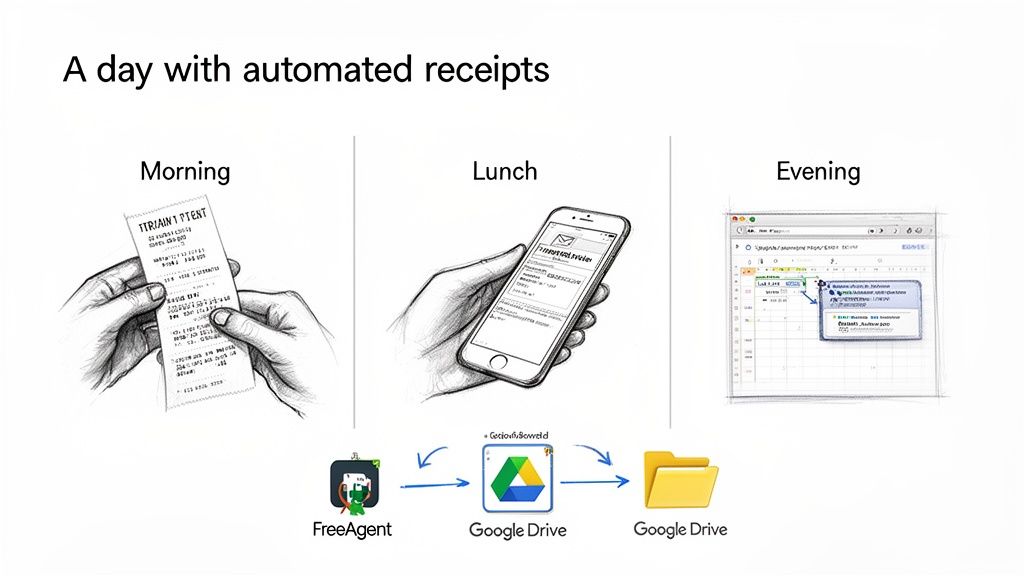
To see how receipt-management apps can really lighten your workload, let’s tag along with Sarah, a freelance consultant. She starts her morning at King’s Cross, buys a train ticket, then whips out her phone to snap a quick picture of the paper receipt. Less than ten seconds later, that image is winging its way into her accounting system.
Her app reads the vendor name, date and amount, creates an expense in FreeAgent and attaches the picture. This is all done before her train has even pulled away.
Midday Client Lunch And Digital Invoices
A couple of hours later, Sarah treats her client to lunch at a cosy Soho bistro. She pays by card and the restaurant emails her a PDF receipt. On the walk back to her co-working space, she simply forwards the email to her unique Receipt Router address.
Within moments:
- The system extracts the details from the PDF
- An expense lands in FreeAgent
- It’s neatly tagged as Business Entertainment
No spreadsheets. No desktop filing. Just a seamless forward and forget routine.
The Power Of Set-And-Forget Automation
By evening, Sarah’s inbox holds an automated invoice for her project-management tool, billed in US dollars. Thanks to an email rule, this lands straight in her receipt app without her lifting a finger.
Here’s what happens next:
- Auto-Forward: The invoice is detected and forwarded automatically.
- Multi-Currency Conversion: The app spots the $49 charge, fetches that day’s exchange rate and logs the cost in pounds.
- Archiving: A pristine PDF copy is saved to her Google Drive, sorted by vendor and date.
This hands-off approach means recurring expenses never slip through the cracks, and the whole process runs in the background without her involvement.
By day’s end, Sarah’s recorded three separate business expenses, from a paper ticket, an emailed lunch receipt and a subscription invoice. She hasn’t touched a spreadsheet or typed a single figure. That’s the beauty of modern automation: no end-of-month panics, every tax-deductible cost captured, leaving her free to focus on the work she loves.
Right, let's figure out which type of receipt app is actually for you.
Diving into the world of receipt apps can feel a bit like walking into a massive DIY shop. You know you need something to fix that messy pile of receipts, but the sheer number of options on every aisle is just overwhelming. The key is to realise they generally fall into three different camps, each built for a slightly different kind of person.
Finding the right fit isn’t about grabbing the one with the most bells and whistles. It's about matching the tool to your day-to-day reality as a UK freelancer or small business owner. Let's be honest, the best app is the one you'll actually use because it makes your life genuinely simpler, not more complicated.
This whole shift away from paper is happening everywhere, by the way. Just look at the supermarkets: a whopping 71% of UK grocery shoppers now choose a digital receipt when offered. For people who shop daily, that number jumps to 81%. This tells us there's a huge appetite for digital-first solutions, especially for busy freelancers juggling everything from Stripe invoices to blurry photos of petrol receipts. You can read more about how digital is changing the retail game to see just how normal this has become.
All-In-One Accounting Platforms
First up, you've got the big guns: the all-in-one accounting platforms like QuickBooks or Xero. Think of these as the financial command centre for a small business. They do everything including invoicing, payroll, tax estimates, and yes, receipt scanning.
- Who they're for: Small businesses that need the whole package. If you’ve got staff, manage stock, or need detailed financial reports, this is probably where you’ll land.
- The upside: It’s all under one roof. Your receipts are captured and immediately plugged into your main accounting system. No messing about, just one source of truth for your finances.
- The downside: For a sole trader, they can be total overkill and pretty pricey. You might find yourself paying for a dozen features you’ll never even look at. They can also have a much steeper learning curve.
Dedicated Receipt Capture Tools
Next are the specialists. These are dedicated receipt capture tools, and their entire reason for existing is to do one thing exceptionally well: grab and digitise your receipts. They’re built to be the best at scanning and pulling out the data, then passing it on to other software.
These tools are the experts in their field. They often have brilliant OCR technology and really slick mobile apps because that’s all they focus on. The result is usually a super quick and accurate capture process.
The whole idea behind these apps is flexibility. They act as a central hub for your receipts, giving you the freedom to ping that data over to whichever accounting software, cloud storage, or expense tool you happen to be using.
- Who they're for: Freelancers, consultants, or small businesses who already have an accounting system they love but need a much better way to get receipts into it.
- The upside: They are masters of their craft, often giving you the best, most painless experience for scanning and data extraction. Being able to connect to lots of different platforms gives you real control over your workflow.
- The downside: It’s another app to manage and another subscription to pay for. You also have to be sure the connection to your accounting software is as smooth and reliable as you need it to be.
Specialised Automation Tools
Finally, there's a newer breed of tool focused squarely on automation, which is where something like Receipt Router fits in. These aren't really "apps" you open and poke around in every day. They’re more like an invisible pipeline for your financial paperwork.
The focus here is on getting information from A to B with zero effort. They're designed to automatically whisk a receipt from your email inbox straight into your accounting software and cloud storage without you having to lift a finger.
- Who they're for: UK freelancers and sole traders who put efficiency, automation, and privacy at the top of their list. They are perfect for anyone using FreeAgent who just wants a "set it and forget it" system that works.
- The upside: The automation and privacy are second to none. By giving you a unique forwarding address, these tools only ever see the receipts you choose to send. No need to grant full access to your entire inbox. The whole thing just hums along quietly in the background.
- The downside: They are laser-focused. If you're after a full-blown expense management platform with things like team spending approvals or fancy analytics, this stripped-back approach won't be for you. Their strength is in their sheer simplicity and powerful, targeted automation.
Got Questions About Receipt Apps? Let’s Get Them Answered.
Switching to a digital system for your receipts can feel like a big leap, and it’s only natural to have a few questions rattling around in your head. You want to know you’re making the right choice for your business, not just adding another bit of complicated tech to your plate.
We’ve heard all the common worries and “what ifs” from freelancers and small business owners across the UK. So, let’s tackle them head-on and clear up any lingering doubts you might have.
Is It Really Safe to Use an App for My Financial Documents?
This is usually the first question people ask, and for very good reason. We’re talking about sensitive financial info, and trust is non-negotiable. The good news is that any decent receipt app is built with security at its core, often far more secure than a shoebox under the bed or a random folder on your desktop.
Most services use heavy-duty encryption to protect your data, both while it’s being uploaded and while it's stored away. Think of it like using a secure armoured van to transport something valuable, instead of just popping it in the post. It’s protected every step of the way.
One of the biggest security wins comes from how an app gets your receipts. A service like Receipt Router gives you a unique forwarding email address, which is a game-changer for privacy. You stay in the driver's seat, only sending the specific documents you want processed. This completely avoids having to grant an app full, sweeping access to your entire inbox.
On top of that, always look for features like two-factor authentication (2FA). It adds an extra lock to your account, making it incredibly difficult for anyone else to get in. When you think about it, your documents are probably much safer in a purpose-built, encrypted cloud system than they are in an unlocked filing cabinet.
How Much Time Will I Actually Save?
This really depends on how you’re doing things now, but honestly, the difference is usually massive. If you’re one of the many who spend a few hours at the end of each month wrestling with a spreadsheet and a pile of receipts, you can expect to get almost all of that time back.
Just think about all the little steps you currently take:
- Finding that crumpled receipt from the bottom of your bag.
- Manually typing in the name of the shop, the date, and the total.
- Logging into your accounting software to create a new expense.
- Scanning or snapping a photo of the receipt and attaching the file.
Each step might only take a minute, but it adds up ridiculously fast. With a proper app, that whole song and dance is cut down to one simple action that takes less than 10 seconds, like forwarding an email or taking a quick picture.
For all your digital invoices, the time saving is even bigger. Set up an auto-forwarding rule once, and the whole process becomes completely hands-off. It’s no exaggeration to say you could easily save several hours every single month. That’s time you can put back into earning money, finding new clients, or just switching off for the evening.
Can These Apps Handle All My Different Types of Receipts?
Modern receipt apps are incredibly good at what they do. They’re built to handle the weird and wonderful mix of expenses that every freelancer racks up, from a simple coffee receipt to a complex software invoice.
Here’s a quick rundown of what you can throw at most quality apps:
- Paper Receipts: Train tickets, petrol slips, client lunches… just snap a photo, and you’re done.
- Email Invoices: This is a core feature. Forwarding an email with a PDF or online receipt from places like Amazon, Uber, or your web host is seamless.
- Digital Subscriptions: Those recurring invoices from Adobe, Microsoft 365, or your project management tools can be put on autopilot.
- Multi-Currency Invoices: The best apps will instantly spot purchases made in dollars or euros, automatically converting them to pounds for your accounts.
The technology that reads the data from these different formats is remarkably accurate. Nothing is 100% perfect, of course, but the error rate is tiny. Having to make a rare manual correction is a small price to pay for automating pretty much everything else.
How Complicated Is It to Get Set Up?
This is another common worry. Nobody wants to trade one soul-crushing admin task for another, like a fiddly, complicated software setup. Thankfully, getting started with most modern receipt apps is a breeze. You can usually be up and running in less than 15 minutes.
The whole process generally looks like this:
- Create your account: Just your standard sign-up with an email.
- Connect your accounting software: You’ll be prompted to log in to your FreeAgent account to let the app create expenses on your behalf. It’s a secure, standard process used by thousands of apps.
- Get your unique email address: The app will generate a special email address just for you. This is where you’ll send your receipts.
- Set up forwarding (optional but highly recommended): For true “set it and forget it” automation, you can create a few simple rules in Gmail or Outlook to auto-forward invoices from specific senders.
And that’s pretty much it. There’s no software to install and no tech genius required. The whole point of these apps is to be user-friendly so you can start saving time right away.
Ready to stop wrestling with receipts and put your financial admin on autopilot? Receipt Router is built for UK freelancers who want a simple, secure system that just works. Connect it to FreeAgent, forward your receipts, and watch your bookkeeping take care of itself. Get started today and reclaim your time.